- Published on
DevHub Machine (HackTheBox) — Step-by-Step Walkthrough
- Authors

- Name
- Hassaan Ali Bukhari
- @B3TA_BLOCKER



Summary
DevHub is a Linux machine centered around a development environment exposing an MCP (Model Context Protocol) Inspector server. The attack chain starts with exploiting CVE-2026-23744, an unauthenticated RCE in MCPJam v1.4.2, to land a shell as mcp-dev. From there, a Jupyter Lab instance running as analyst is discovered on an internal port — its authentication token is exposed in plaintext via process arguments. Jupyter's REST API and WebSocket protocol are abused to execute code as analyst and read the user flag. Privilege escalation to root comes from a Flask-based internal service (OPSMCP) running as root, whose source code reveals a hardcoded API key and an undocumented admin endpoint that dumps root's SSH private key.
Machine Info



Reconnaissance
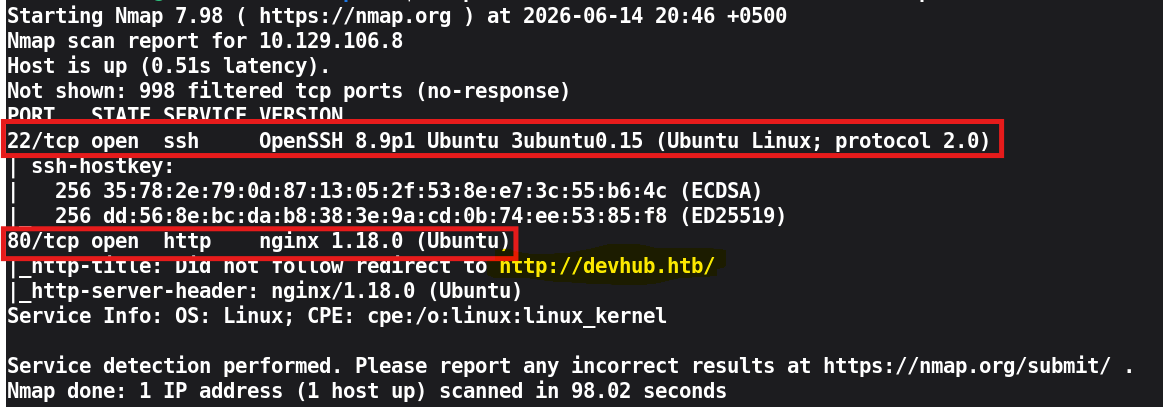
The scan returns two open ports: 22 (SSH) and 80 (HTTP). SSH is a dead end at this stage — no credentials have been found and the machine provides none by default. Port 80 is the entry point.
Before proceeding, the target IP is added to /etc/hosts:
Note: The redirect operator
>>runs as the current user, not as root, so usingsudo echo ... >> /etc/hostsfails.tee -ais the correct approach since it runs under sudo.
Web Enumeration
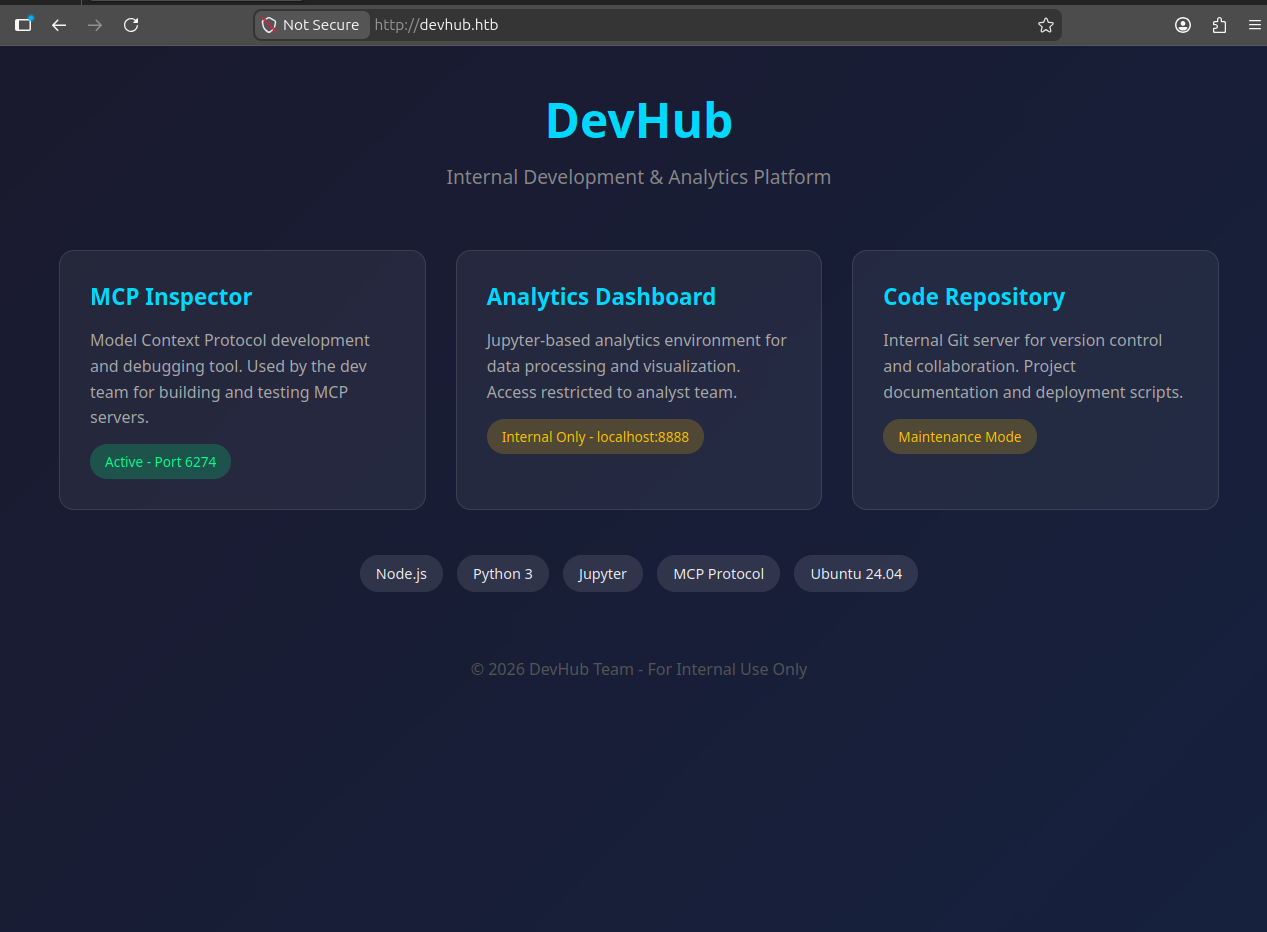
The landing page on port 80 lists three internal platforms:
- MCP Inspector — active on port
6274 - Analytics Dashboard — internal only,
localhost:8888 - Code Repository — internal Git server
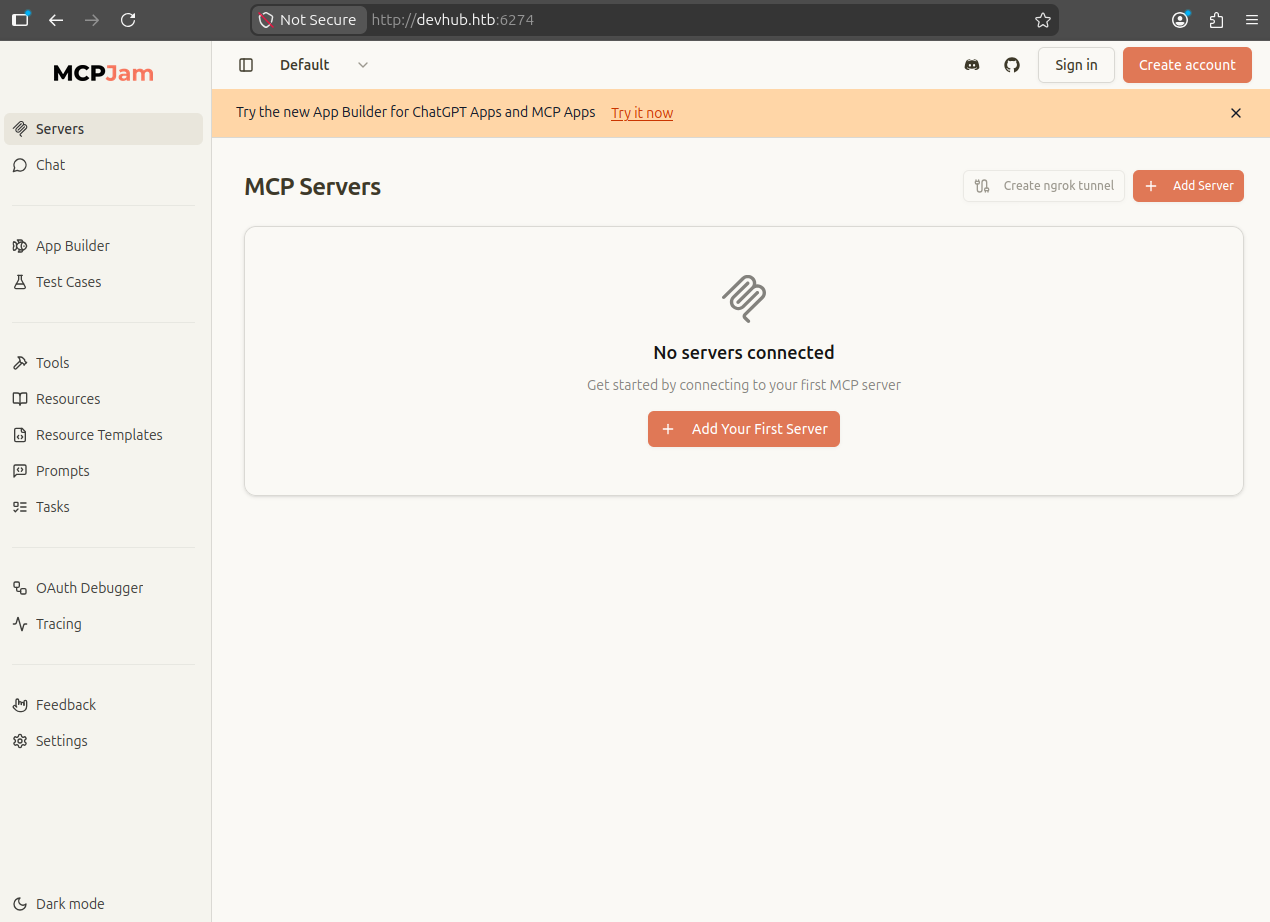
MCP Inspector

Navigating to the MCP Inspector and checking the settings tab reveals the server version: MCPJam v1.4.2.
A quick search for this version reveals a critical unauthenticated RCE vulnerability: CVE-2026-23744.
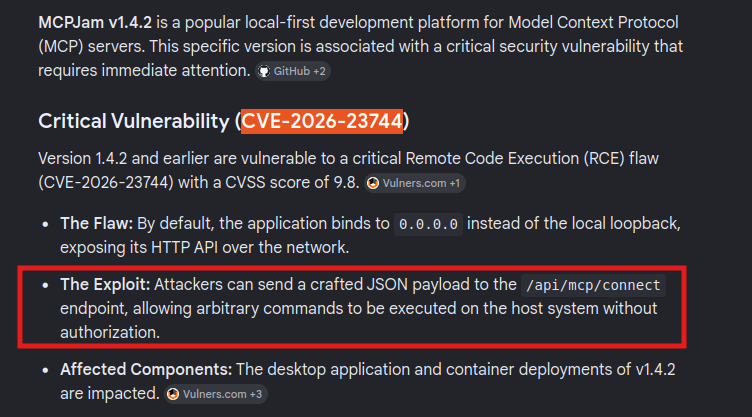
The advisory is documented at https://github.com/advisories/GHSA-232v-j27c-5pp6.
The root cause is that the MCP Inspector accepts arbitrary command and args via its /api/mcp/connect endpoint and spawns them as a child process without any validation or authentication. By default, it also binds to 0.0.0.0 instead of 127.0.0.1, making it externally reachable.
Foothold
Setting Up the Listener
Crafting the Payload
Direct use of shell redirects (>&) in the JSON payload can cause issues because /dev/tcp is a bash-only feature — it does not exist in sh. To work around this, the reverse shell command is base64-encoded and piped through bash at execution time:
The outer shell (sh -c) decodes and pipes the payload into bash, ensuring /dev/tcp is interpreted correctly.
Triggering RCE
Initial Shell as mcp-dev
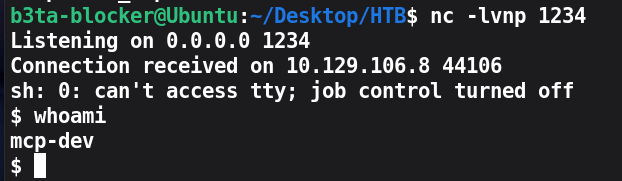
A reverse shell lands as mcp-dev. The shell is then stabilized using Python's pty module:
Landing directory: /opt/mcpjam/node_modules/@mcpjam/inspector
Lateral Movement
Process Enumeration
With a foothold on the box, internal services are enumerated to find paths to other users:

Two services are found running on loopback (127.0.0.1), inaccessible externally but reachable from the current shell:
- Port 8888 — Jupyter Lab running as
analyst - Port 5000 — OPSMCP Flask server running as
root
Jupyter Lab is the immediate target since it runs as analyst and its authentication token is visible in plaintext in the process arguments — a consequence of how Jupyter passes the token as a CLI flag at startup.
Confirming Jupyter Access
The extracted token is used to verify API access and list available notebooks:
Response confirms one notebook: quarterly_analysis.ipynb. The API is live and the token is valid.
Creating a Kernel
Jupyter's code execution model works in two stages: first a kernel (Python interpreter) is created via the REST API, then code is sent to it over a WebSocket connection. The kernel runs as the user who owns the Jupyter process — in this case, analyst.
Response:
Executing Code via WebSocket
Jupyter does not accept code execution over HTTP — all kernel communication happens over WebSocket on the /api/kernels/<id>/channels endpoint. Since websocket-client was not available on the machine, the WebSocket handshake and frame format are implemented manually using raw sockets.
WebSocket frame structure (client → server):
0x81— FIN bit set, opcode 1 (text frame)- Length byte(s) — 1 byte for ≤125, 3 bytes for ≤65535, 9 bytes for larger
- 4-byte masking key — client-to-server frames must be masked per RFC 6455
- Masked payload — each byte XOR'd with the corresponding masking key byte
User Flag

Privilege Escalation
Reading the MCP Source
The Flask service on port 5000 runs as root and requires an X-API-Key header. Direct file access to /opt/opsmcp/server.py is not available as mcp-dev, but the Jupyter kernel running as analyst can read it. The same WebSocket execution technique is reused with a different payload:
Source code review reveals two critical findings:
- Hardcoded API key:
opsmcp_secret_key_4f5a6b7c8d9e0f1a - Hidden tool:
ops._admin_dump— not listed in/tools/listbut callable via/tools/call. It acceptstarget=ssh_keysand reads/root/.ssh/id_rsadirectly, since the process runs as root.
This is a classic security-through-obscurity failure: the endpoint is undocumented but fully functional and unprotected beyond the shared API key.
Dumping the Root SSH Key
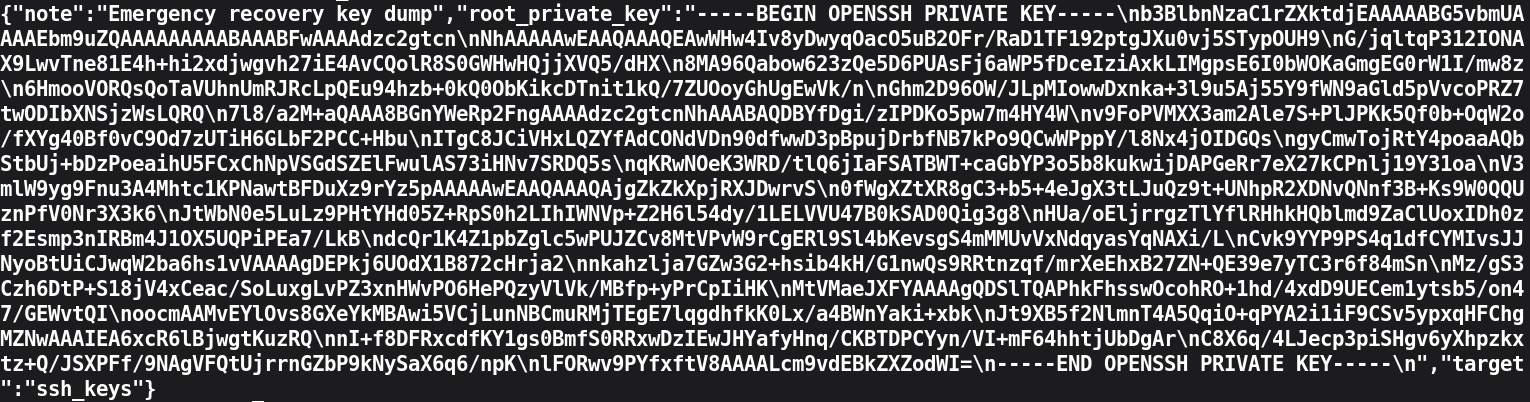
The response contains root's RSA private key.
SSH as Root
Root Flag
Attack Chain Summary
| Step | Technique | From → To |
|---|---|---|
| Foothold | CVE-2026-23744 — unauthenticated RCE in MCPJam v1.4.2 | External → mcp-dev |
| Lateral Movement | Jupyter token in process args → WebSocket kernel code execution | mcp-dev → analyst |
| Privilege Escalation | Hardcoded API key + hidden admin endpoint in OPSMCP → root SSH key | analyst → root |